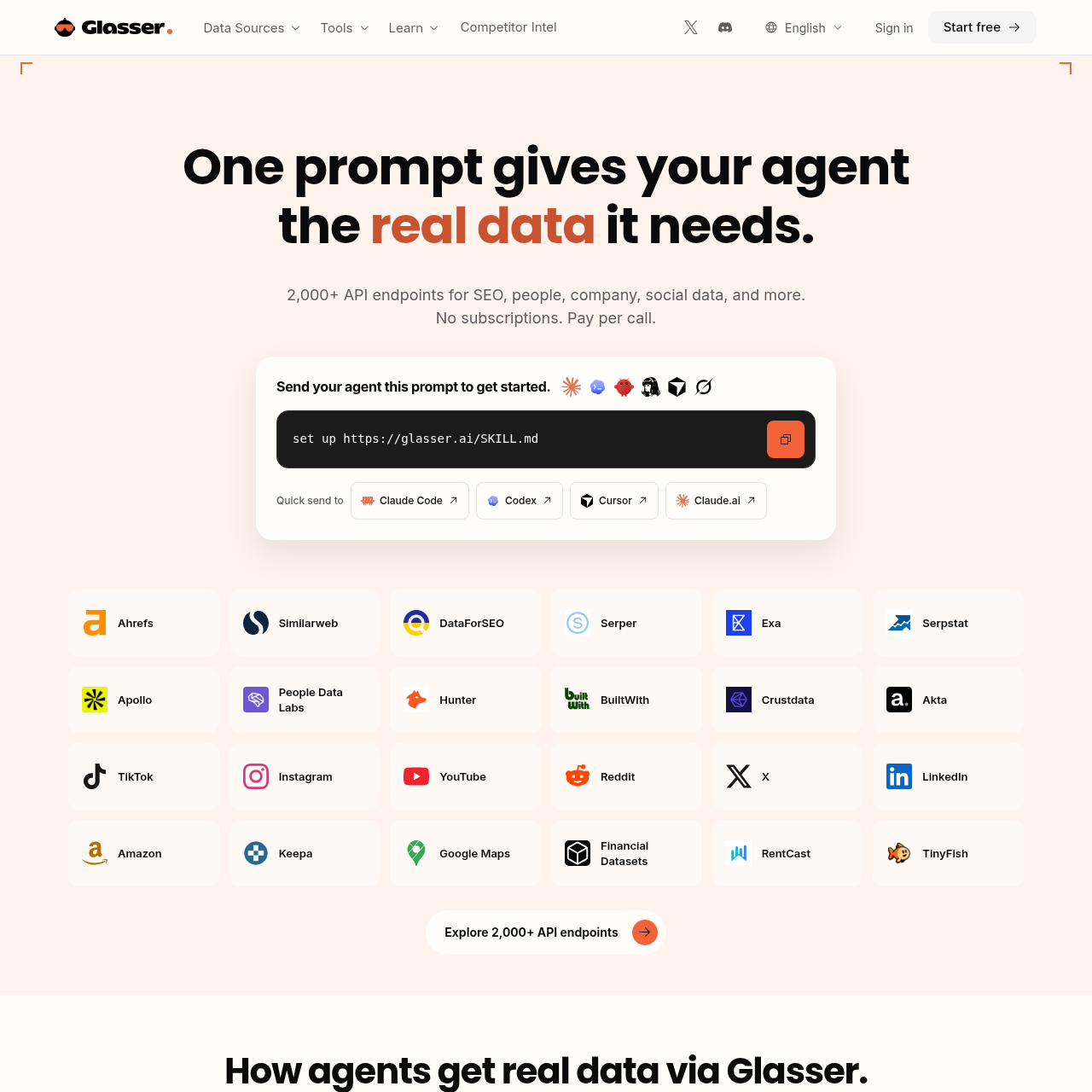
Glasser connects AI agents to more than 2,000 API endpoints and lets the connected agent select data sources based on the question.
Code & ITRetrieve organic keyword dataResearch backlinksSearchData endpoint catalogAI agent toolsdata APIMCP serverAPI marketplaceSEO data APIweb search APIsocial media datapay per call
Estimated monthly visits
3K
Data period:
Listed on AIToolly
What Is Glasser? Product Overview
What the product does and how it is positioned
Glasser gives AI agents access to 2,000+ API endpoints for SEO, people and company research, social media, ecommerce, and web data. Connect through a skill, an MCP server, or the CLI. Agents search for relevant endpoints, inspect input schemas and prices, and execute calls from one prepaid balance. Billing is per call or result, depending on the endpoint, with no Glasser subscription. Use Glasser to research markets, enrich leads, monitor search rankings, and build data-driven agent workflows.
Glasser gives AI agents access to data from multiple providers, with endpoints for tasks such as company searches, backlink research, and organic keyword lookup.
The documented Skill setup starts with a text prompt. Once the agent guides the user through setup, the user can ask questions and the agent selects tools for each task.
What Can You Use Glasser For?
Source-supported ways to use the product
Backlink research
An SEO analyst can ask a connected agent to research backlinks using Glasser's Serpstat endpoints.
Company search
A researcher can use a connected agent to search for companies through Glasser's Apollo endpoints.
How to Use Glasser
The documented workflow, where available
1
Setup prompt
For the Skill connection, the user copies the setup prompt provided by Glasser.
2
Guided setup
The user pastes the prompt into the agent, which guides the user through setup.
3
Task and results
The user asks the connected agent a question. The agent selects tools for the task and returns an answer.
SEO endpoint coverage
Glasser lists separate endpoints for organic keywords, backlink research, and keyword metrics. These tasks are covered by several providers in its catalog.
Ahrefs for organic keywords
Serpstat for backlink research
DataForSEO for keyword metrics
Glasser Pricing
Human-maintained commercial information
usage basedfree trial
USD 10
Pricing can change. Confirm the current plan and billing terms on the official site before purchasing.
What to Test Before Choosing Glasser
Checks to run with your own material and workflow
Confirm that Glasser offers the connection method needed for the intended agent setup.
Verify that the endpoint catalog includes the specific research task, such as backlink analysis or company search.
Check which endpoints the connected agent selects for a representative question.