Flowova
AI Flowchart Generator
Flowova's AI Flowchart Generator quickly transforms your descriptions into structured flowcharts with powerful customization and export options. Ideal for professionals across various industries.
2025-12-18
0.0K
Flowova Product Information
AI Flowchart Generator
What's AI Flowchart Generator
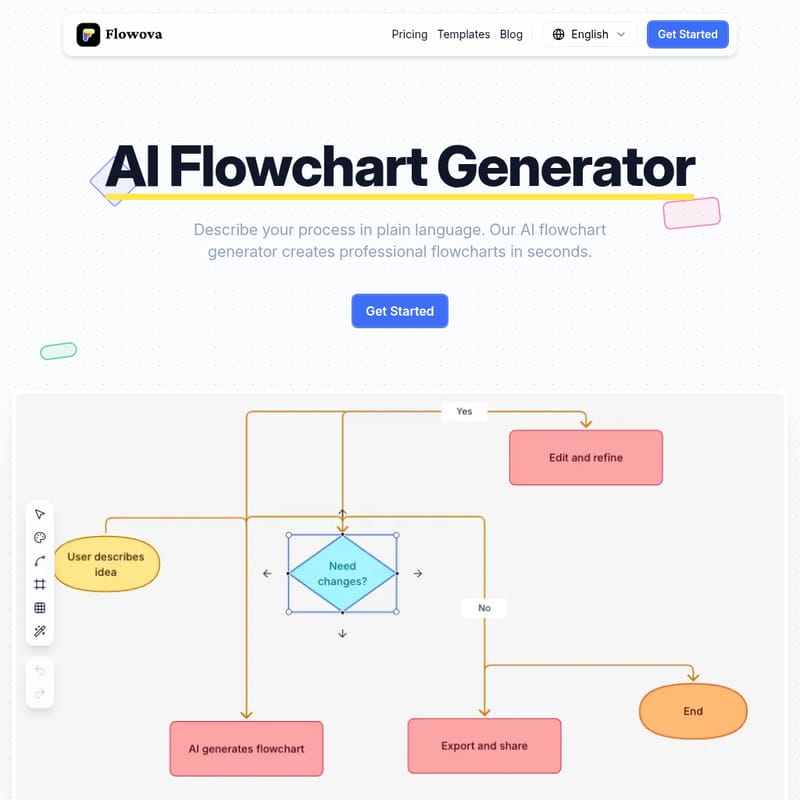
Flowova's AI Flowchart Generator is a powerful tool designed to create professional flowcharts in seconds. Simply describe your process in plain language, upload documents or images, and let the AI handle the rest. With zero design skills required, it automatically generates flowcharts with proper shapes, logical connections, and clean layouts.
Features
Easy to Use
- Text, Image, and PDF Support: Supports a variety of file formats like text, images, PDFs, Word, PowerPoint, and more.
- Smart Shape Selection: Automatically selects the right shapes for each step type.
- Real-Time Preview: View the flowchart as it's being generated.
- Drag-and-Drop Editing: Fine-tune every detail with simple editing tools.
- Customizable: Choose from 40+ color themes and export in PNG, SVG, or Mermaid format.
Powerful Customization
- 18+ Shapes & 5 Edge Styles: From rectangles to decision diamonds, with multiple edge styles to match your design.
- One-Click Auto Layout: Organize messy diagrams with a single click.
- Undo/Redo: Unlimited editing with easy undo/redo options.
Collaboration and Sharing
- Export & Share: Download as PNG, SVG, Mermaid, or share links directly with others.
- Cloud Sync & Auto-Save: Never lose your progress; access your work from any device.
Use Case
Flowova's AI Flowchart Generator is ideal for professionals across various fields, including:
- Software Architects: Design system architectures and microservices diagrams.
- Developers: Document code logic and debug complex algorithms.
- Product Managers: Visualize user journeys and feature specs.
- Marketing Managers: Build campaign funnels and lead nurturing flows.
FAQ
Q: What input formats does Flowova support? A: Flowova supports a wide range of file formats including text files (TXT, CSV, Markdown), image files (PNG, JPG, WebP), PDFs, Word, PowerPoint, and Excel documents.
Q: What export formats are available? A: You can export your flowcharts in PNG, SVG, and Mermaid formats.
Q: Can I share my flowcharts with others? A: Yes, you can generate shareable links to your flowcharts or download them in different formats.
Q: Can I edit flowcharts after AI generation? A: Absolutely. You can fully customize and edit any AI-generated flowchart using Flowova's drag-and-drop editor.
Q: Does Flowova offer templates? A: Yes, Flowova offers 40+ professional templates for various use cases including business, tech, marketing, and HR workflows.
Q: Can I import existing Mermaid diagrams? A: Yes, Flowova supports Mermaid code import and export for round-trip editing.
Q: What devices can I use Flowova on? A: Flowova is cloud-based, meaning you can access it from any device with an internet connection, including desktops, laptops, and tablets.
Q: What's the difference between Free and Pro? A: The Pro version offers additional customization features, more export formats, and unlimited templates. The Free version has some limitations on features and exports.