Emochi favicon

Emochi

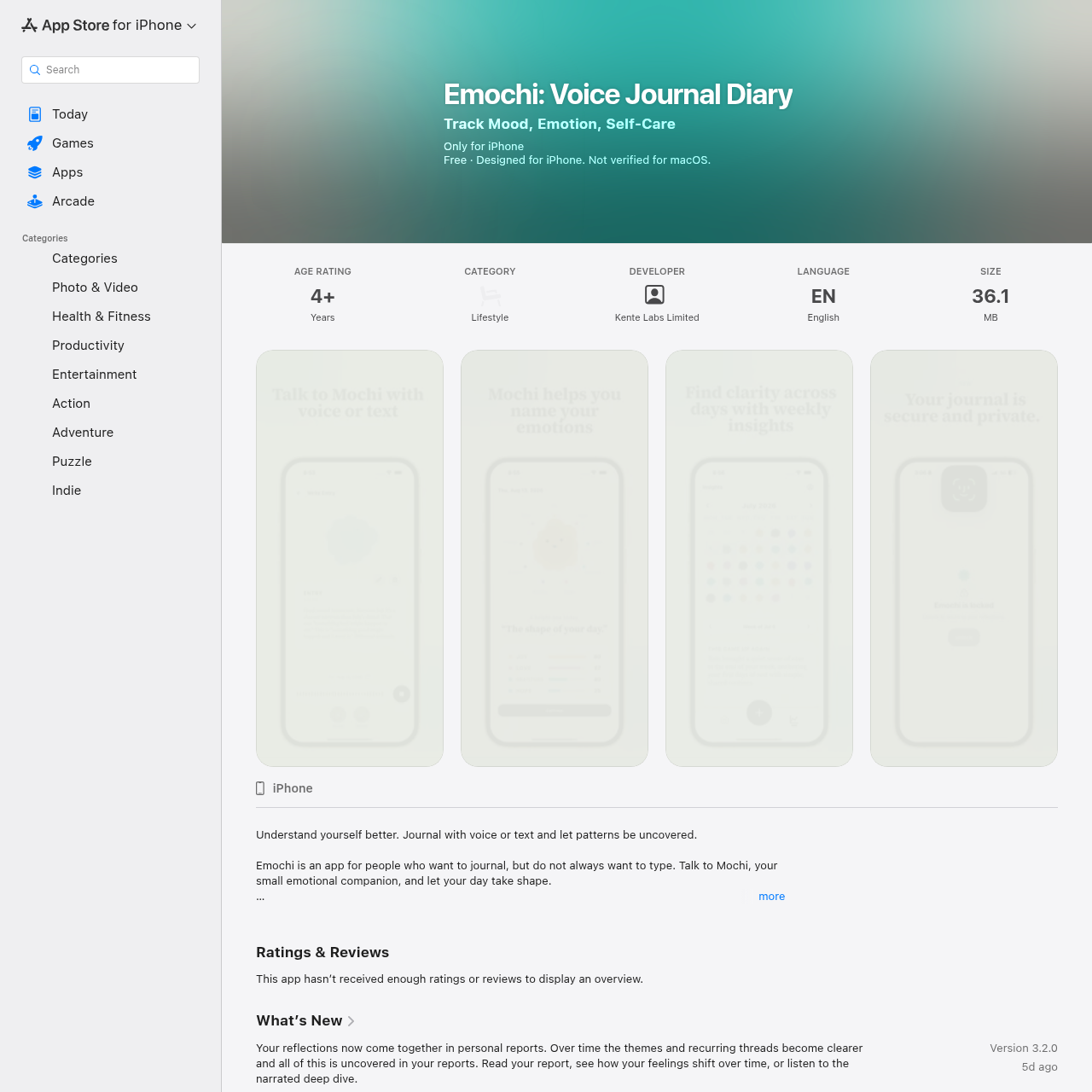
Emochi is an iOS reflection and journaling app developed by Kente Labs Limited that converts spoken audio or typed text into editable transcripts, generates visual emotion shapes, surfaces weekly trends, and provides personal insight reports.

ProductivityConverts natural speech into editable…Allows users to pause, continue, and…Displays visual emotion shapes and…Surfaces recurring weekly themes and…
Emochi product interface screenshot
Estimated monthly visits
698.8M
Data period:
Listed on AIToolly

What Is Emochi? Product Overview

What the product does and how it is positioned

Emochi is a lifestyle and personal journaling application created by Kente Labs Limited for users seeking to record their thoughts through voice or text. Built around an emotional companion named Mochi, the app captures spoken entries, transcribes them into editable text, and represents emotional texture through visual shapes and intensity markers.

The application includes multi-entry recording per day, 28-day emotion trend tracking, weekly recurring theme analysis, and unlocked personal reports after 25 days of reflection. It emphasizes privacy with on-device biometric locking, draft saving, and account deletion controls, while explicitly noting it is not a therapy or medical tool.

What Can You Use Emochi For?

Source-supported ways to use the product

Daily Audio Journaling

Users who prefer speaking over typing can record daily voice entries, edit the generated transcripts, and view daily emotional visual shapes.

Long-Term Trend Observation

Individuals seeking to observe mood trends over time can track emotional movements across 28-day cycles and review recurring themes.

Periodic Self-Reflection Milestones

Users looking for structured summaries can complete 25 reflection days to generate comprehensive personal reports and listen to narrated overviews.

How to Use Emochi

The documented workflow, where available

  1. 1

    Start Recording

    Open the Emochi application, tap the microphone button, and speak naturally to record thoughts.

  2. 2

    Pause or Stack Entries

    Pause and resume recording as needed, or stack multiple audio sessions under the same calendar day.

  3. 3

    Review Transcription

    Review the automatically generated text transcript and make any edits or cleanups before saving.

  4. 4

    Inspect Emotional Shape

    Receive the visual emotion shape, intensity markers, and any paired public-domain quote or suggestion.

  5. 5

    Track Longitudinal Insights

    Access the Insights tab to review weekly themes, 28-day emotional shifts, and unlocked milestone reports.

Emotion Visualization, Insights, and Reporting

Emochi uses an emotional companion character named Mochi to reflect the user's emotional state without scoring or grading feelings. Daily entries produce visual emotion shapes accompanied by intensity markers, helping users identify how their experiences felt without gamified evaluation.

As reflections accumulate, the application surfaces recurring themes in a dedicated Insights tab and plots mood movements over 28-day cycles. Upon reaching 25 recorded reflection days, users unlock a personal emotional report that synthesizes historical patterns and can be read or played back as a narrated audio deep dive.

  • Visual emotion shapes and intensity markers reflect daily mood texture without numerical grades.
  • Insights tab identifies recurring weekly themes and tracks emotional shifts across 28 days.
  • Personal milestone reports unlock after 25 reflection days with text and narrated audio formats.
  • End-of-entry reflections include matched public-domain quotes with author citations.

What to Test Before Choosing Emochi

Checks to run with your own material and workflow

  • Verify that your device runs iOS 16.4 or later before downloading the application.
  • Confirm whether your reflection routine aligns with voice audio recording or manual text input.
  • Check that the English-only language support meets your journaling requirements.
  • Review the app privacy disclosure regarding audio data and user content collection.
  • Confirm that the service is intended for personal self-reflection and not for clinical mental health or crisis support.

Emochi Sources and Last Checked

What was checked and when

Last checked
Category
Productivity

Emochi Frequently Asked Questions

Answers based on the source-checked product record

Does Emochi offer clinical therapy or mental health advice?

No. Emochi is explicitly documented as a companion for everyday self-reflection and is not therapy, medical advice, or a crisis support tool.

Can voice journal entries be edited after recording?

Yes. The application automatically turns voice recordings into text transcripts that users can review and clean up before saving.

How does Emochi protect user journal privacy?

Emochi allows users to lock the application using device biometrics, such as Face ID, Touch ID, or fingerprint authentication, directly from settings.

How do users unlock the personal emotional report?

Users unlock the personal report after completing 25 reflection days, allowing them to read the report or listen to a narrated deep dive.

What happens if an audio recording fails to upload?

The application holds failed recordings in an unsent state, keeping drafts intact and allowing users to retry transmission with a single tap.

Explore other recently added tools in the same category.