EdgeBar
EdgeBar is a macOS menu bar utility that maps brightness, volume, media playback, and shortcuts to trackpad edges with haptic feedback.
What the product does and how it is positioned
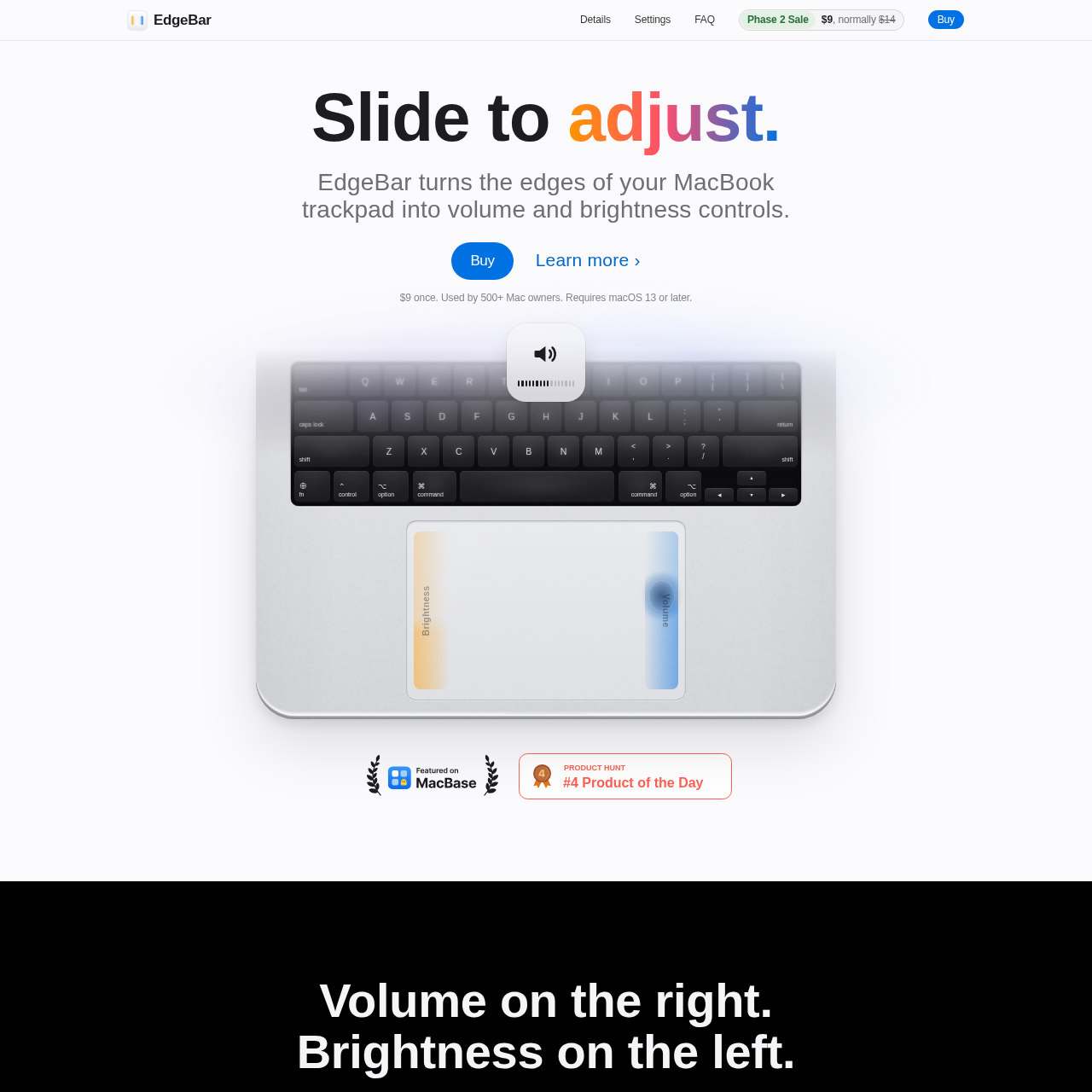
EdgeBar is a lightweight macOS menu bar utility designed to turn the outer borders of Mac trackpads and compatible input devices into direct hardware controls. It assigns brightness adjustments to one vertical edge and volume controls to the other, surfacing standard on-screen displays during interaction.
The utility runs unobtrusively in the menu bar without a Dock icon, offering fine-tuning controls such as adjustable active edge zones, cursor freezing during adjustments, haptic confirmation, keyboard backlighting control, and custom corner double-tap actions.
Source-supported ways to use the product
Users adjust system audio levels and display brightness by sliding fingers along the vertical borders of the trackpad.
Users skip tracks by swiping along the bottom edge of the trackpad and toggle playback via tapping.
Users double-tap the top-left trackpad corner to run custom Apple Shortcuts, capture screenshots, or trigger Mission Control.
EdgeBar maps specific peripheral gestures to macOS system functions while helping reduce accidental triggers through boundary filters. The software allows users to restrict responsive sliding zones to the bottom three-quarters, half, or quarter of the trackpad, supporting palm rests and casual edge touches do not inadvertently adjust levels.
Visual feedback is integrated directly into the operating system interface. Depending on macOS version preferences, users can switch between a modern glass HUD and a classic centered display. The pointer remains frozen or hidden during edge interactions to avoid disrupting desktop workflows.
Checks to run with your own material and workflow
What was checked and when
Answers based on the source-checked product record
EdgeBar requires macOS 13 Ventura or later to run.
Yes, EdgeBar requires macOS Accessibility permissions, which must be granted on first launch to detect trackpad gestures.
EdgeBar supports brightness adjustments on external monitors when the monitor is used as your main display.
No, EdgeBar includes a cursor freeze feature that keeps the pointer hidden and still while sliding along an edge.
The top-left corner double-tap can be configured to play or pause, open Mission Control, take a screenshot, lock your Mac, or trigger custom Shortcuts.