Dreambeans by Google Labs
Dreambeans: Personal Daily AI Storytelling App for Google AI Ultra Users
Dreambeans is an innovative, experimental AI application designed to provide proactive, personalized collections of stories every day. Exclusively available to eligible Google AI Ultra subscribers in the U.S., Dreambeans synthesizes data from your connected Google apps—including Gmail, Calendar, Photos, YouTube, and Search—to brew a fresh collection of daily insights. With AI-generated artwork and personalized visuals powered by Nano Banana 2, Dreambeans helps you find meaning in content overload while offering robust privacy controls and tuning features to ensure your feed stays relevant to your life.
2026-06-09
68300.0K
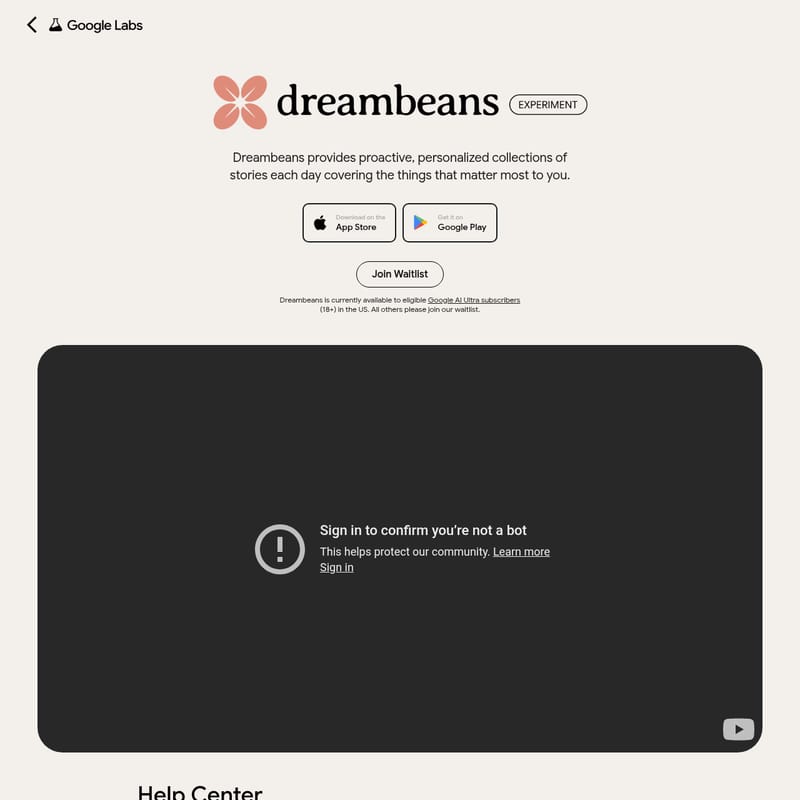
Dreambeans by Google Labs Product Information
Dreambeans: Your Daily Personalized AI Story Experience
In an era of information overload, Dreambeans emerges as a cutting-edge, experimental AI application designed to bring order and meaning to your digital life. Dreambeans provides proactive, personalized collections of stories each day, focusing specifically on the things that matter most to you. By leveraging advanced artificial intelligence, the Dreambeans app synthesizes your personal context into a digestible, engaging format every morning.
What's Dreambeans?
Dreambeans is a unique AI-driven platform that works while you sleep to distill information from across your connected applications into a fresh daily feed. The name Dreambeans is a combination of two core concepts: the "dream" represents how the application works overnight to find meaning within the vast amount of content across your connected apps, while the "beans" refers to the resulting collection of stories that are "brewed" for you to enjoy each morning.
Currently, Dreambeans is available as an experimental technology for eligible Google AI Ultra subscribers (18+) residing in the United States. It is accessible on both Android and iOS through the Google Labs website. For those who do not yet meet the eligibility criteria, a waitlist is available to ensure you are notified when access expands.
Key Features of Dreambeans
Dreambeans is packed with features designed to make your daily story collection both personal and actionable. The app goes beyond simple curation, using generative AI to create a visual and textual narrative of your life.
Proactive Story Generation
Dreambeans doesn't just wait for you to search; it proactively builds your personalized feed. By analyzing unique signals from your connected Google ecosystem, the app generates rich, highly customized daily visual stories that suggest places to visit, topics to explore, or upcoming events you might enjoy.
AI-Generated Artwork and Personalization
Every story in Dreambeans is illustrated with AI-generated artwork. Unlike other apps that use generic stock photos, Dreambeans utilizes Nano Banana 2 and your own Google Photos library to personalize scenes. If a story involves you or your loved ones, the app uses your actual visual memories to make the experience truly yours.
Integrated Data Synthesis
To function effectively, Dreambeans connects with various Google services to gather "ground-truth" data:
- Google Workspace (Gmail & Calendar): Supplies transaction data, such as receipts and upcoming flight details.
- Google Photos: Provides visual memories and insights into the people in your life.
- YouTube: Identifies your active hobbies and video preferences.
- Google Search: Detects budding interests and topics you've been researching.
Interactive Tuning and Feedback
Because Dreambeans is an experimental AI, it includes a Tuning feature to help guide the AI's learning process. You can interact with suggestion chips or use the "thumbs down" button to signal if a story is irrelevant. This opens a quick chat where you can provide specific feedback, helping the system improve for your future "drops."
Actionable Story Chips
Many stories come with one-tap actions. For example, a story about a trip might include a "See Ticket" button, or a movie suggestion might feature a "Watch Trailer" link, allowing you to take the next step immediately within the app.
How to Use Dreambeans
Getting started with Dreambeans is a straightforward process, though it requires specific eligibility and a brief setup period.
1. Account Setup and Login
First, ensure you are an eligible Google AI Ultra subscriber in the U.S. and are 18 or older. Download the app for Android or iOS from the Google Labs website and log in using your personal Google account.
2. Configure Data Permissions
Dreambeans is not an "all-or-nothing" system. You have full control over which apps you connect. During setup, you can choose to enable access to:
- Gmail
- Calendar
- Google Photos (Requires face grouping to be enabled)
- YouTube
- Search history
3. The Overnight Brewing Process
Once your sources are set, Dreambeans requires up to 24 hours to build your first set of stories. The app will send an in-app notification the moment your first collection is ready. After this initial period, new stories will arrive daily.
4. Guiding the AI (Tuning)
As you use the app, use the "sparkly tuning icon" or the thumbs down button on any story that doesn't hit the mark. Your corrections are processed overnight and will be reflected in your stories the following day.
Use Case Scenarios
How does Dreambeans fit into your daily routine? Here are a few ways the app synthesizes your data into meaningful stories:
- Travel Planning: By connecting to Gmail and Calendar, Dreambeans can surface a story about your upcoming flight, complete with AI-generated visuals of your destination and quick links to your digital tickets.
- Hobby Tracking: If you have been watching woodworking tutorials on YouTube, Dreambeans might create a story suggesting local supply stores or new project ideas based on your recent search history.
- Visual Memories: The app may pull images from Google Photos to create a "year ago today" style story, but enhanced with AI context regarding the people and places featured in those images.
Privacy and Data Control
Privacy is a core component of the Dreambeans experience. You are always in control of your data and how it is used within the app.
Note: The choices you make within Dreambeans regarding connected apps and data do not impact your settings in other products like Gemini Apps or AI Mode.
Managing Your Data
- Review and Delete: You can review your feedback history or delete your entire data set at any time by clicking your profile icon and selecting "Delete my data."
- Connected App Control: You can change which apps are connected to Dreambeans through the settings menu, allowing you to curate exactly what the AI can synthesize.
- Feedback Transparency: You can access your "Feedback History" via the tuning icon to see and manage specific pieces of feedback you have provided to the system.
FAQ
Who is Dreambeans available to? Currently, Dreambeans is available within the U.S. for eligible Google AI Ultra users (18+). You must use a personal Google account to log in.
Where did the name Dreambeans come from? The name reflects the app's process: it "dreams" (analyzes data) overnight and delivers "beans" (freshly brewed story collections) in the morning.
Why is access to Dreambeans limited? Google is taking a measured, phased approach to ensure a high-quality experience. Starting with a single language and region allows for performance monitoring and refinement before broader expansion.
Can I join the waitlist? Yes. If you are in the United States, are 18+, and have a personal Gmail account but are not yet eligible for the app, you can join the waitlist to be notified of future availability.
I see a mistake in a story. What should I do? Since Dreambeans is experimental, mistakes may occur. Use the thumbs down button or the tuning feature to provide feedback. Note that corrections are applied to future drops rather than the current story.
What happens if I delete my data? You can delete your history or specific feedback at any time via the profile settings. This ensures you maintain total control over the personal context stored within the Dreambeans app.