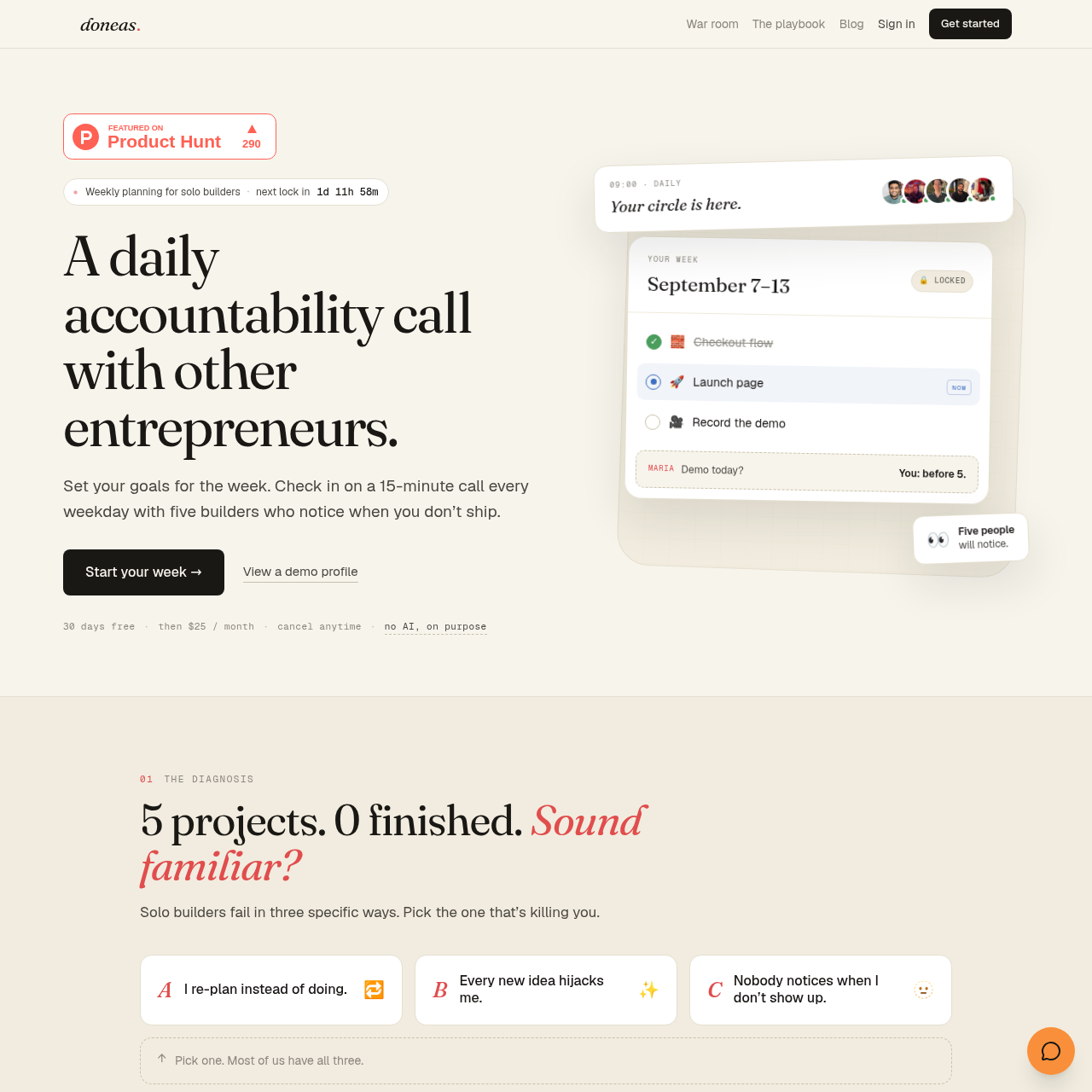
Doneas combines locked weekly planning, weekday accountability calls, and a public record of shipped work for solo builders.
ProductivityUsers can organize tasks into a current…The service can lock a weekly plan and…Users can record daily check-ins with…Users can hide projects, calls, or…
Listed on AIToolly
What Is Doneas? Product Overview
What the product does and how it is positioned
Doneas is a planning and accountability service for solo builders. It centers on setting weekly goals, locking the plan, completing tasks, and checking in with a small builder circle.
The service also presents a profile-based record of shipped tasks and activity. Its documented process covers Sunday planning, Monday locking, weekday shipping and calls, and Friday reflection.
What Can You Use Doneas For?
Source-supported ways to use the product
Weekly execution planning
Solo builders can organize a limited set of tasks into a locked weekly plan and track which items ship.
Peer accountability
Builders can use recurring weekday calls to report completed work, next steps, and blockers to a small circle.
Public progress tracking
Users can maintain a profile showing selected projects, calls, shipped tasks, and related work activity.
How to Use Doneas
The documented workflow, where available
1
Plan on Sunday
Pull selected tasks from the later list into the following week, keeping the plan within what can realistically ship.
2
Lock on Monday
The weekly plan freezes on Monday, so additional work is identified separately rather than silently reshuffling the plan.
3
Ship Monday through Friday
Work through the weekly list and join a 15-minute daily call with the accountability circle.
4
Reflect on Friday
Review what shipped, while unfinished work is carried over manually according to the documented process.
Weekly accountability model
Doneas combines a constrained weekly plan with recurring peer check-ins. The plan is prepared before the week, locked on Monday, and followed through weekday calls where members discuss shipped work, upcoming work, and blockers.
The documented circle format uses five builders.
Daily calls are described as 15 minutes on each weekday.
Missed calls are visible to the circle and on the member's record.
Declared time off is treated differently from a no-show.
What to Test Before Choosing Doneas
Checks to run with your own material and workflow
Confirm that the five-person weekday call format fits the intended accountability routine.
Verify how profile visibility controls apply to projects, calls, and shipped tasks.
Check whether manual carryover of unfinished work matches the team's planning process.
Review the documented reactivation rules before relying on the missed-call policy.