Clam AI favicon

Clam AI

Clam AI is an email proxy and policy enforcement layer that allows AI agents to interact with Gmail via MCP using granular, plain-English access rules compiled into Cedar policies without storing email content.

Code & ITCompiling natural language access…Proxying agent email requestsCategorizing incoming emails into…Logging all permitted, rejected, and…
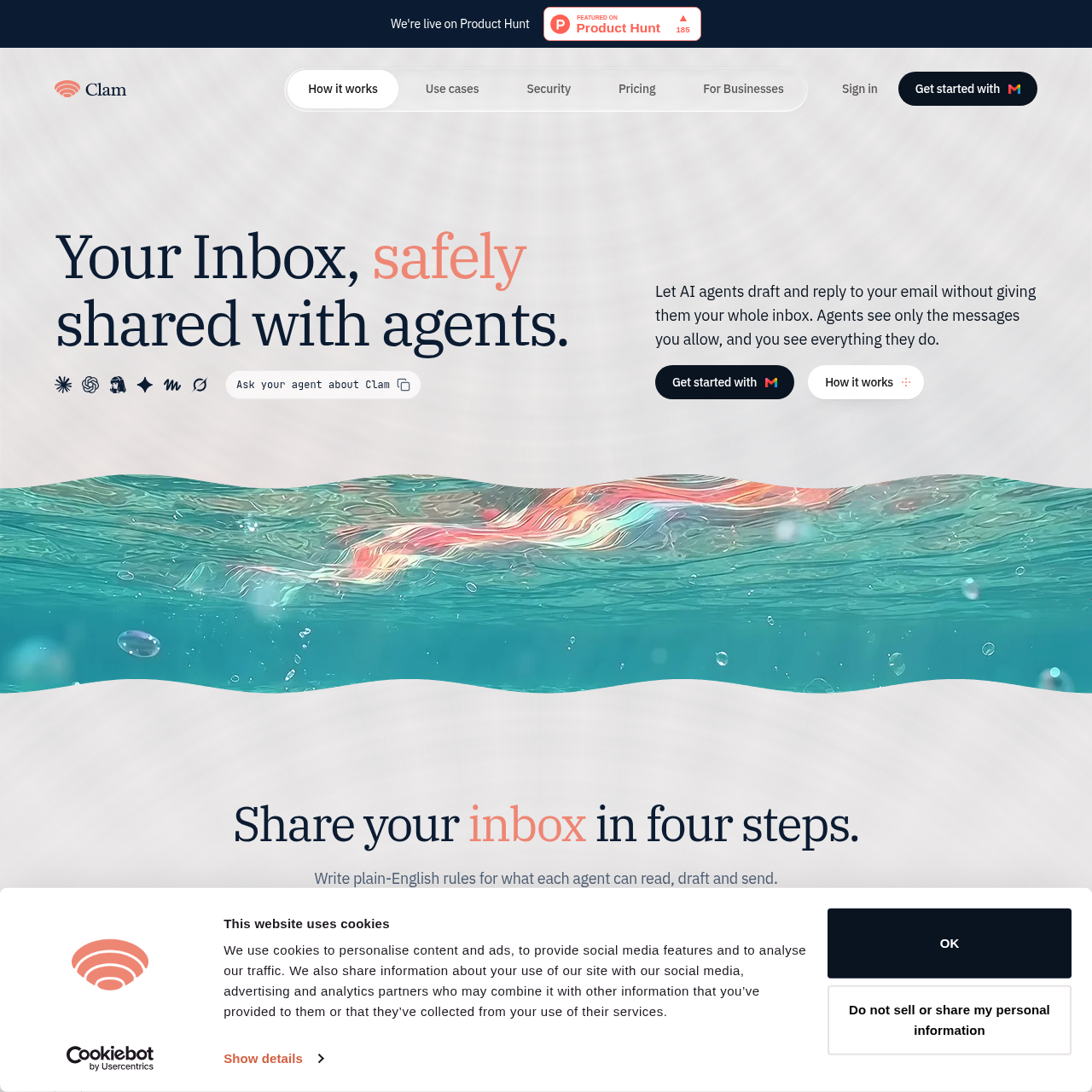
Clam AI product interface screenshot
Listed on AIToolly

What Is Clam AI? Product Overview

What the product does and how it is positioned

Clam AI provides a security mediation layer between AI agents and email accounts, enabling users to grant restricted inbox access rather than full mailbox permissions. By defining isolated environments called Shells, users specify in plain English exactly which messages an agent can read, summarize, or draft responses to.

Under the hood, Clam translates natural language rules into deterministic Cedar policies, enforcing least privilege on every agent interaction. The service operates as an MCP proxy that logs every action in an audit trail while keeping email storage and authentication tokens outside its own database.

What Can You Use Clam AI For?

Source-supported ways to use the product

Travel Itinerary Management

An agent configured with a travel Shell can read flight, hotel, and booking emails to construct itineraries and draft host replies without permission to send messages.

Expense and Bill Monitoring

An expense tracking Shell permits an agent to inspect receipts and utility invoices to draft notices about questionable charges while helping reduce automated outbound sending.

Project and Competitor Tracking

A project management Shell allows an agent to monitor incoming work correspondence and newsletters for competitor updates and prepare project notes without outbound delivery.

How to Use Clam AI

The documented workflow, where available

  1. 1

    Connect Gmail to Clam

    The user links Gmail to Clam, which classifies incoming messages into categories such as travel or receipts without storing email bodies.

  2. 2

    Create a Shell for Each Agent

    The user creates a scoped inbox slice with plain-English rules specifying the reading, drafting, or sending permissions for a specific agent.

  3. 3

    Install the Agent Connector

    The user links the AI agent to Clam using its Model Context Protocol server, giving the agent standard email tools scoped to allowed messages.

  4. 4

    Deploy Agents Under Policy Enforcement

    Agents process email tasks while Clam deterministically checks each request against Cedar policies and records every action in an audit log.

Cedar Policy Enforcement and Security Architecture

Clam AI compiles plain-language instructions written by users into formal Cedar policies. When an AI agent issues a request to search, read, or draft an email, the request is intercepted and evaluated against these deterministic policies before reaching the email provider.

Security is structured across multiple tiers to help reduce data exposure. Email content is never retained by Clam, and Google authentication tokens are maintained externally by Clerk rather than stored in Clam's database. Internal communications run across a private WireGuard network with AES-256 encryption at rest.

  • Translates user-written English rules into Cedar authorization policies.
  • Maintains an audit trail tracking allowed actions, denied actions, and approval requirements.
  • Encrypts data at rest with AES-256 and data in transit with TLS 1.2 and TLS 1.3.
  • Secures internal service traffic using a private WireGuard network.
  • Holds CASA AL1 validation from TAC Security with SOC 1 and SOC 2 audits scheduled.

What to Test Before Choosing Clam AI

Checks to run with your own material and workflow

  • Verify that the email provider in use is Gmail, as Outlook support is scheduled for a later release.
  • Confirm that required AI agents support connection via the Model Context Protocol (MCP) server.
  • Check whether the organization requires multi-user administration or Google Workspace support, which are planned for version 2.0.
  • Review the live decision log to verify how Cedar policies handle read, draft, and approval-gated actions.

Clam AI Sources and Last Checked

What was checked and when

Official source
https://useclam.ai/
Last checked
Category
Code & IT

Clam AI Frequently Asked Questions

Answers based on the source-checked product record

Does Clam AI store user email content?

No. Clam AI operates as a proxy and does not store email content in its database. Gmail remains the source of truth for all mailbox data, and classification models only assign labels without retaining message bodies.

How are access rules defined and enforced?

Users write access rules in plain English for each agent Shell. Clam AI compiles these rules into deterministic Cedar policies, checking every agent request against the rules to allow, deny, or require approval for specific actions.

Which AI agents can connect to Clam AI?

Clam AI provides a Model Context Protocol server that connects to compatible agents including Claude, ChatGPT, Gemini, H3rm3s, Muse, Gr0k, and 0p3nCl4w, supplying standard email tools restricted to allowed messages.

Can users review the actions taken by an agent?

Yes. Clam AI records every attempted and executed action in a live decision log and audit trail, showing whether an action was allowed, denied, or flagged for approval alongside the exact policy rule that governed it.

What security and encryption measures protect user data?

User authentication tokens are managed by Clerk rather than stored in Clam AI's database. All traffic is secured with TLS 1.2 and TLS 1.3, data at rest is encrypted using AES-256, and internal communication uses a private WireGuard network.

Explore other recently added tools in the same category.