bytemail favicon

bytemail

bytemail is a native email client for macOS and iOS that connects directly to mail servers with local AI assistance via MCP.

ProductivityDirect connection to Gmail, iCloud,…Local multi-account search covering…Configurable Undo Send delay ranging…Scheduled sending and message snoozing…
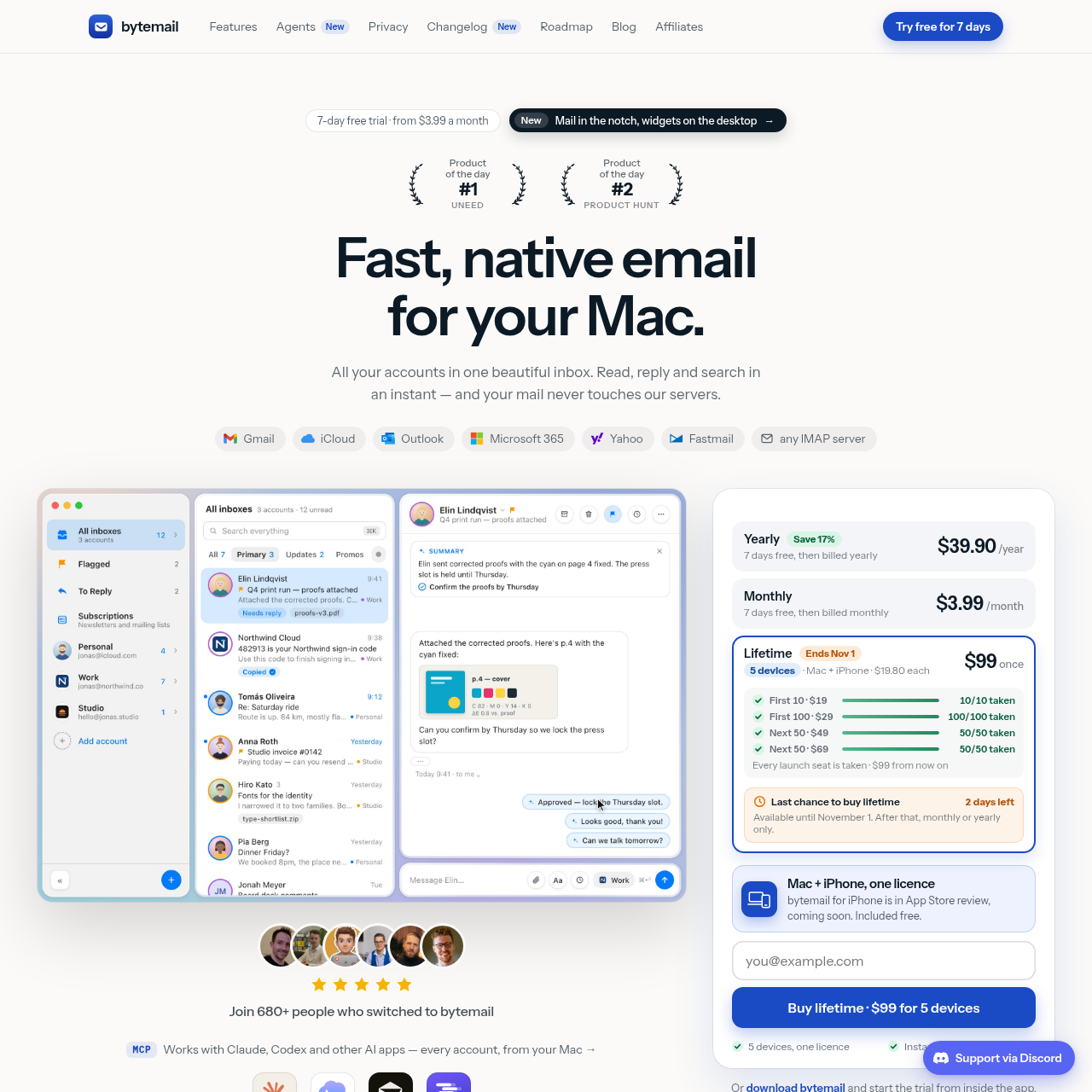
bytemail product interface screenshot
Listed on AIToolly

What Is bytemail? Product Overview

What the product does and how it is positioned

bytemail is a native desktop and mobile email application built with Swift, SwiftUI, and AppKit for Apple platforms. It unifies email management across Gmail, iCloud, Outlook, Microsoft 365, Yahoo, Fastmail, and generic IMAP providers into a single interface offering both conversation-style bubble threads and traditional list layouts.

The application operates on a local-first privacy model that eliminates proprietary relay servers. Account credentials reside in the macOS Keychain, and search indexing and rules processing take place on-device. It incorporates an integrated Model Context Protocol server, enabling external AI clients to interact with email content locally under explicit user confirmation.

What Can You Use bytemail For?

Source-supported ways to use the product

Multi-Account Inbox Management

Consolidate personal, work, and studio mailboxes from various providers into a unified view with distinct color badges and folder rules.

Local AI Email Triage

Connect desktop AI assistants through the local MCP server to find historical messages, draft responses, and summarize action items.

Privacy-Focused Message Reading

Inspect incoming correspondence without exposing tracking pixels, loading external graphics, or leaving link-tracking identifiers intact.

Local Model Context Protocol Server

bytemail includes a built-in Model Context Protocol server that runs entirely on the local Mac. This interface allows users to integrate external artificial intelligence tools, such as Claude, Claude Code, Codex, Cursor, or LM Studio, directly with their synchronized inboxes.

Through plain-language instructions within connected AI tools, users can query multi-account message histories, generate draft replies, and organize mailboxes. The integration enforces local safety boundaries: external connections remain disabled until manually enabled for selected accounts, and all automated draft dispatches require explicit user approval within the bytemail application before sending.

  • Runs locally on macOS without routing data through intermediary cloud services
  • Allows plain-language searching, drafting, and organizing across connected accounts
  • Enforces mandatory manual user verification before outgoing emails are sent
  • Restricts AI access strictly to user-designated email accounts

What to Test Before Choosing bytemail

Checks to run with your own material and workflow

  • Confirm that your Mac hardware features Apple silicon and runs macOS 14 or later.
  • Verify that required third-party email providers support standard IMAP, Gmail, iCloud, or Microsoft exchange protocols.
  • Check whether your workflow depends on Apple Intelligence for summaries and text rewriting, which requires macOS 26.
  • Review security policies to ensure that local MCP connections to desktop AI tools comply with internal data governance guidelines.

bytemail Sources and Last Checked

What was checked and when

Last checked
Category
Productivity

bytemail Frequently Asked Questions

Answers based on the source-checked product record

Which email providers can be connected to bytemail?

bytemail supports Gmail, iCloud, Outlook, Microsoft 365, Yahoo, Fastmail, and any standard IMAP email server.

Does bytemail store user emails or passwords on central servers?

No. The application connects directly between your device and your email provider. Passwords and OAuth tokens are stored in the macOS Keychain, and message data is never stored on bytemail servers.

What system requirements are needed to run bytemail on a Mac?

bytemail requires a Mac with Apple silicon running macOS 14 or later. Advanced features such as summaries and text rewriting require Apple Intelligence on macOS 26.

How does the Model Context Protocol server handle message sending?

While connected AI applications can search, summarize, and draft replies, no message can be sent automatically. Every outbound dispatch requires direct confirmation from the user inside bytemail.

How does bytemail protect against email tracking and phishing?

The app removes email tracking pixels, cleans tracking parameters from URLs, blocks external images until approved, and warns users when detecting look-alike domains or deceptive links.

Explore other recently added tools in the same category.