Aera Browser
Aera Browser: The Agentic Automation Tool for Professional Web Workflows
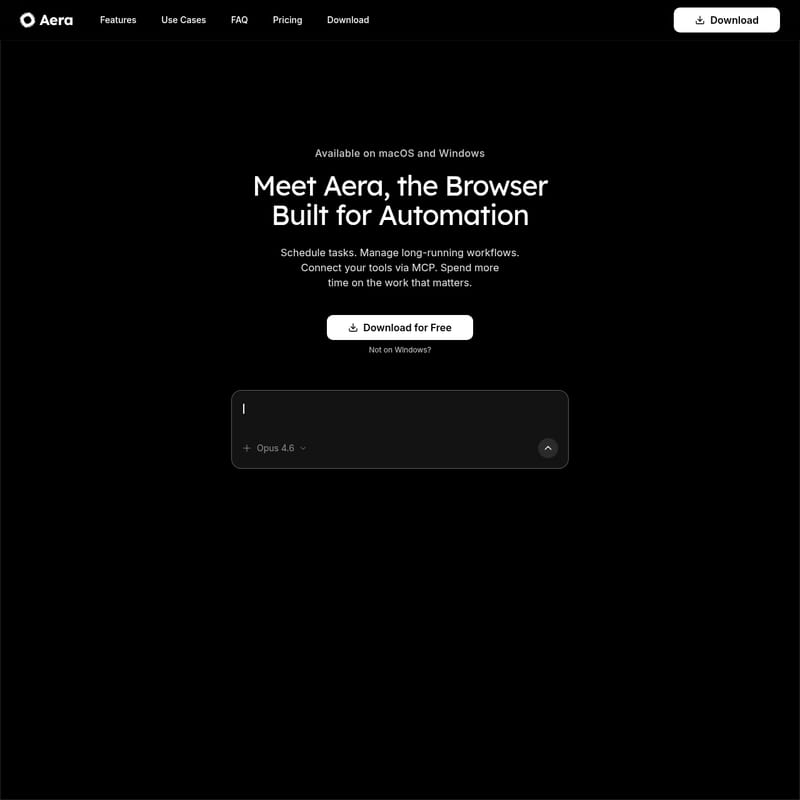
Aera is a high-performance browser built for automation, allowing users to schedule tasks, manage long-running workflows, and connect tools via MCP. Designed for founders, growth engineers, and developers, Aera goes beyond basic assistants to provide an agentic toolset that handles repetitive browser chores like data scraping, form filling, and report compilation autonomously.
2026-03-30
5.0K
Aera Browser Product Information
Aera: The Browser Built for Automation and Agentic Workflows
In the modern digital workspace, professionals often find themselves trapped in a cycle of repetitive manual tasks. Whether it is checking analytics dashboards, scraping leads, or copying data between tabs, these "browser chores" consume valuable time that could be spent on high-impact work. Aera is the solution to this problem. As a browser built specifically for automation, Aera enables you to schedule tasks, manage long-running workflows, and reclaim your time.
What's Aera?
Aera is not just another browser assistant; it is a comprehensive agentic toolset designed to handle the heavy lifting of web-based operations. Currently available on macOS and Windows, Aera allows users to define outcomes and hand off repetitive steps to an intelligent system that works in the background.
While traditional browsers are passive windows to the internet, Aera is an active participant in your workflow. It is designed for those who need to move numbers, fill forms, and monitor sites without manual intervention. With over 8,000 early access testers and dozens of companies already utilizing the platform, Aera is leading the shift toward a more automated web experience.
Key Features of Aera
Aera comes packed with a suite of features designed to turn the browser into a powerful automation engine. Below are the core capabilities that set it apart:
1. Fast Task Setup
With Aera, you can set up a task in seconds. Simply define the desired outcome, save it, and let the browser handle the repetitive steps. This eliminates the need for complex scripting or manual oversight.
2. Scheduled and Extended Workflows
One of the standout features of Aera is its ability to run extended workflows on a specific schedule. You can set tasks to run daily, weekly, or on any custom cadence. Because Aera supports long-running workflows, multi-step tasks can pick up exactly where the last run left off, ensuring continuity in complex operations.
3. MCP Integration and Tool Connectivity
Aera allows you to connect your existing tools via the Model Context Protocol (MCP). This means you can trigger browser work directly from the applications you already use, creating a seamless bridge between your software stack and the web.
4. Model Flexibility (No Lock-in)
The AI landscape changes rapidly. Aera ensures you are never locked into a single provider. You can pick the right model for each specific workflow and switch options as better models become available, ensuring your automation is always powered by the best technology.
5. Fresh Web Data Context
Unlike static AI tools, Aera provides connected tools with direct access to up-to-date web data. Every time a task runs, it reflects what is true in that moment, providing high-accuracy results for data-sensitive tasks.
6. Background Execution and Notifications
Stop "babysitting" your tabs. Aera runs tasks in the background and notifies you only when the work is done. You can review finished runs and follow-ups at your convenience.
Use Cases for Aera
Aera is a versatile tool that caters to various professional roles. Here is how different users leverage the Aera browser:
For Growth Engineers
Growth engineers use Aera to automate lead generation and data aggregation. Instead of manually scraping leads from LinkedIn or other platforms, they set up Aera to handle the extraction and move the data directly into their CRM or spreadsheets.
For Founders
Founders use Aera to stay informed without getting bogged down in details. Instead of checking analytics dashboards every morning, they program Aera to check the sites, compile a report, and provide an update. This allows them to focus on shipping products rather than administrative overhead.
For Developers
Developers utilize the MCP integration to trigger complex web workflows via their own custom tools. They can automate form filling across multi-step processes or use Aera as a bridge to fetch live data for their applications.
Common Manual Tasks Aera Replaces:
- Checking Analytics: Automatically gather data from various dashboards.
- Data Migration: Copy-pasting data between different tabs and spreadsheets.
- Form Filling: Handling repetitive entries across complex, multi-step forms.
- Emailing: Automating the outreach process based on web-triggered data.
Why Choose Aera?
"The browser that works while you don't."
Aera is designed to give you your time back. By moving the numbers and handling the repeats, it allows you to shift your focus from manual labor to decision-making. Whether you are using Opus 4.6 or other leading models, Aera provides the infrastructure to make agentic web navigation a reality.
FAQ
What operating systems does Aera support?
Aera is currently available for both macOS and Windows users.
Is Aera just another AI assistant?
No. While other browsers provide a sidebar assistant, Aera provides an agentic toolset. This means it can autonomously navigate the web, remember state across multi-step tasks, and run on a schedule without user supervision.
Can I use my own AI models with Aera?
Yes. Aera offers model flexibility, allowing you to choose the model you trust for each specific workflow without being locked into a single ecosystem.
How does the scheduling work?
Within Aera, you can set a task once and define its cadence—whether that is daily, weekly, or a specific interval. The browser will execute the workflow in the background and notify you upon completion.
How many people are using Aera?
Currently, there are over 8,000 early access testers and dozens of companies using Aera to automate their web workflows.
What is MCP?
MCP stands for Model Context Protocol, which Aera uses to allow users to connect their existing tools and trigger browser-based automation directly from their preferred software environments.