Vizcept
Vizcept: The Premier AI Concept Diagram Generator for Publication-Ready Research and Academic Visuals
Vizcept is an AI-powered concept diagram generator designed for students, researchers, and educators. It transforms plain-English descriptions into professional visuals like conceptual frameworks, circuit diagrams, and biological models. With 4K Ultra HD resolution, SVG export, and context-aware AI, Vizcept helps users at institutions like MIT and Harvard create journal-ready figures instantly without design experience.
2026-05-18
--K
Vizcept Product Information
Vizcept: The Premier AI Concept Diagram Generator for Students and Researchers
In the demanding world of academia and scientific research, the ability to translate complex ideas into clear, structured visuals is essential. Vizcept stands at the forefront of this transformation as a specialized AI Concept Diagram Generator. Whether you are an undergraduate student working on a lab report, a PhD candidate drafting a thesis, or a faculty member preparing a manuscript for publication, Vizcept provides the tools to move from words to professional concept diagrams instantly.
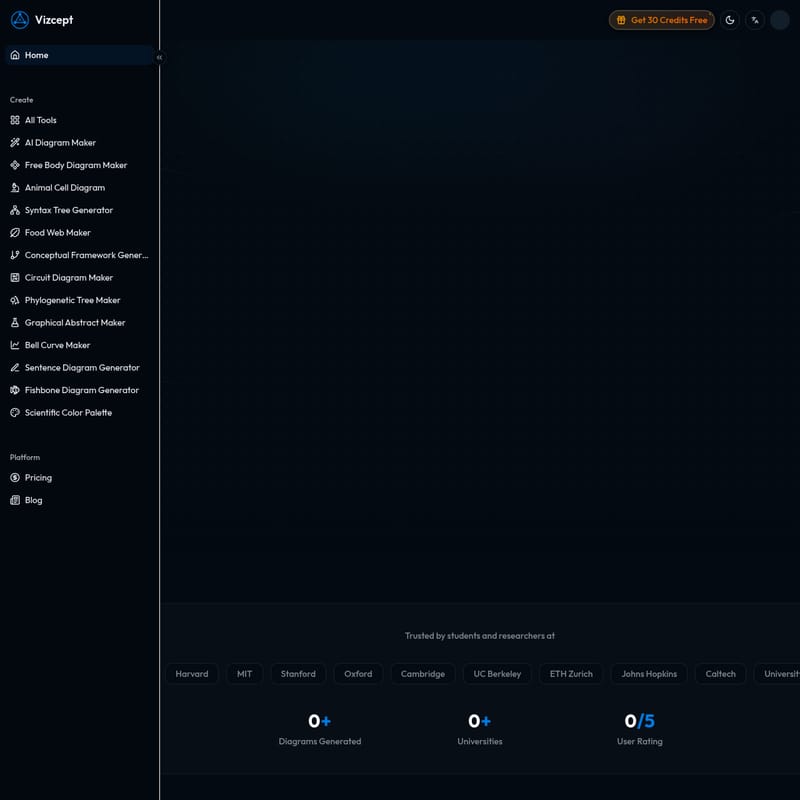
Trusted by over 45,090 users and members of 108+ prestigious universities—including Harvard, MIT, Stanford, Oxford, Cambridge, UC Berkeley, ETH Zurich, Johns Hopkins, Caltech, the University of Toronto, NUS, and the University of Tokyo—Vizcept is more than just a drawing tool. It is an intelligent platform that understands the logic behind your research.
What is Vizcept?
Vizcept is an AI-powered platform designed to generate high-quality concept diagrams from plain-text descriptions. Unlike generic graphic design software that requires manual dragging and dropping of boxes and arrows, Vizcept uses advanced AI to analyze your descriptions, identify key variables, and map out causal relationships automatically.
At its core, Vizcept acts as a bridge between your cognitive concepts and a professional visual representation. It is specifically tailored for the academic workflow, ensuring that every generated concept diagram is structured correctly for scientific communication. With a user rating of 4.3/5, it has become a go-to resource for those who need to visualize anything from a simple food web to a complex conceptual framework for a grant proposal.
Specialized AI Diagram Maker Tools
Vizcept offers a comprehensive suite of specialized tools, ensuring that there is a right tool for every specific academic task:
- AI Diagram Maker: A general-purpose tool for mapping ideas.
- Conceptual Framework Generator: Ideal for social science and medical research models.
- Free Body Diagram Maker: Essential for physics and engineering students.
- Animal Cell Diagram Generator: Perfect for biological and life science assignments.
- Circuit Diagram Maker: Streamlines electrical engineering layouts.
- Syntax Tree Generator: A powerful tool for linguistics and computer science.
- Phylogenetic Tree Maker: Specifically for evolutionary biology.
- Graphical Abstract Maker: Helps researchers summarize their papers visually for journals.
- Food Web Maker: Simplifies ecological relationship mapping.
- Bell Curve Maker: For statistical and mathematical visualizations.
- Sentence Diagram Generator: A tool for grammar and language analysis.
- Fishbone Diagram Generator: Useful for cause-and-effect analysis in management and research.
- Scientific Color Palette Generator: Provides 10 color palettes used in Nature, Science, and Cell to ensure journal compatibility.
Key Features of Vizcept
Vizcept is built with a suite of Smart Features designed to simplify the visualization process while maintaining the highest standards of quality.
Context-Aware AI
Vizcept doesn't just draw; it understands. You can describe your topic the way you would explain it to a colleague. The AI identifies causal relationships and logical structures to generate a diagram that captures the true logic of your work.
Publication-Ready Quality
Every concept diagram generated is optimized for professional use.
- 4K Ultra HD Resolution: Ensures your visuals are crisp even on large-format posters.
- SVG Vector Export: Allows you to export editable files for further refinement in tools like Figma, Adobe Illustrator, or Inkscape.
- High Contrast: Designed to be projector-friendly with minimal visual noise, making it perfect for classroom slides.
Efficient Workflow
Vizcept is built for speed. What used to take days in PowerPoint can now be accomplished in under 30 seconds. The platform supports natural input, meaning you don't need to learn complex software—just type and generate.
Commercial Use License
Users on the Basic, Pro, and Ultra plans receive a commercial use license, allowing the diagrams to be used in published papers, books, and commercial presentations.
How to Use Vizcept
Creating a professional concept diagram with Vizcept is a simple three-step process:
- Describe What You Need: Type a plain-English description of your topic, including the variables and the relationships between them. You can pick your preferred diagram style, aspect ratio, and resolution at this stage.
- AI Generates Your Diagram: Vizcept's AI analyzes your text, identifies key concepts, and creates a professionally structured diagram in seconds.
- Export and Use Anywhere: Download your result as a high-res PNG for slides or an editable SVG for professional design software. You can paste the result directly into your paper, poster, or presentation.
Use Cases
For Students (Undergraduate to PhD)
Students use Vizcept to ace assignments and lab reports. It helps in creating study aids like topic maps and process flows. With free credits to start and no credit card required, it is the perfect companion for thesis and dissertation-ready visual frameworks.
"I spent three days trying to draw my conceptual framework in PowerPoint. Described my research here and had a better concept diagram in 30 seconds." — Dr. Sarah Mitchell, PhD Researcher, Stanford University
For Researchers and Faculty
Researchers rely on Vizcept for creating journal-ready figures for publications and grant proposals. The SVG export feature is particularly valuable for those who need to make final tweaks in design tools without redrawing from scratch.
"The concept diagrams are clean, professional, and structured properly. I've used the output directly in two published papers." — Dr. Aisha Patel, Research Director, Johns Hopkins University
For Educators and Instructors
K-12 and university instructors use Vizcept to generate lesson-specific diagrams rather than relying on generic clip art. The high-contrast, projector-ready layouts are ideal for worksheets and lecture slides.
FAQ
What is a concept diagram? A concept diagram is a visual representation of information, concepts, and the relationships between them, often used to explain complex logic or research models.
Is Vizcept free? Yes, you can get started with 30 free credits without a credit card to try out the AI Diagram Maker features.
Do I need design experience? No. Vizcept is designed to bridge the gap between your ideas and a professional visual through natural language input.
Can I use the concept diagrams in my thesis or journal paper? Yes. Vizcept's outputs are publication-ready and include commercial use licenses for paid plans. Many researchers use them in journals like Nature and Science.
What formats are supported? Vizcept supports high-res PNG and editable SVG vector exports, with resolutions up to 4K Ultra HD.
Does Vizcept offer discounts? Yes, students and teachers can apply for an education discount. Additionally, there is a limited-time offer to save 40% on annual plans.