SignWith favicon

SignWith

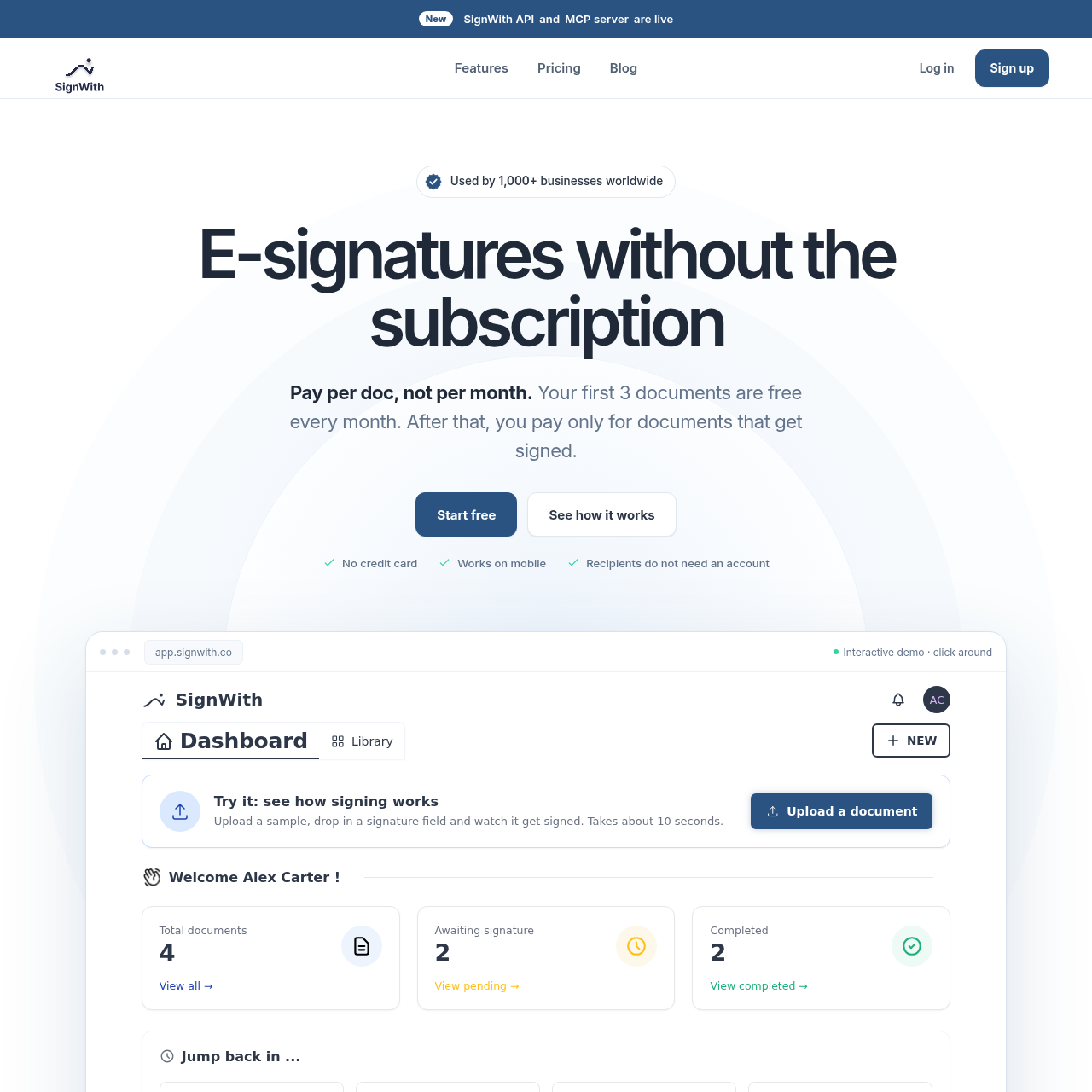
SignWith is an electronic signature tool that enables users to prepare, dispatch, and track documents with multi-signer workflows, audit logging, and Model Context Protocol assistant integrations.

ProductivityUploading PDF, JPEG, and PNG files…Assigning signature, initials, date,…Configuring sequential signing…Self-signing uploaded documents and…
SignWith product interface screenshot
Estimated monthly visits
5K
Data period:
Listed on AIToolly

What Is SignWith? Product Overview

What the product does and how it is positioned

SignWith provides electronic signature capabilities for uploading existing documents, placing recipient fields, and orchestrating sequential or multi-party signing workflows. Signers can review and sign agreements on desktop or mobile browsers without creating an account.

The platform captures an audit trail containing IP addresses, timestamps, and browser details for every signing interaction, culminating in a Certificate of Completion. In addition to a REST API and signed webhooks, SignWith features a Model Context Protocol server that connects AI assistants directly to document-management operations.

What Can You Use SignWith For?

Source-supported ways to use the product

Client and Consulting Agreements

The official customer story reports using SignWith to export agreements as PDFs, upload them, and route them to clients for execution without requiring client accounts.

Internal HR and Operational Forms

Teams configure signature, date, and text fields on offer letters, confidentiality agreements, and team onboarding paperwork with designated sequential signing orders.

How to Use SignWith

The documented workflow, where available

  1. 1

    Upload Document

    Drag and drop a PDF, JPEG, or PNG file into the interface without needing to reconstruct the document.

  2. 2

    Add Signers and Fields

    Assign recipients, configure signing order, and position signature, initials, date, text, number, or checkbox fields.

  3. 3

    Track Progress

    Monitor real-time status updates showing when each signer opens, views, and signs the document.

  4. 4

    Receive Signed Copy

    Download the completed document accompanied by an audit trail and a Certificate of Completion.

Security, Verification, and Audit Trails

SignWith incorporates identity verification and non-repudiation controls designed to adhere to electronic signature frameworks like the ESIGN Act and UETA. Senders can enable email one-time password verification, which requires signers to input a six-digit code received via email before accessing the document.

Every transition in the document lifecycle is logged with relevant metadata, including event timestamps, IP addresses, and user-agent browser details. Upon completion of all required signatures, the platform produces a Certificate of Completion featuring SHA-256 cryptographic verification.

  • Six-digit email one-time password verification before document access
  • Audit trail capturing timestamps, IP addresses, and browser details
  • Tamper-evident Certificate of Completion with SHA-256 checksums
  • Encryption and storage designed for legal compliance frameworks

Developer API and AI Assistant Integration

For programmatic document workflows, SignWith offers a REST API with signed webhook callbacks that fire when documents are sent, viewed, signed, declined, or completed. Developers can generate signature requests from predefined templates using standard HTTP requests.

SignWith also provides a remote Model Context Protocol server exposing eighteen tools. This allows AI assistants in environments such as Claude, ChatGPT, Cursor, and VS Code to draft agreements, place fields, initiate signing requests, and report document status.

  • REST API endpoints with support for template-based signature requests
  • Signed webhooks notifying external servers of view, signature, and completion events
  • Model Context Protocol server supporting eighteen tool actions
  • Compatibility with AI clients including Claude, ChatGPT, Cursor, and VS Code

What to Test Before Choosing SignWith

Checks to run with your own material and workflow

  • Verify that recipients can successfully receive and enter the six-digit email one-time password before viewing documents.
  • Confirm that the generated Certificate of Completion and audit trail capture required timestamps, IP addresses, and browser details.
  • Review whether the six supported field types—signature, initials, date, text, number, and checkbox—meet template requirements.
  • Check the Model Context Protocol endpoint against your chosen client to verify supported tool permissions.

SignWith Sources and Last Checked

What was checked and when

Official source
https://signwith.co/
Last checked
Category
Productivity

SignWith Frequently Asked Questions

Answers based on the source-checked product record

Do signers need to register for a SignWith account to sign documents?

No, signers do not need to create an account or install an application. They access the document through a link and can review and sign on either desktop or mobile browsers.

What file formats can be uploaded to SignWith?

SignWith supports uploading documents in PDF, JPEG, and PNG formats directly into the platform without requiring users to rebuild them.

What types of input fields can be placed on a document?

Users can place six distinct field types on documents: signature, initials, date, text, number, and checkbox fields for each assigned signer.

How does SignWith verify signer identity prior to document access?

When email verification is enabled, signers must enter a six-digit one-time password sent to their email inbox before the document can be opened and viewed.

How does the Model Context Protocol integration work with AI assistants?

SignWith operates a remote Model Context Protocol server with eighteen tools, enabling connected clients such as Claude, ChatGPT, Cursor, and VS Code to draft documents, position fields, and check signing status.

Explore other recently added tools in the same category.