Multiple Angle AI
Multiple Angle AI camera angle generator
Use the Multiple Angle AI camera angle generator to change perspective, rotation, and distance. Create multi-view images from a single photo.
2026-08-07
1.0K
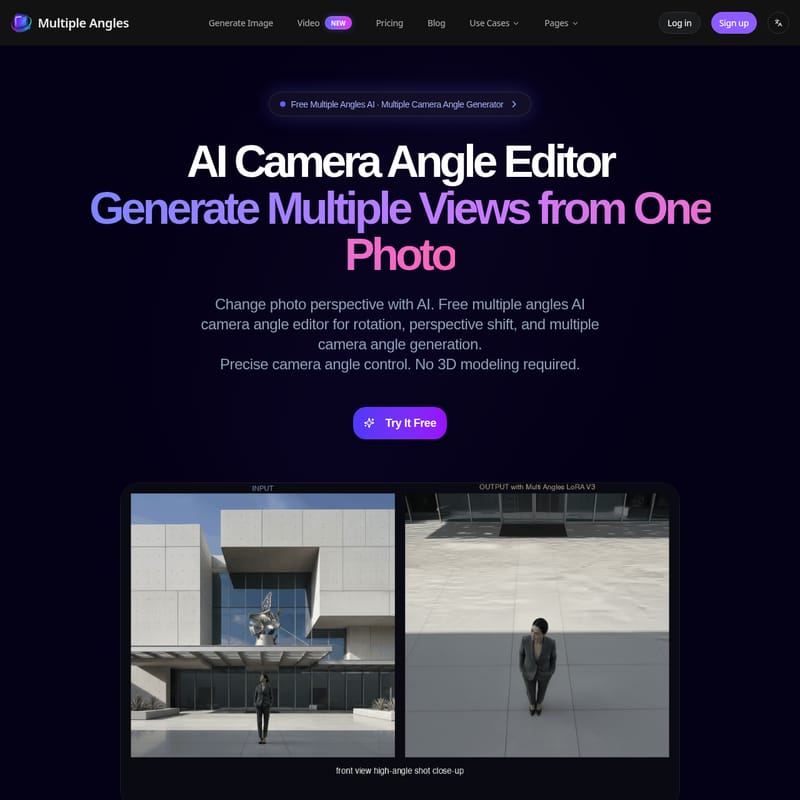
Structured product information
Multiple Angle AI: At a glance
Last checked: · Official source
Key features
AI-Powered Multiple Camera Angle Control
Provides rotation, perspective shift, and intuitive 3D parameters to generate multiple camera angle views from a single photo.
360° Rotation & Horizontal Control
Enables rotation of subjects across a full 360° plane for product views and turntable animations.
Vertical Angle & Perspective Shift
Controls camera elevation from -30° to 60° for multi-angle character sheets and perspective shifts.
Distance Control
Adjusts camera distance from close-up to wide shots while preserving image quality.
3D Camera Control Presets
Includes 96 preset positions based on 4 elevations, 8 azimuths, and 3 distances.
High Quality Output
Generates images with resolutions up to 2048x2048.
Best for
- Character design and turnaround sheets
- E-commerce product listings for Shopify and Amazon
- 3D modeling references for Blender, Maya, and 3ds Max
- Synthetic multi-view datasets for Machine Learning
- Marketing, advertising, and catalogs
Pricing
Plan starting price
$4.90
MonthlyLimitations
- Batch Processing is currently listed as Coming Soon
- Maximum upload file size is 10MB
- Elevation control is limited to a range of -30° to 60°
Privacy & security
- Independent service not affiliated with any AI model providers
Multiple Angle AI Product Information
Multiple Angle AI is an AI camera angle generator designed to transform a single 2D image into various 3D perspectives. By utilizing geometry-aware projection, the tool allows users to manipulate a virtual camera around a subject to produce new viewpoints without requiring manual 3D modeling. This technology functions as an AI perspective shifter, enabling the creation of multi-view images from a single source file such as a character drawing or a product photograph.
The platform is built to handle complex spatial adjustments, providing users with the ability to rotate subjects across a full 360-degree horizontal plane. This capability is intended for creators who need to visualize objects or characters from specific orientations that were not captured in the original shot. According to the provider, the system maintains identity consistency across different views by using 3D parameters rather than random generation.
3D Camera Control and Perspective Shifting
The core functionality of this 3D camera control AI revolves around its precise adjustment parameters. Users can modify the azimuth, elevation, and distance of the camera to change how a subject is viewed. The elevation control allows for vertical shifts ranging from -30° to 60°, which is useful for creating high-angle or low-angle shots.
To simplify the workflow, the interface includes 96 preset positions. These presets are organized into a grid of 4 elevations, 8 azimuths, and 3 distances. By selecting these presets, users can quickly toggle between standard viewpoints. The distance control feature further allows for zooming from close-up shots to wide-angle frames while the system works to preserve the original image quality. This level of control distinguishes the tool from traditional generative AI, which often produces unpredictable variations when prompted for different angles.
Character Turnaround Generation for Artists
For concept artists and animators, the tool serves as a character turnaround generator. It is designed to take a single character drawing and produce the necessary front, side, and back views required for production sheets. This process helps maintain design consistency, which is often a challenge when manually redrawing characters from different perspectives.
Game developers can use these generated views as references for 3D modeling in software like Blender, Maya, or 3ds Max. By providing a clear visual of a character's profile or rear view, the tool assists in the transition from 2D concept art to 3D assets. The provider states that the output is suitable for indie developers and studios working within Unity or Unreal Engine environments who require rapid reference material.
Product Photo Angle Editor for E-commerce
In the retail sector, Multiple Angle AI acts as a product photo angle editor. E-commerce sellers on platforms like Shopify and Amazon often require a complete set of images showing a product from every side. Instead of conducting extensive photo shoots for every item, users can upload one photo and generate the remaining angles digitally.
This multi-view image generator can create turntable-style animations and static shots for marketing catalogs and advertising materials. The ability to generate synthetic multi-view datasets also makes the tool applicable for machine learning research, where large volumes of varied perspective images are needed to train computer vision models.
Technical Specifications and Limitations
The AI camera angle generator supports several common image formats, including PNG, JPG, WEBP, and HEIC. The maximum file size for uploads is limited to 10MB. Regarding output quality, the platform can generate images with resolutions up to 2048x2048, ensuring that the details of the original subject remain clear in the new perspectives.
Users should note that while the tool offers significant rotation capabilities, the vertical elevation is restricted to a specific range of -30° to 60°. Additionally, batch processing features are currently listed as a future update, meaning users must currently process images individually. The service operates independently and is not affiliated with external AI model providers.
Frequently Asked Questions
What is Multiple Angles?
Multiple Angles is an AI image generator that transforms single images into multi-view perspectives. It provides precise 3D camera control with 96 preset positions (4 elevations × 8 azimuths × 3 distances) for e-commerce, game development, and creative projects.
Can I generate a character turnaround from one image?
Yes. Multiple Angles can be used to create character turnaround sheets and multi-angle reference images from concept art, providing front, side, and back views.
What image formats are supported?
The platform supports PNG, JPG, WEBP, and HEIC files with a maximum size of 10MB.
What is the output quality?
Multiple Angles generates images at resolutions up to 2048x2048 with consistent detail across every angle.
What does Multiple Angle AI do?
AI-Powered Multiple Camera Angle Control: Provides rotation, perspective shift, and intuitive 3D parameters to generate multiple camera angle views from a single photo. 360° Rotation & Horizontal Control: Enables rotation of subjects across a full 360° plane for product views and turntable animations. Vertical Angle & Perspective Shift: Controls camera elevation from -30° to 60° for multi-angle character sheets and perspective shifts. Distance Control: Adjusts camera distance from close-up to wide shots while preserving image quality. 3D Camera Control Presets: Includes 96 preset positions based on 4 elevations, 8 azimuths, and 3 distances. Output: Generates images with resolutions up to 2048x2048.