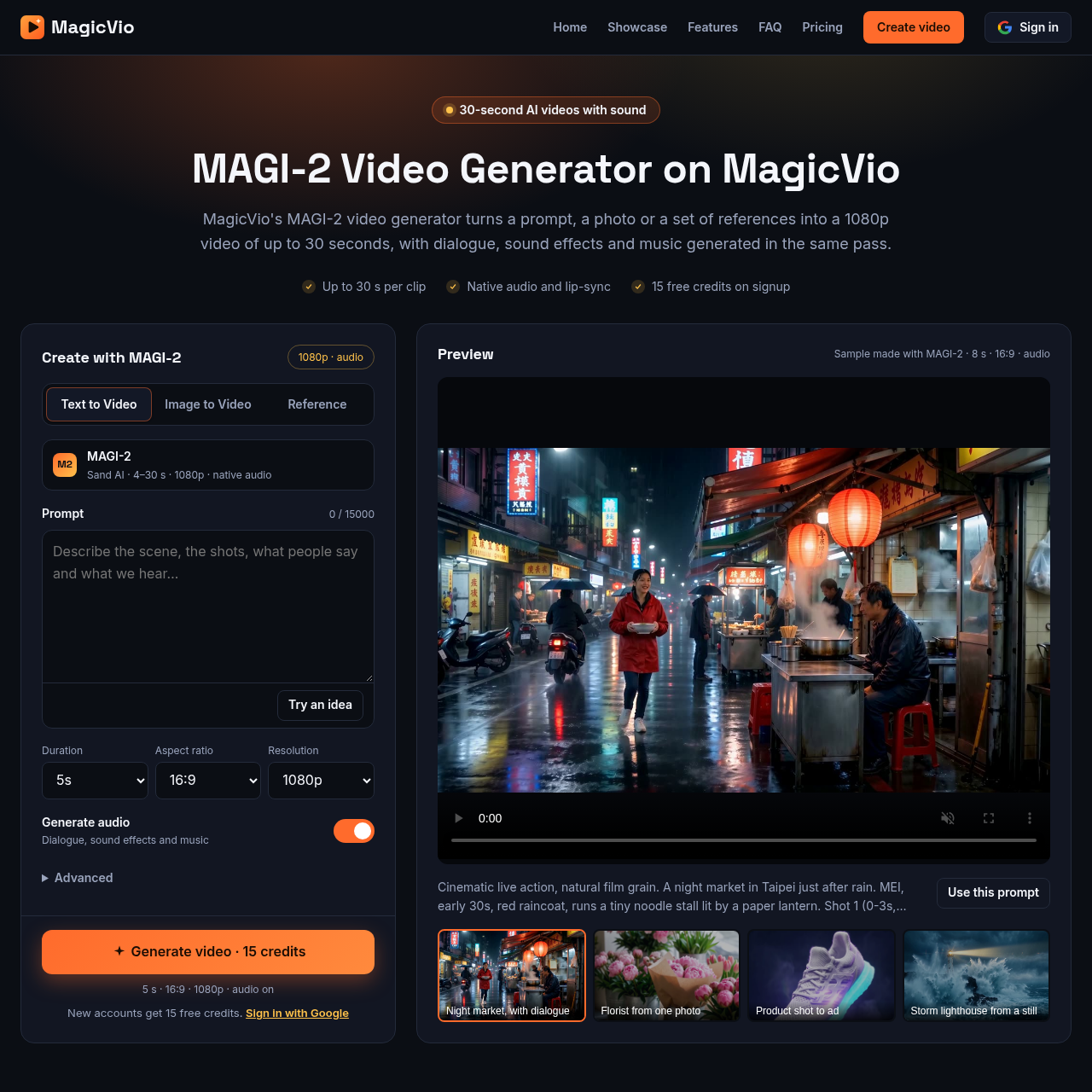
MagicVio uses MAGI-2 to generate 1080p clips from text, a starting image, or reference images, with optional dialogue, sound effects, and music.
VideoGenerates 1080p clips in whole-second…Offers six aspect ratiosAccepts prompts of up to 15,000…Text to videoText to VideoImage to VideoReference to videoAI video generator1080plip-synced dialoguesound effectsmusic
Listed on AIToolly
What Is MagicVio? Product Overview
What the product does and how it is positioned
MagicVio's MAGI-2 video generator turns a prompt, a photo or a set of references into a 1080p video of up to 30 seconds, with dialogue, sound effects and music generated in the same pass. Features include Text to Video, Image to Video, and Reference to video; any whole length from 4 to 30 seconds; 1080p; lip-synced dialogue, sound effects, ambience and music (audio can be off); aspect ratios 16:9, 9:16, 1:1, 4:3, 3:4, 21:9; up to 10 reference images (JPG, PNG or WEBP). Official plans: Lite $19.90 / Pro $39.90 / Max $99.90 per month; 15 free credits on signup; 3 credits/second. MagicVio is an independent site and is not affiliated with Sand AI. MAGI-2 is a model by Sand AI.
MagicVio is a hosted video generator built around Sand AI's MAGI-2 model. It has separate modes for generating a scene from text, animating a still, and using images to guide the appearance of characters or products.
Users can describe a scene shot by shot and specify spoken lines and background sounds in the same prompt. A single generation can run from 4 to 30 seconds.
What Can You Use MagicVio For?
Source-supported ways to use the product
Vertical social video drafts
Social creators can draft a 9:16 clip with spoken lines and background sound for short-form video.
Product ad openings
Marketing teams can use an existing product photo as the first frame and describe camera movement, a voice line, and a music cue in the prompt.
Scene previews
Filmmakers can sketch a sequence with several shots, dialogue, and music, using reference images to guide character appearance.
How to Use MagicVio
The documented workflow, where available
1
Mode selection
The user selects text, image, or reference mode and uploads a first frame or reference images where applicable.
2
Shot and sound prompt
The user describes the shots in order, puts dialogue in quotation marks, names the desired sounds, and tags any uploaded reference images in the prompt.
3
Generation and preview
The user sets the duration and audio preference, selects an aspect ratio where applicable, and starts generation. The result appears in the preview panel and is saved under My videos.
First frames and reference images
Image-to-video mode starts from a supplied first frame and uses its aspect ratio. The prompt describes how the image should move, and an optional last frame guides the ending.
In reference mode, the prompt assigns a role to each uploaded image. For example, one tagged image can guide a character's appearance while another guides the setting.
Image-to-video mode requires a first frame and accepts an optional last frame.
Reference mode accepts up to 10 images.
Both image-based modes accept JPG, PNG, and WEBP files.
MagicVio Pricing
Human-maintained commercial information
subscriptionfreemium
USD 19.9/month
Pricing can change. Confirm the current plan and billing terms on the official site before purchasing.
What to Test Before Choosing MagicVio
Checks to run with your own material and workflow
Confirm that the 4- to 30-second duration range fits the intended clip.
Check whether the first frame's aspect ratio matches the intended image-to-video output.
Verify that the reference assets are images and fit within the 10-image limit.
Review whether the intended scene calls for generated dialogue, effects, ambience, or music, or a silent clip.