Wispr Flow for Android
Flow for Android: The AI Voice-to-Text Dictation Tool for Clear, Polished Writing on Every Device
Flow by Wispr is a revolutionary voice-to-text AI designed to turn your speech into clear, polished writing across every application. Available on Mac, Windows, iPhone, and now Android, Flow allows you to speak naturally at the speed of thought, transcribing at 220 wpm—four times faster than traditional typing. It features intelligent AI auto-edits that remove filler words and typos, a personal dictionary that learns unique terms, and a snippet library for voice shortcuts. Whether you are a developer, student, or business leader, Flow ensures your communication remains professional and perfectly formatted, supporting over 100 languages with seamless cross-device synchronization. Experience the future of writing by downloading Flow for free today.
2026-02-25
4600.0K
Wispr Flow for Android Product Information
Flow for Android: The Future of Voice-to-Text Writing
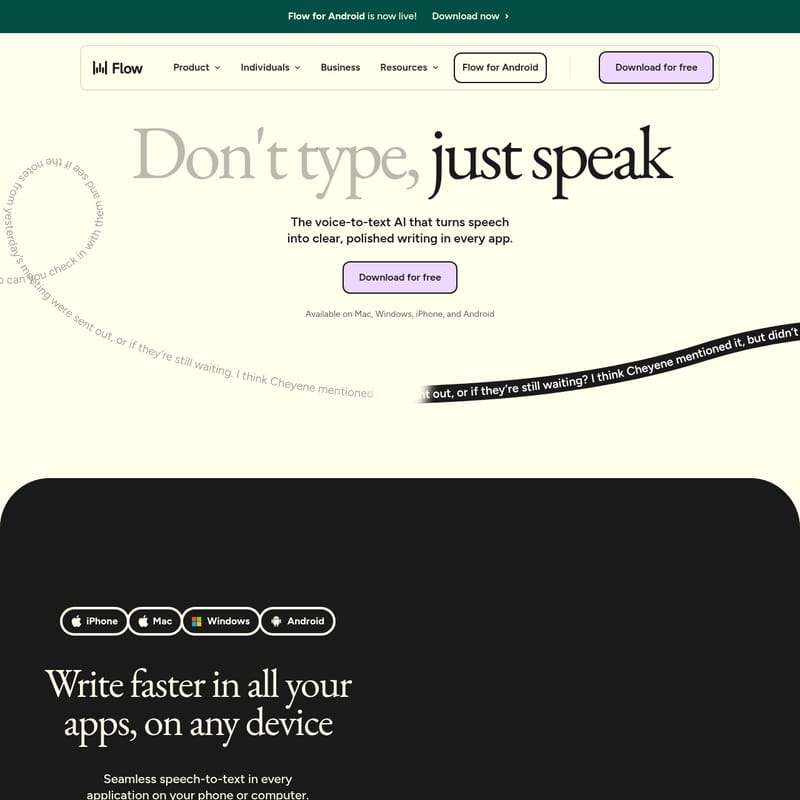
Flow for Android is now live! After 150 years of using the same keyboard layout, a voice solution that actually works is finally here. Flow is the premier voice-to-text AI that turns your speech into clear, polished writing in every app you use. Whether you are on your phone or at your desk, Flow allows you to write faster, communicate more naturally, and free up time for what matters most.
What’s Flow?
Flow is a seamless speech-to-text tool designed for individuals and businesses who want to move beyond the limitations of manual typing. Unlike standard dictation, Flow uses advanced AI to understand your intent. It doesn't just transcribe; it edits your voice into structured, professional text instantly.
With Flow, you can speak naturally—including all the "umms" and "ahhs" of spontaneous thought—and watch as the AI transforms rambled ideas into perfectly formatted sentences. It is available across all major platforms, including Mac, Windows, iPhone, and Android, ensuring your personal style and settings are synced everywhere you go.
Key Features of Flow
1. High-Speed Transcription
Flow is engineered for speed. While the average keyboard typing speed is 45 wpm, Flow clocks in at 220 wpm. This makes it 4x faster than typing, allowing you to capture your thoughts at the speed you think them.
2. AI Auto-Edits
Stop worrying about typos or filler words. Flow's AI Auto-Edits feature transcribes and edits your voice in real-time. It automatically removes stuttering and "umm"s, turning chaotic thoughts into polished prose.
Example: You can speak a rambling sentence about a project timeline, and Flow will output a concise, professional message ready for your team.
3. Personal Dictionary
Every user has a unique vocabulary. Flow automatically learns your specific words—including names like Robyn, Viktor, or Nguyen and industry terms like SaaS or Caltrain—and adds them to your Personal Dictionary for perfect accuracy in future sessions.
4. Snippet Library
Save time with voice shortcuts. The Snippet Library allows you to create cues for text you use frequently.
- Calendar: Speak a cue to insert your Calendly link.
- Support: Quickly drop in FAQ responses or support intros.
- Business: Instantly paste your elevator pitch or careers link.
5. Multi-Language Support
Flow is a global tool supporting 100+ languages. It automatically detects and transcribes in your language, allowing you to move between different tongues just as naturally as you do in conversation.
6. App-Specific Tones
Flow isn't a one-size-fits-all robot. It automatically adjusts its tone based on the app you are currently using, ensuring you sound appropriate whether you are texting a friend or drafting a board document.
Use Cases
Flow is made for everyone who wants to optimize their workflow. Here is how different professionals use it:
- Developers & Tech Leads: Dictate documentation and code comments 4x faster.
- Leaders & Managers: Jeff Seibert (CEO, Digits AI) used Flow to dictate ~70% of a Q2 board document, saving massive amounts of time.
- Accessibility: For users like Rich Pankey, who has Parkinson's, Flow is a game-changer that makes using a computer significantly easier.
- Writers & Authors: Greg Dickson, a bestselling author, uses Flow to get into a "flow state" without the interruptions of autocorrect.
- Students: Agam Walia from UC Berkeley notes that Flow works incredibly well even for those who struggle with stuttering.
- Customer Support & Sales: Use snippets to handle FAQs and outreach with unprecedented speed.
How to Use Flow
Using Flow is designed to be effortless and integrated into your existing routine:
- Download and Install: Get Flow for free on your preferred device (Android, iPhone, Mac, or Windows).
- Open Any App: Flow works in every application on your phone or computer.
- Speak Naturally: Don't type; just speak. You don't need to be formal or precise—let your thoughts out.
- Instant Transformation: Watch as Flow transcribes your speech at 220 wpm, automatically removing filler words and formatting the text to match your style.
- Use Shortcuts: Trigger your custom snippets for frequently used information like meeting links or addresses.
FAQ
Q: Which platforms is Flow available on? A: Flow is available on Mac, Windows, iPhone, and has now officially launched for Android.
Q: Is Flow really faster than typing? A: Yes! Typing averages 45 wpm, while Flow reaches 220 wpm, making it 4x faster.
Q: Does Flow support languages other than English? A: Yes, Flow supports over 100 languages and features automatic language detection.
Q: Can Flow handle niche industry terms? A: Absolutely. Flow includes a Personal Dictionary that learns your unique words and names over time to ensure high accuracy.
Q: How does the AI editing work? A: Flow’s AI analyzes your speech to remove stutters and filler words, then structures the remaining content into clear, professional text tailored to the app you are using.