OpenMarkdown
OpenMarkdown: A feather-light, agent-native, and local-first Markdown editor built with a high-performance native Rust core.
OpenMarkdown is a lightning-fast, local-first Markdown editor designed for seamless collaboration between users and AI agents. Built with a native Rust core, it offers sub-second cold starts and avoids database lock-in by using plain .md files. It empowers users to integrate their favorite AI agents—like Claude, ChatGPT, and Gemini—directly with their local files through MCP clients. With a focus on privacy, OpenMarkdown requires no account, uses no cloud storage, and includes no telemetry, ensuring your data remains yours.
2026-07-20
--K
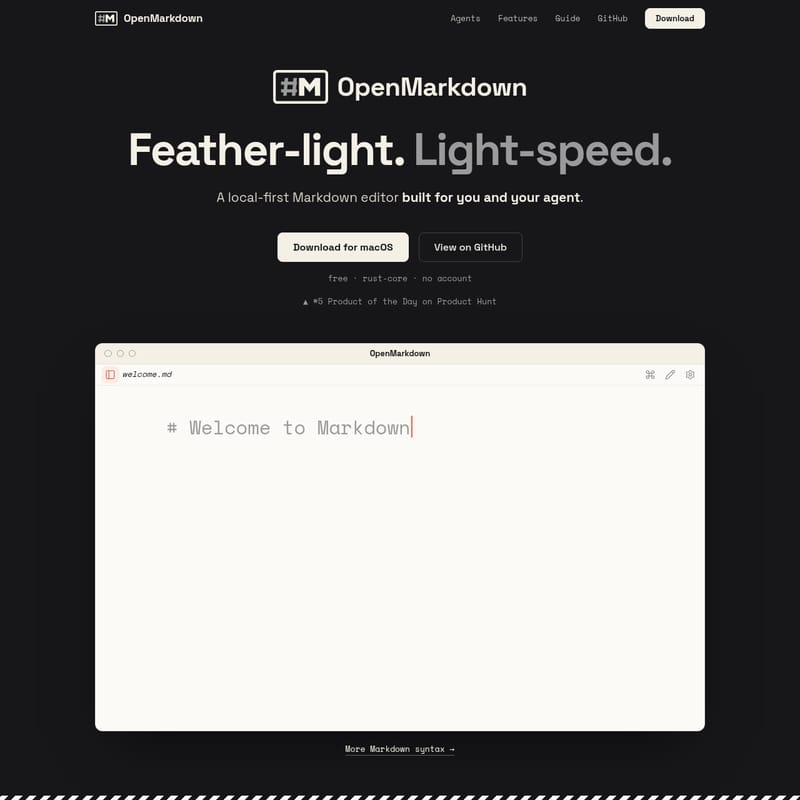
OpenMarkdown Product Information
OpenMarkdown: The Lightning-Fast, Agent-Native Markdown Editor
In the modern digital workspace, speed and privacy are paramount. OpenMarkdown emerges as a revolutionary, feather-light, and light-speed Markdown editor designed specifically for the era of AI-driven productivity. Built with a native Rust core, OpenMarkdown is not just another text editor; it is a local-first environment where you and your AI agent can collaborate on the same page, literally.
Whether you are a developer, a technical writer, or a power user, OpenMarkdown provides the performance of a native application with the flexibility of plain-text files. It is the perfect tool for those who want to catch their ideas before they slip away, offering a sub-second response time that leaves heavier applications in the dust.
What's OpenMarkdown?
OpenMarkdown is a local-first Markdown editor built for the user and their agent. Unlike traditional editors that are bogged down by splash screens, update checks, and mandatory workspace syncing, OpenMarkdown focuses on raw performance. It is a free, Rust-core application that requires no account and operates entirely without a cloud dependency.
Recognized as a #5 Product of the Day on Product Hunt, OpenMarkdown has quickly gained traction among users who value simplicity and speed. The core philosophy of OpenMarkdown is to provide a "window that is there before you let go of the mouse." By prioritizing a native Rust core, it achieves a cold start time of just 0.2 seconds, ensuring that your workflow is never interrupted by loading bars or syncing icons.
Key Features of OpenMarkdown
OpenMarkdown is packed with features that prioritize user control, speed, and seamless integration with modern AI tools.
1. Light-Speed Performance
An idea gives you about five seconds before it fades; OpenMarkdown takes less than one to be ready.
- Cold Start (P50): 0.2 seconds.
- Instant Access: The transition from click to window is nearly instantaneous (< 1s).
- Native Rust Core: Leverages the efficiency of Rust for a snappy, responsive UI.
2. Agent-Native Collaboration
OpenMarkdown unlocks a new way to work with AI. It is designed to be "agent-native," meaning it acts as the bridge between you and your preferred AI model.
- No Built-in AI: OpenMarkdown doesn't force a specific AI on you. Instead, it runs on the agent you already have.
- MCP Client Support: It works seamlessly with any Model Context Protocol (MCP) client, including Claude Code, ChatGPT Codex, Gemini CLI, GitHub Copilot, and Cursor.
- In-place Editing: You can drag to select text, and your agent can rework it directly on the page—no more copying and pasting through a separate chat box.
3. Local-First & Plain Files
With OpenMarkdown, your knowledge belongs to you.
- No Lock-in: Every note stays as a plain
.mdfile on your disk. - No Database: There are no proprietary databases to worry about. Your files are persistent and portable.
- Byte-for-Byte Integrity: OpenMarkdown never reflows, trims, or reformats your text. Your files remain unchanged unless you edit them.
4. Powerful Wiki & Navigation
Transform your local folder into a searchable wiki.
- Agent Navigation: Throw your files at an agent, and it can open the exact file and spot you need based on your query.
- Live Preview: View your Markdown formatting in real-time as you type.
- Command Palette: Use
⌘+Pto access a palette for every command, keeping your hands on the keyboard.
5. Privacy and Safety
- No Cloud, No Telemetry: OpenMarkdown is safe by default. It does not phone home, and there is no third party between you and your files.
- System Trash Integration: Deleting a file moves it to the system Trash, not an unrecoverable void.
- Reliable Autosave: The app saves automatically when you pause, and it recovers your tabs, folders, and cursor positions even after a crash.
Use Cases for OpenMarkdown
OpenMarkdown is versatile enough to handle a variety of professional and personal workflows:
- Knowledge Management: Use it as a personal wiki or a second brain for daily notes, project planning, and reading lists. Because it uses plain
.mdfiles, your knowledge base is future-proof (even in 2048). - AI Prompt Engineering: Use the
ctrl+gprompt feature to structure complex prompts for agents like Claude or GPT without the constraints of a small chat box. Hit⌘+↩when complete to submit. - Developer Documentation: Write and edit documentation directly from your terminal using the
openmdCLI. It’s perfect for README files and technical design documents. - Collaborative Coding: Use the agent integration to have AI models refactor code snippets or generate tables within your Markdown files in real-time.
How to Use OpenMarkdown
Getting started with OpenMarkdown is straightforward, especially for those comfortable with a terminal environment.
Installation
To install OpenMarkdown through your agent, you can paste the following command:
Read
openmarkdown.dev/installto install OpenMarkdown and open my first note.
You can also download the signed and notarized application for macOS (Apple Silicon & Intel) directly from the official website or GitHub.
Integrating Your Agent
To unlock agent-native features, you can install the OpenMarkdown plugin for your specific agent:
- Claude:
claude plugin install - Codex:
codex plugin install - Gemini:
gemini extensions install - Copilot:
copilot plugin install
Command Line Interface (CLI)
OpenMarkdown includes an openmd CLI that allows you to open files directly from your terminal. You can install this feature with a single click from the application settings.
FAQ
Q: Does OpenMarkdown require an account? A: No. OpenMarkdown is a "no account" application. You can download it and start using it immediately without signing up for any service.
Q: Where are my files stored?
A: All files are stored locally on your disk as plain .md files. OpenMarkdown does not use a cloud database or proprietary storage formats.
Q: Which AI agents are compatible with OpenMarkdown? A: It is designed to work with any MCP client, including Claude Code, ChatGPT Codex, Gemini CLI, and GitHub Copilot. It uses the agents you already have installed on your system.
Q: Is OpenMarkdown available for Windows or Linux? A: The current provided information focuses on the macOS version (Apple Silicon & Intel). Check the GitHub repository for updates regarding other platforms.
Q: Does OpenMarkdown track my usage? A: No. There is no telemetry and no cloud communication. Your data and usage habits remain private on your local machine.
Q: What languages does the UI support? A: OpenMarkdown features a full trilingual UI supporting English, 中文 (Chinese), and 日本語 (Japanese).