walkai-talkai favicon

walkai-talkai

walkai-talkai is a desktop utility that bridges handheld two-way radios with local AI coding agents and tools on Apple Silicon Macs.

Code & ITTranscribe voice commands locally using…Automate typing into designated target…Synthesize responses into speech using…Accept automated agent replies
walkai-talkai product interface screenshot
Listed on AIToolly

What Is walkai-talkai? Product Overview

What the product does and how it is positioned

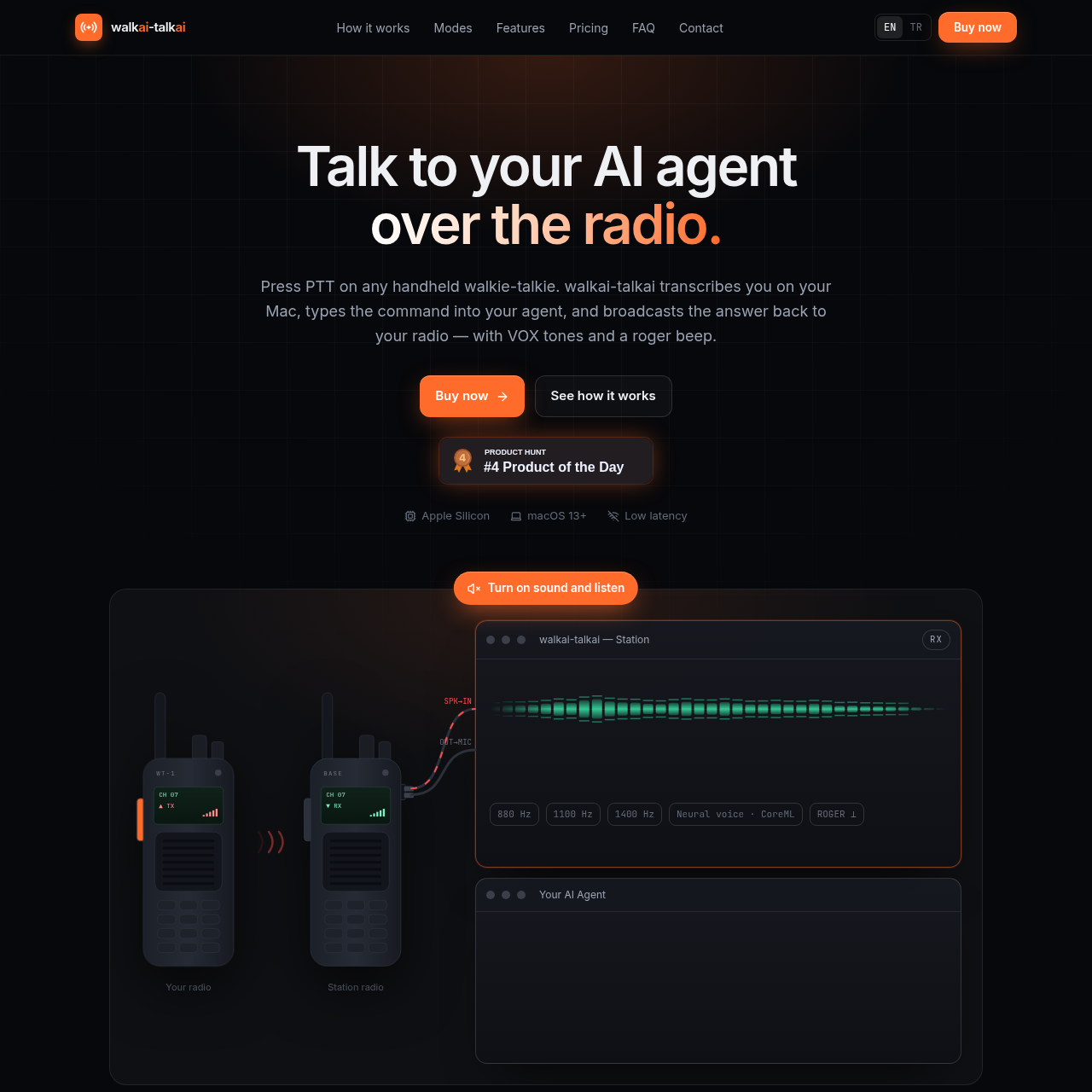
walkai-talkai enables users to communicate with AI agents over a standard two-way radio connected to an Apple Silicon Mac. By pressing push-to-talk on a handheld walkie-talkie, voice instructions are transmitted, transcribed locally, and routed into chosen desktop applications or local agent interfaces.

The software features local speech recognition through OpenAI Whisper and neural voice synthesis powered by CoreML. It provides options for automating keystrokes into target windows via macOS Accessibility or interacting directly through a local loopback API endpoint.

What Can You Use walkai-talkai For?

Source-supported ways to use the product

Voice-Driven Coding Assistance

Interact with development agents like Cursor or Terminal using a handheld radio while away from the physical keyboard.

Remote Status Broadcasting

Receive synthesized audio summaries and build status updates broadcasted directly back to a two-way radio speaker.

How to Use walkai-talkai

The documented workflow, where available

  1. 1

    Key up

    Press PTT on the handheld radio and speak to feed audio into the Mac through an audio cable.

  2. 2

    Transcribe

    OpenAI Whisper converts spoken voice instructions into text locally on the Mac in Turkish or English.

  3. 3

    Dispatch

    The transcribed command is entered into the designated target window or environment and submitted.

  4. 4

    Broadcast

    CoreML neural text-to-speech synthesizes the reply into the radio audio line with wake tones and a roger beep.

Operating Modes and Hardware Setup

The software accommodates different workflows through Target Window selection and API mode. Target Window configuration types transmissions into environments like Cursor, Antigravity, or Terminal using macOS Accessibility capabilities. Alternatively, API mode allows local agents to submit replies via an HTTP endpoint.

Hardware requirements involve any VOX-capable handheld two-way radio linked via a standard audio cable or USB adapter to an Apple Silicon Mac operating on macOS 13 or newer.

  • Target Window auto-paste with Enter submission
  • Local loopback HTTP server integration
  • Hardware support for standard 2-pin K-plug or 3.5 mm connections

What to Test Before Choosing walkai-talkai

Checks to run with your own material and workflow

  • Confirm that the host machine runs an Apple Silicon processor with macOS 13 or later.
  • Verify that the hardware setup includes a compatible VOX two-way radio and an appropriate audio cable connection.

walkai-talkai Sources and Last Checked

What was checked and when

Last checked
Category
Code & IT

walkai-talkai Frequently Asked Questions

Answers based on the source-checked product record

Which radios are compatible with the software?

Any handheld two-way radio featuring VOX functionality and an external audio port can connect using a standard 2-pin K-plug or 3.5 mm cable.

Does the application require an active internet connection?

Speech recognition and neural speech synthesis run locally on the Mac, allowing the software to function offline for up to 14 days between license checks.

Which AI agents and applications are supported?

The software supports applications that accept typed input, such as Cursor, Antigravity, and Terminal-based tools, alongside direct model integrations in API mode.

Can a single license be transferred across multiple computers?

A license activates one Mac at a time, but it can be deactivated and transferred to a new machine whenever necessary.

What are the hardware and operating system requirements?

The application requires an Apple Silicon Mac running macOS 13 Ventura or later, together with a compatible radio setup and audio cable.

Explore other recently added tools in the same category.