Snap
Snap: The Floating Developer Dock for Screenshot Optimization, AI Prompting, and Workflow Automation
Snap is a specialized floating dock designed for macOS, tailored specifically for engineers and AI-assisted coding workflows. It sits on top of any application, including VS Code, Cursor, and Terminal, to eliminate window switching and maintain focus. Key features include an Agent Session Manager for real-time tracking of AI agents like Claude Code, a Preview Window for visual CSS editing that generates AI-ready prompts, and Smart Screenshots that automatically number interactive UI elements. Additionally, Snap offers a Prompt Optimizer powered by Groq LLaMA for sub-200ms refinement, real-time voice transcription via Whisper, and custom action buttons for launching tools or shell commands. It even includes educational coding shorts to watch during AI generation wait times. Used by engineers at companies like Vercel, Figma, and Notion, Snap provides a seamless loop from code generation to execution, enhancing productivity through smart automation and integrated AI utility tools.
2026-02-10
--K
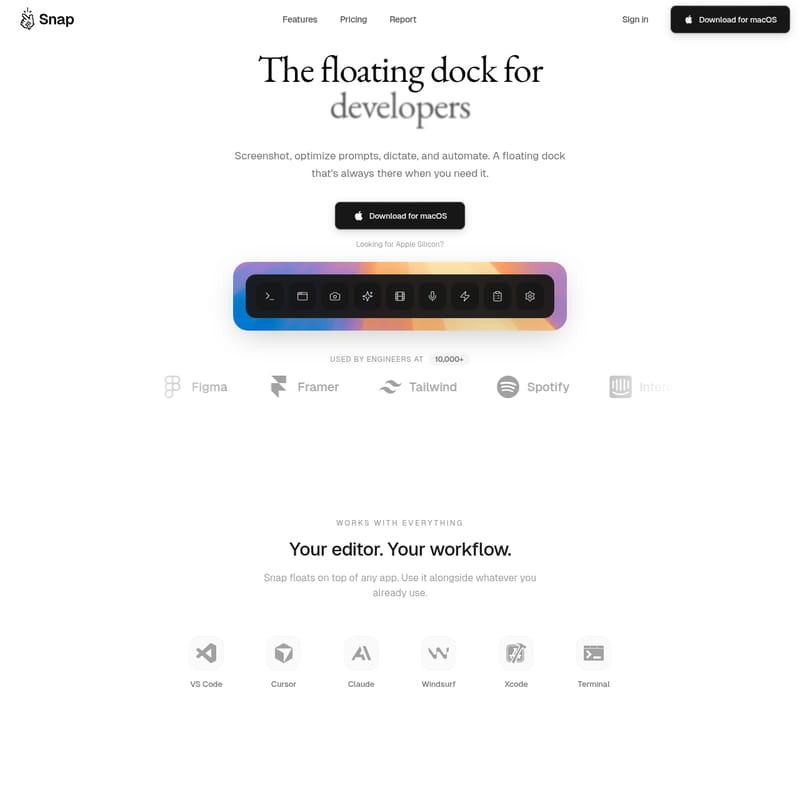
Snap Product Information
Snap: The Essential Floating Dock for Modern AI Coding Workflows
In the fast-paced world of software development, context switching is the ultimate productivity killer. Snap is a premium floating dock designed specifically for developers, providing a persistent, always-available interface to screenshot, optimize prompts, dictate, and automate tasks without ever leaving your editor.
Built to integrate seamlessly with macOS, Snap acts as your command center, floating on top of your workflow—whether you are using VS Code, Cursor, Claude, Windsurf, Xcode, or the Terminal. Trusted by engineers at industry leaders like Vercel, Figma, Linear, and Notion, Snap bridges the gap between your local environment and AI-driven development.
What's Snap?
Snap is a specialized productivity tool for macOS that puts your favorite developer utilities just one click away. It is more than just a launcher; it is a comprehensive assistant designed to facilitate AI coding workflows. By remaining visible on top of any app, Snap ensures you never lose your place while monitoring AI agents, capturing UI elements, or refining prompts. It is the ultimate companion for developers who want to supercharge their desktop and maintain a smooth loop from code generation to deployment.
Features
Agent Session Manager
Monitor your coding agents in real-time. The Snap Agent Session Manager allows you to see every session running across your projects, compatible with Claude Code, Codex, and Cursor Agent.
- Live Status Tracking: Monitor cost, tokens, and context usage per session.
- Inline Approval: Approve plans and tool permissions without switching windows.
- Cost Control: Keep a close eye on your AI spend with detailed usage metrics.
Preview Window & Visual Inspector
Show your AI exactly what needs to change. With the Snap Preview Window, you can click any element in your application to edit it visually.
- DOM Inspector: Click-to-select elements just like browser dev tools.
- Visual CSS Editing: Adjust styles with intuitive controls.
- Add to Prompt: Automatically turn your visual CSS changes into clear, actionable prompts for your AI agent.
Smart Screenshot
Traditional screenshots are static, but Snap screenshots are smart. When you select an area, Snap automatically numbers every button, input, and link.
- AI-Ready Annotations: Paste these numbered screenshots into Claude or Cursor so the AI knows exactly which element you are referring to.
- One-Click Copy: Instant clipboard integration for any UI framework.
Prompt Optimizer
Turn vague ideas into precise instructions. Powered by Groq LLaMA, the Snap Prompt Optimizer works in under 200ms to refine your input.
- Context Injection: Automatically adds file paths and environmental context.
- Structured Output: Transforms a simple "fix the sidebar" into a detailed plan with file references and expected behavior.
Voice Input
Stop typing and start talking. Snap features real-time Whisper transcription to turn your natural speech into clean, professional prompts.
- Real-Time Transcription: Watch your words appear as text instantly.
- Hands-Free Workflow: Speak naturally to maintain your coding flow without the keyboard.
Custom Buttons & Actions
Launch anything instantly. You can add custom buttons to the Snap dock to trigger specific tools or scripts.
- Tool Integration: Quick-launch VS Code, Cursor, or Claude Code.
- Shell Commands: Run custom shell scripts or launch specific URLs.
- Keyboard Shortcuts: Assign unique ⌘ shortcuts to every button in your dock.
Educational Shorts
Maximized productivity even during downtime. While your AI agent is processing, Snap provides curated 15-60 second coding tips.
- Tech Stack Specific: Short lessons on CSS, React, Git, and more.
- Automatic Playback: Tips play while Claude is "thinking," turning wait time into learning time.
Use Case
Snap is designed for the modern developer who utilizes AI agents heavily. Here are a few ways to integrate it into your daily routine:
- UI Debugging: Open your local project, use the Snap Smart Screenshot to identify a broken button (e.g., "Element 4"), and tell your AI to "Fix the alignment on Element 4."
- Agent Monitoring: Keep the Snap dock open while running a complex migration with Claude Code to monitor token usage and approve file writes as they happen.
- Rapid Prompting: Use Voice Input to describe a complex logic change, then use the Prompt Optimizer to ensure the AI receives the correct file paths and context before execution.
- Workflow Automation: Set up a Custom Button in Snap to simultaneously open your Terminal and launch your development server with a single click.
FAQ
What is Snap? Snap is a floating developer dock for macOS that provides tools for screenshots, prompt optimization, voice transcription, and AI agent monitoring.
How does Smart Screenshot work? When you capture a UI area, Snap identifies and numbers interactive elements automatically, making it easy for AI tools to understand your visual instructions.
What AI tools does Snap work with? Snap is built to complement Claude Code, Cursor, Codex, VS Code, Windsurf, and any other tool in your development workflow.
Is Snap free? Snap offers a Pro plan for $9/month (or an annual discounted rate) with a 3-day free trial that includes all premium features like Groq-powered prompt optimization and Whisper voice input.
How is Snap different from Raycast or Alfred? Unlike general-purpose launchers, Snap is a persistent floating dock specifically built for AI coding workflows, featuring live agent monitoring and visual DOM inspection tools that general launchers do not provide.
What platforms does Snap support? Currently, Snap is available as a dedicated application for macOS.