ReactVision Studio
ReactVision Studio: The Ultimate Visual Editor for Native AR and VR Apps using React Native
ReactVision Studio is a browser-based visual editor for building native AR and VR applications. It leverages the open-source ViroReact renderer to ship high-performance XR scenes to iOS, Android, and Meta Quest using a single React Native codebase. Featuring AI-generated 3D assets, cloud anchors, and real-time device previews, it offers a seamless workflow for mobile teams.
2026-05-20
2.0K
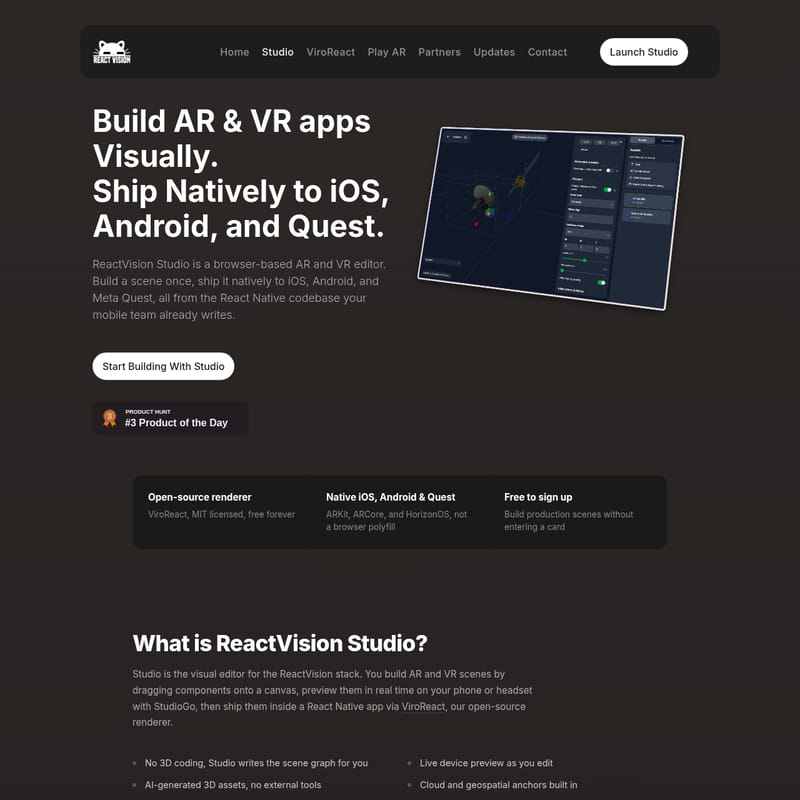
ReactVision Studio Product Information
ReactVision Studio: The Ultimate Visual Editor for Native AR and VR Apps
In the rapidly evolving landscape of extended reality, ReactVision Studio emerges as a premier browser-based visual editor designed specifically for building AR and VR apps. By combining a powerful visual interface with the open-source ViroReact renderer, ReactVision Studio allows development teams to build a scene once and ship it natively to iOS, Android, and Meta Quest. This solution is built specifically for the React Native ecosystem, ensuring that your existing mobile team can transition into XR development without a steep learning curve or the need for complex game engines.
What is ReactVision Studio?
ReactVision Studio is the visual editor component of the ReactVision stack. It serves as a comprehensive platform where creators and developers can build AR and VR scenes by dragging components onto a canvas. Unlike traditional development environments that require extensive 3D coding, Studio automatically writes the scene graph for you.
At its core, ReactVision Studio works in tandem with ViroReact, an MIT-licensed, open-source renderer. Scenes created in the Studio are previewed in real-time on physical devices using StudioGo and are eventually shipped inside a React Native application. This workflow bridges the gap between creative design and technical implementation, providing a true native experience across all major XR platforms including ARKit, ARCore, and HorizonOS.
Key Features of ReactVision Studio
ReactVision Studio is packed with features designed to accelerate the development of AR and VR apps while maintaining high performance and native fidelity.
1. Visual Scene Authoring and AI Assets
Building immersive environments is simplified through a drag-and-drop interface. Developers can position 3D models, animations, and AR anchors on a canvas without writing shader code. To further speed up the process, ReactVision Studio includes AI-generated 3D assets. Users can simply describe what they need via a text prompt, and the Studio generates a 3D mesh, auto-imports it into the project library, and makes it ready for placement.
2. Native Rendering with ViroReact
While many tools rely on WebXR compromises, ReactVision Studio utilizes the ViroReact renderer to ensure native performance.
- iOS: Utilizes ARKit for iPhone and iPad, supporting LiDAR-aware features.
- Android: Leverages ARCore for a wide range of OEM devices.
- Meta Quest: Built for HorizonOS, supporting the Quest 3 and Quest 3S for full VR and mixed reality experiences.
3. Advanced Geospatial and Cloud Anchors
Through the ReactVision Platform, developers can access high-level AR features:
- Cloud Anchors: Persist AR content across sessions and devices, allowing multiple users to see the same 3D models in the same physical space.
- Geospatial Anchors: Pin content to specific real-world GPS coordinates, such as street corners or building entrances.
4. Real-Time Preview via StudioGo
StudioGo eliminates the need for constant rebuilds. By linking the mobile app to the Studio project over a local network, any change made in the browser editor appears live on the device in seconds. This is essential for fine-tuning AR placement and animations.
How to Use ReactVision Studio
Building and shipping AR and VR apps with ReactVision Studio follows a streamlined three-step workflow.
Step 1: Build Your Scene Visually
Open the browser-based editor and start dragging components onto the canvas. Use the asset library to import models or use the AI generator to create new ones. You can set up animations for transforms and materials directly in the component inspector.
Step 2: Live Preview on Device
Download StudioGo for iOS or Android. Connect it to your project to see your scene in real-world environments. Note that AR requires a physical device; simulators and emulators are not supported.
Step 3: Integrate into React Native
Once your scene is ready, you can ship it by adding the StudioSceneNavigator component to your existing React Native project. This allows you to iterate on the scene in the Studio without needing to rebuild the entire mobile app.
Pro Tip: ViroReact integrates seamlessly with Expo development builds, allowing you to maintain your familiar workflow.
// In your React Native app, works on iOS, Android, and Quest
import { StudioSceneNavigator } from '@reactvision/react-viro';

export default function App() {
  return (
    <StudioSceneNavigator />
  );
}
Use Case Scenarios
ReactVision Studio is versatile enough for various industries and project types:
- Creative Teams: Build high-fidelity XR mockups and production scenes in the browser without waiting for engineering resources.
- Engineering Teams: Integrate complex 3D scenes into existing React Native apps with just one line of code, maintaining full control over the app's logic and UI.
- Enterprise Solutions: Use Geospatial and Cloud Anchors for persistent AR experiences in retail, navigation, or industrial maintenance.
- Cross-Platform Shipping: Launch a single project that runs as a mobile AR app on iOS/Android and as a VR/MR app on the Meta Quest headset.
Platform Support Overview
| Platform | Technology | Status | | :--- | :--- | :--- | | iOS | ARKit | Supported | | Android | ARCore | Supported | | Meta HorizonOS | Quest 3, 3S | Supported | | visionOS | Apple Vision Pro | Internal Preview | | Android XR | Samsung, Google | Coming Soon |
Pricing Plans
ReactVision Studio offers flexible pricing that scales with your project's needs. ViroReact itself remains free under the MIT license regardless of your tier.
- FREE ($0/mo): Includes 500 MB storage, 1,000 API requests, and 5 AI generations. Perfect for solo developers.
- BASIC ($25/mo): Increases limits to 1 GB storage, 10,000 API requests, and 20 AI generations.
- PRO ($75/mo): Designed for scaling apps with 5 GB storage, 100,000 API requests, and 35 AI generations.
FAQ
What is ReactVision Studio? It is a browser-based visual editor used to build native AR and VR scenes for the ReactVision stack, designed to ship through React Native.
Is ReactVision Studio an alternative to 8th Wall? Yes. While 8th Wall focuses on WebAR, ReactVision Studio provides native rendering through ARKit and ARCore, offering better performance and deeper device integration.
Do I need to know 3D programming? No. Studio is designed for visual authoring. It writes the scene graph for you, allowing you to focus on design and placement.
What is ViroReact? ViroReact is the open-source (MIT licensed) renderer that powers the scenes built in Studio, enabling them to run natively on mobile devices and headsets.
Does it support both AR and VR? Yes, ReactVision Studio is both an AR and VR editor. The same scene format can be used for AR experiences on phones and VR/MR experiences on headsets like the Meta Quest.