PDF Accessibility Checker by WebYes favicon

PDF Accessibility Checker by WebYes

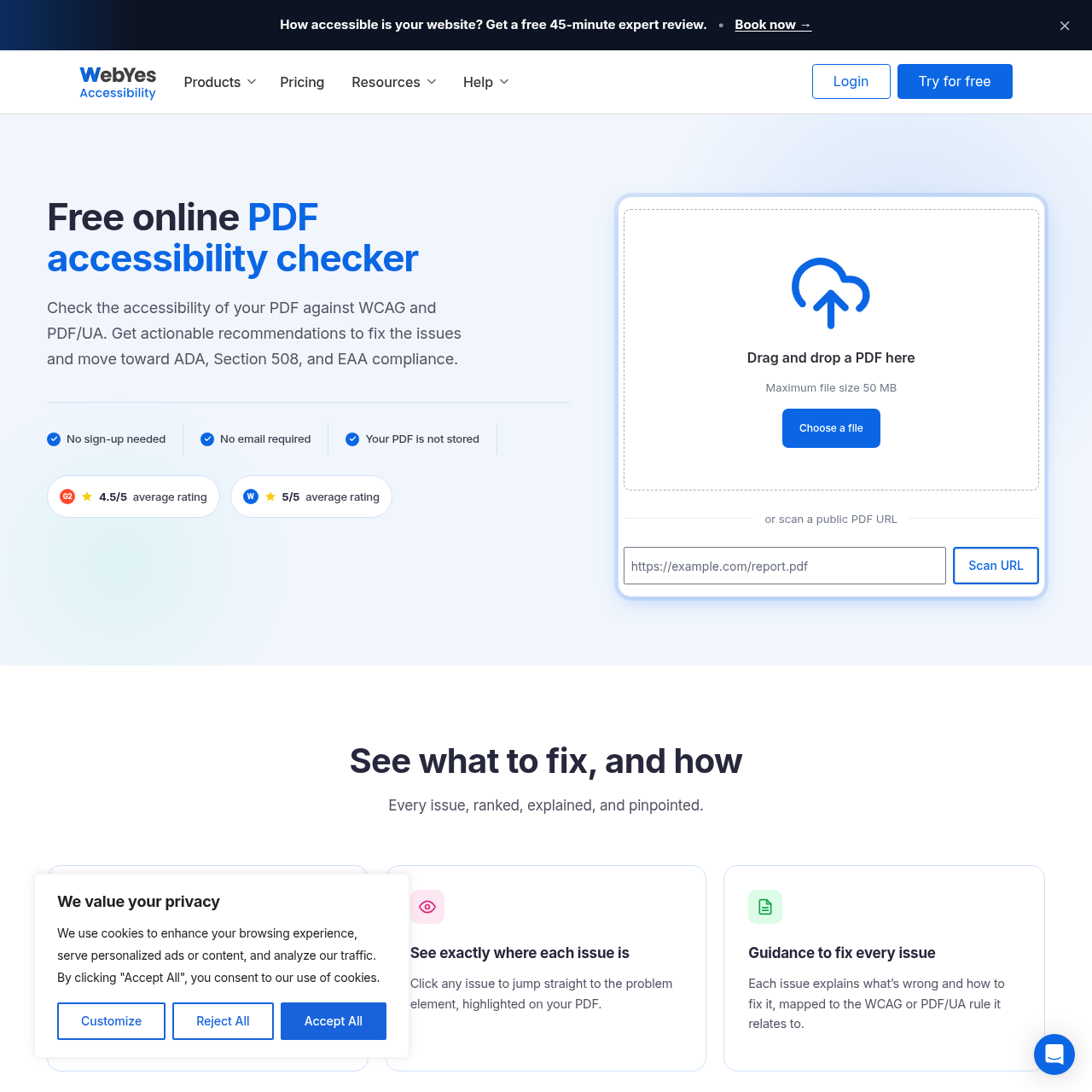
PDF Accessibility Checker by WebYes is a browser-based tool that scans uploaded PDFs or public URLs against machine-verifiable WCAG and PDF/UA rules, highlighting issues by severity with remediation guidance.

Code & ITEvaluates PDFs against machine-verifiable…Identifies accessibility issues across…Pinpoints specific failing elements…Severity-ranked issue reporting
PDF Accessibility Checker by WebYes product interface screenshot
Estimated monthly visits
28K
Data period:
Listed on AIToolly

What Is PDF Accessibility Checker by WebYes? Product Overview

What the product does and how it is positioned

PDF Accessibility Checker by WebYes is an automated web tool designed to evaluate documents against WCAG Level A and AA success criteria and PDF/UA (ISO 14289) technical tests.

The checker categorizes detected issues by severity, visually highlights problem elements inside the document, and provides rule-mapped remediation guidance for manual document correction.

What Can You Use PDF Accessibility Checker by WebYes For?

Source-supported ways to use the product

Pre-publication document screening

Authors can check newly created PDFs for missing tags, untagged images, contrast issues, and structure errors prior to publishing them online.

Compliance gap analysis

Organizations can scan existing document links against automated WCAG and PDF/UA criteria to assess exposure under Section 508, ADA, or EAA standards.

How to Use PDF Accessibility Checker by WebYes

The documented workflow, where available

  1. 1

    Submit document

    Upload a local PDF file or enter the public URL of a document directly in the browser without registering an account.

  2. 2

    Automated scanning

    The tool evaluates the file against machine-verifiable WCAG Level A and AA criteria as well as PDF/UA standards.

  3. 3

    Review issue list

    Browse issues ranked from critical to minor, filter by severity, and select an issue to view its location highlighted on the document.

  4. 4

    Apply remediation guidance

    Review the plain-language explanation and corresponding WCAG or PDF/UA rule to manually correct identified document defects.

Automated Rule Coverage and Visual Highlighting

The tool inspects PDFs against machine-verifiable tests from the Web Content Accessibility Guidelines (WCAG Level A and AA) and PDF/UA (ISO 14289). It scans document elements across structure, content, presentation, and form interactions, including heading nesting, list tagging, Unicode font mappings, text contrast minimums, and tab order.

When issues are detected, they are organized in order of severity, from critical to minor. Selecting an issue navigates directly to the corresponding page element and highlights it visually within the PDF view, accompanied by remediation guidance linked to the relevant accessibility criterion.

  • Checks structural elements including reading order, table headers, lists, and heading hierarchy.
  • Verifies content properties such as embedded fonts, Unicode mappings, document language, bookmarks, and image alternative text.
  • Evaluates presentation and interaction factors including WCAG text contrast ratios, form field tags, links, and tab order.
  • Pinpoints identified errors directly on the document canvas to assist with location and manual remediation.

What to Test Before Choosing PDF Accessibility Checker by WebYes

Checks to run with your own material and workflow

  • Confirm whether the automated scanner detects all relevant machine-verifiable WCAG and PDF/UA issues in your target document formats.
  • Verify that supplementary manual review processes are established for criteria requiring human judgment, such as alt-text quality and logical reading order.
  • Review the severity classification and element highlighting to ensure they provide sufficient detail for document remediation teams.

PDF Accessibility Checker by WebYes Sources and Last Checked

What was checked and when

Last checked
Category
Code & IT

PDF Accessibility Checker by WebYes Frequently Asked Questions

Answers based on the source-checked product record

Does the checker require an account or software installation?

No software download or user registration is required. The checker runs directly in a web browser, and users can submit documents without entering an email address.

Does the tool automatically fix detected accessibility errors in the PDF?

No. The tool identifies issues and explains how to fix them with rule-mapped guidance, but users must manually apply the corrections to the document.

Which accessibility standards does the automated checker evaluate?

The tool evaluates documents against all machine-verifiable success criteria of WCAG Level A and AA, as well as machine-verifiable tests in PDF/UA (ISO 14289).

Does a clean scan guarantee full legal accessibility compliance?

No. A clean scan indicates that the document passed all machine-verifiable tests, but human inspection is still necessary for subjective checks like alt-text accuracy and logical structure.

Are uploaded PDF files stored by the service?

No. The service does not store uploaded PDF files when running accessibility scans.

Explore other recently added tools in the same category.