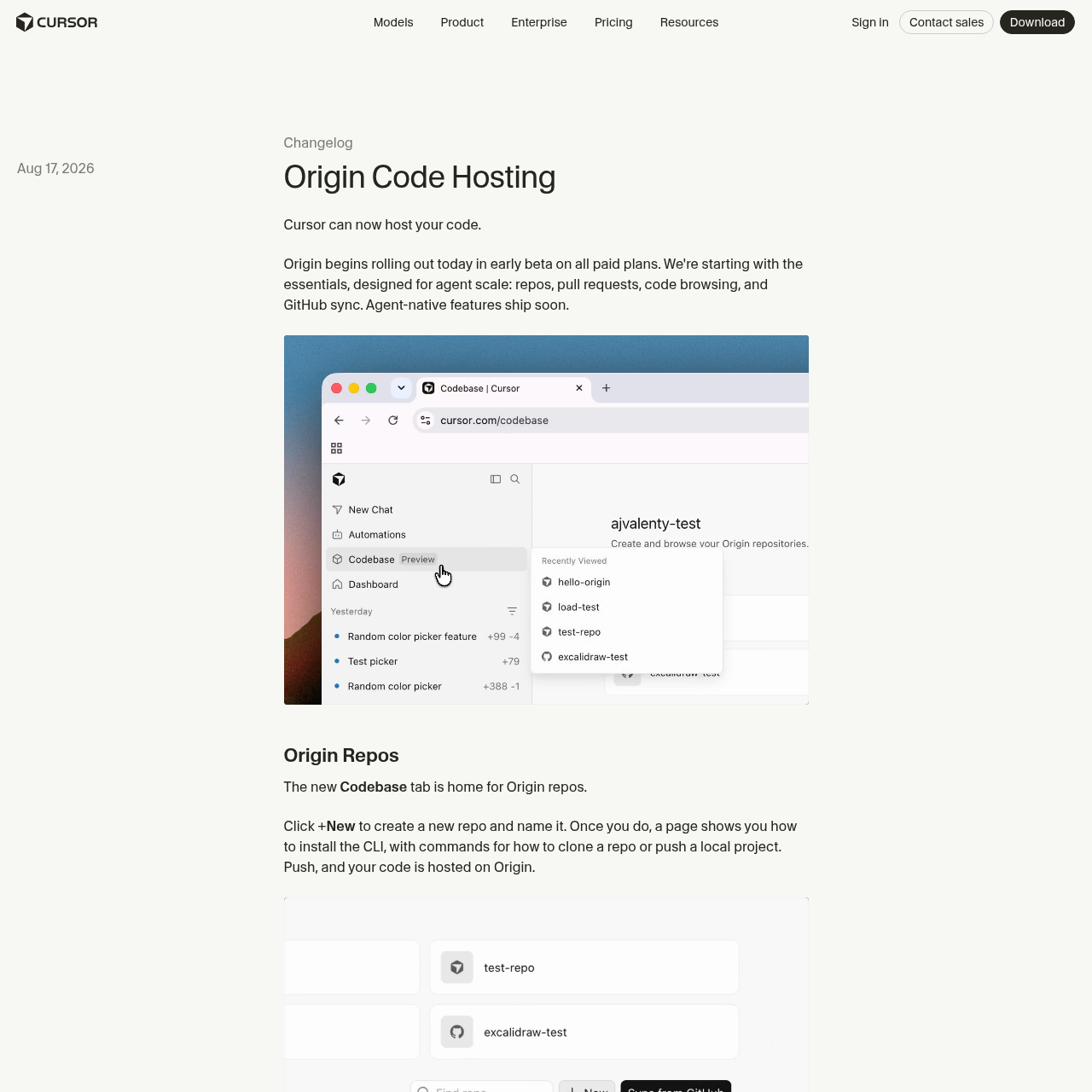
Origin by Cursor is an agent-native code hosting platform that enables users to manage repositories, sync with GitHub, and integrate CI/CD workflows directly within the Cursor environment.
Origin by Cursor provides a centralized environment for code hosting, allowing developers to create new repositories or sync existing ones from GitHub. It is designed to support agent-native workflows, enabling AI agents to interact directly with codebases, pull requests, and branch management.
The platform includes built-in support for pull request management with bidirectional syncing for GitHub-linked repositories. Additionally, it offers an app ecosystem that connects with external services like Vercel, Depot, and Buildkite to facilitate preview deployments and automated testing pipelines.
What Can You Use Origin by Cursor For?
Source-supported ways to use the product
Unified Development Workflow
Developers can maintain code, manage pull requests, and utilize AI agents in a single interface, reducing context switching between hosting and coding environments.
Automated CI/CD Integration
Teams can connect Vercel, Depot, or Buildkite to repositories to automate preview deployments for pull requests and run existing GitHub Actions or Buildkite pipelines.
GitHub Synchronization
Origin allows users to connect their GitHub organizations to pull specific repositories into the Cursor environment. Once connected, these repositories remain synced in real time, allowing users to browse, search, and pull code directly from the Origin copy.
GitHub remains the source of truth for pushes initiated on GitHub.
Pull requests support bidirectional communication, where comments made in Cursor are reflected on GitHub and vice versa.
Users can disconnect synced repositories at any time.
What to Test Before Choosing Origin by Cursor
Checks to run with your own material and workflow
Verify that your account is on a paid plan, as Origin is currently limited to these tiers during its early beta phase.
Check repository settings to confirm the sync status of GitHub-connected projects and manage access permissions for team members.
Answers based on the source-checked product record
What is Origin by Cursor?+
Origin is a code hosting service integrated into Cursor, designed to support agent-native features like repository management, code browsing, and pull request handling.
Can I use my existing GitHub repositories with Origin?+
Yes, you can connect your GitHub account to Cursor, select specific organizations, and sync repositories to work with them alongside your Origin-hosted code.
How do pull requests work with synced GitHub repositories?+
Pull requests are synced bidirectionally; comments, reviews, and merges performed in Cursor are reflected on GitHub, and actions taken on GitHub appear in Cursor within seconds.
Which CI/CD tools are supported by Origin?+
Origin currently supports integrations with Vercel for preview deployments, as well as Depot and Buildkite for running CI workflows and GitHub Actions.
Who has access to Origin during the beta period?+
Origin is available to all users on paid plans, provided that enterprise organization administrators have not opted out of the beta.
More Code & IT AI tools
Explore other recently added tools in the same category.