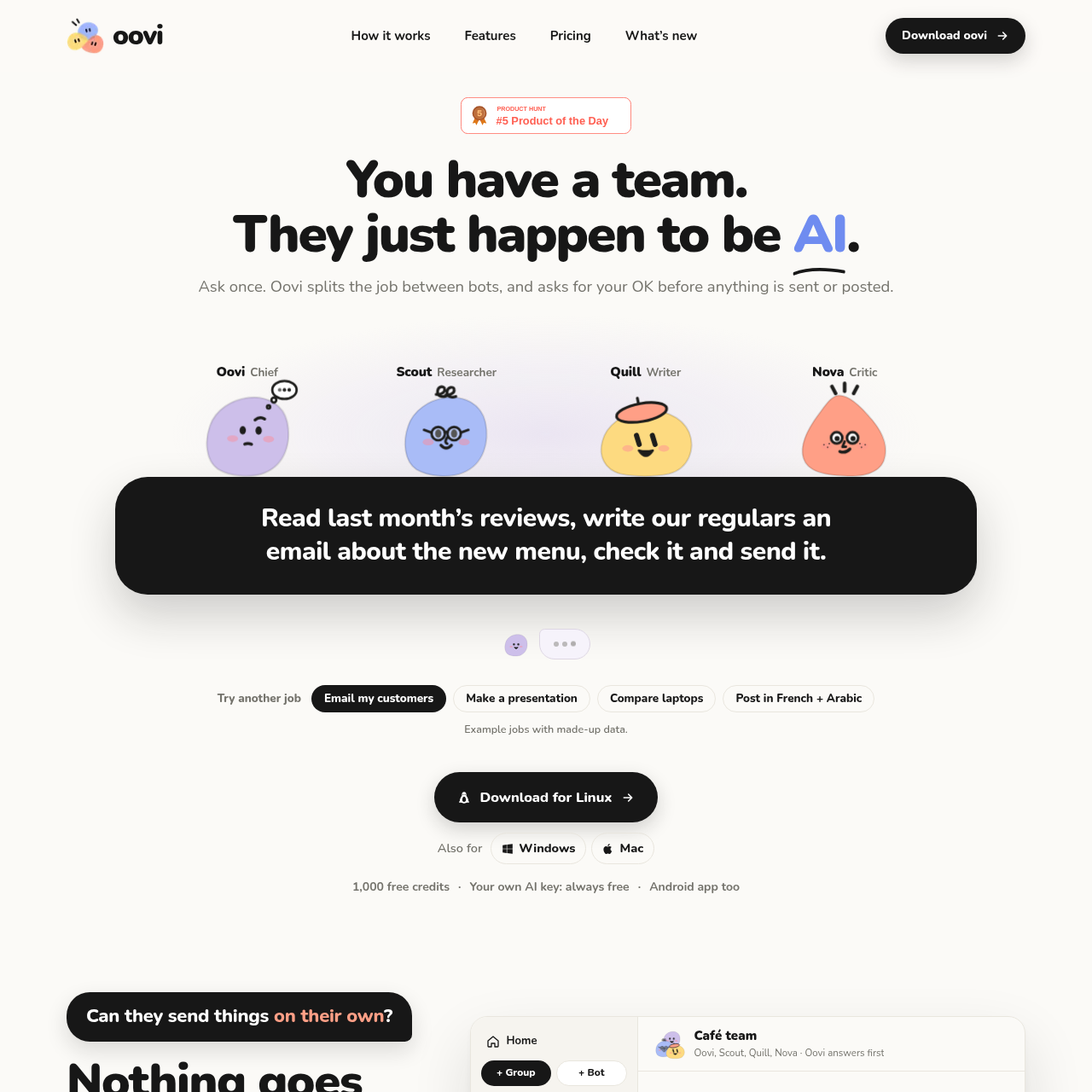
oovi divides a chat request among specialized AI bots and pauses for approval before sending email, publishing a post, or clicking on a website.
Organization & AutomationScout searches the web, opens relevant…Quill drafts emails, posts, and…Bots can create documents,…Users can schedule routines to run at…
Listed on AIToolly
What Is oovi? Product Overview
What the product does and how it is positioned
oovi starts with four bots: a team lead, a researcher, a writer, and a critic. The lead assigns parts of a request to the other bots and combines their work into a final answer.
Users can add their own bots and arrange them into groups. The bots can also work with connected apps or create files in chat and save them to the computer.
What Can You Use oovi For?
Source-supported ways to use the product
Research a topic
Scout can search the web, open relevant pages, and return sources for the findings.
Draft and review a customer email
Quill can turn notes into an email in a specified tone, and Nova can review the draft and suggest fixes before the user approves sending.
How to Use oovi
The documented workflow, where available
1
Describe the task
The user submits a request in plain language in the chat.
2
Follow the handoffs
The lead bot assigns the work, and each bot passes its contribution along. The chat shows each step.
3
Decide whether to approve
When a bot proposes sending, posting, or clicking on a website, the user can allow the action once, allow it for the current chat, or deny it.
Memory and Reusable Skills
Bots keep short notes about the user and their work. Skills serve a different purpose: after a type of task is done twice, a bot can save the steps and reuse them later.
Memory retains short notes about the user and their work.
A bot can save task steps for later reuse.
What to Test Before Choosing oovi
Checks to run with your own material and workflow
Verify whether approval for one action or for the current chat fits the intended review process.
Confirm that the required apps are among the documented connections, such as Gmail, Slack, or Notion.
Check whether the documented file types meet the intended use.