MindsDB Anton
Anton: An Autonomous AI Agent by MindsDB for Seamless Workflow Automation and Data Analysis
Anton is an advanced autonomous AI agent designed to execute real-world tasks through natural language processing. Unlike traditional AI that only answers questions, Anton functions as a 'doing agent' that writes code on the fly, connects to diverse data sources, and automates complex workflows. From cleaning inboxes and building dashboards to creating custom API integrations and managing calendars, Anton figures out the necessary steps to deliver results without requiring pre-built plugins. It features a robust credential vault for security, multi-layer memory for continuous learning, and isolated code execution for reliable performance. Whether used via a Desktop App or CLI, Anton serves as a versatile AI coworker capable of system administration, data pipeline prototyping, and automated reporting.
2026-04-10
615200.0K
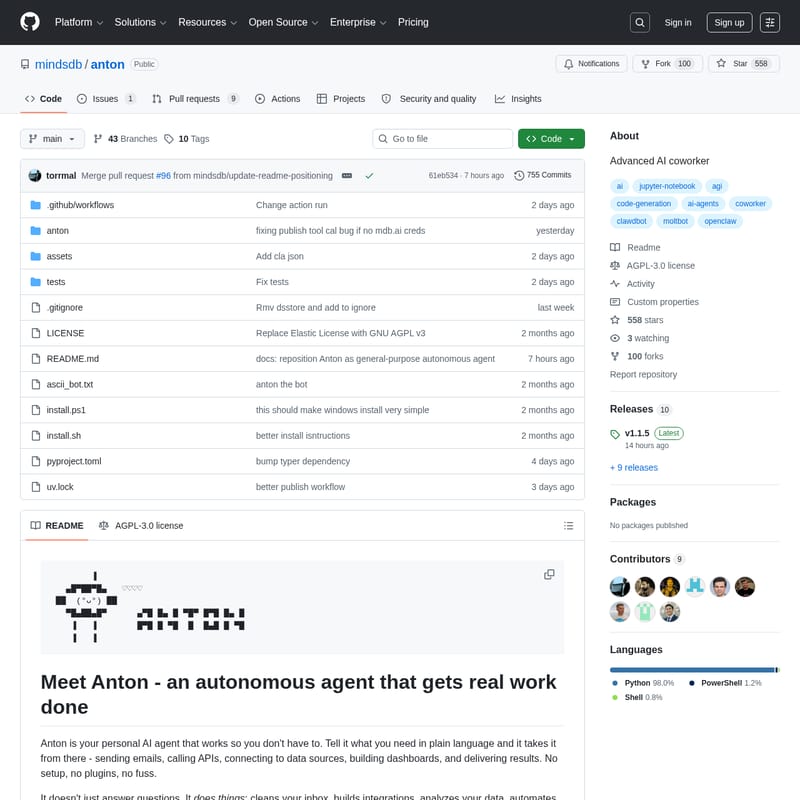
MindsDB Anton Product Information
Anton: The Autonomous AI Agent That Gets Real Work Done
In the evolving landscape of artificial intelligence, Anton stands out not just as a chatbot, but as a comprehensive autonomous agent. Developed by MindsDB, Anton is designed to work so you don't have to. By translating plain language instructions into actionable code, Anton handles everything from data analysis to system administration without the need for manual setup or complex plugins.
What's Anton?
Anton is your personal AI agent and advanced AI coworker. Inspired by the "Mind" systems in the Culture series and named after the autonomous system in Silicon Valley, Anton is built to be a "doing agent." While many AI models focus on generating text, Anton focuses on delivering outcomes.
Whether you need to clean your inbox, build a live dashboard, or automate a multi-step workflow, Anton figures out the steps live. It doesn't rely on predefined paths; instead, it writes the necessary code, calls the required APIs, and chains tasks together to achieve your specific goal. It is available as a macOS Desktop App and via Command Line Interface (CLI) for macOS, Linux, and Windows.
Key Features of Anton
Anton is packed with professional-grade features that make it a powerful tool for developers and business users alike:
- Live Code Generation: Anton writes and executes code on the fly to solve problems as they arise.
- Credential Vault: A secure system that prevents your secrets and API keys from being exposed to LLMs. Anton only accesses secret names while values remain hidden.
- Multi-Layer Memory: Anton utilizes both semantic memory (rules and lessons) and episodic memory (session history) to learn your specific workflows over time.
- Isolated Code Execution: All actions are performed in a protected, reproducible "show your work" environment.
- Data Source Connectivity: Anton can connect to a vast array of databases and applications including PostgreSQL, MySQL, Snowflake, Salesforce, Shopify, and HubSpot.
- Scratchpad Transparency: Users can ask Anton to dump its scratchpad, providing a full notebook-style breakdown of every line of code run and the reasoning behind it.
Use Cases for Anton
Because Anton is a general-purpose autonomous agent, its applications are nearly limitless. Here are some common ways to utilize Anton:
Data Analysis & Dashboards
Anton can act as a financial analyst. For example, you can provide your stock portfolio details, and Anton will scrape live prices, calculate total value, and open a complete dashboard in your browser automatically.
Email Cleanup and Management
Anton can scan your inbox to classify emails between signal and noise. It can identify marketing materials you can unsubscribe from and handle the cleanup process on your behalf.
Custom Integrations
If you need to connect to a service like WhatsApp or Telegram, Anton doesn't wait for a plugin. It writes the integration code itself and sets up the communication channel for you.
Workflow Automation
- Calendar Management: Summarize your day, create meetings, or block time using natural language.
- Automated Reporting: Pull data from multiple databases, crunch the numbers, and deliver reports on a set schedule.
- Research & Synthesis: Scrape the web for specific information and compile findings into a reference document.
- System Administration: Audit configurations and fix issues across your technical stack.
How to Use Anton
Getting started with Anton is straightforward across different operating systems.
Installation
- macOS (Desktop): Download and install the Anton Desktop App.
- macOS / Linux (CLI): Run the following command:
curl -sSf https://raw.githubusercontent.com/mindsdb/anton/main/install.sh | sh - Windows (PowerShell): Use the command:
irm https://raw.githubusercontent.com/mindsdb/anton/main/install.ps1 | iex
Running Anton
Once installed, simply type anton in your terminal to start the agent.
Connecting Data
To give Anton access to your private data or APIs, use the /connect command. This opens the Local Vault where you can follow prompts to add credentials for sources like:
- Amazon Redshift
- Google BigQuery
- MongoDB / MySQL / PostgreSQL
- Salesforce / HubSpot
Managing Memory
You can configure how Anton remembers information via the /setup command. Anton stores behavioral rules in .anton/memory/rules.md and factual lessons in .anton/memory/lessons.md.
FAQ
Q: How does Anton differ from a coding agent?
A: While coding agents focus on writing code for a codebase, Anton is a "doing agent." For Anton, code is simply a tool to achieve a final result, such as an automated report or a cleaned inbox.
Q: Is my data secure with Anton?
A: Yes. Anton uses a Credential Vault where secret values are never exposed to the LLM. Furthermore, code execution happens in an isolated environment.
Q: Does Anton require an internet connection?
A: Yes, an internet connection is required as Anton may need to access web sources or cloud-based LLM services to function.
Q: Can I disable analytics?
A: Yes. Anton collects anonymous usage data by default, but you can disable this by setting ANTON_ANALYTICS_ENABLED=false in your environment variables or your .anton/.env file.
Q: What license does Anton use?
A: Anton is released under the GNU AGPL v3 license.