LUCI Desktop favicon

LUCI Desktop

LUCI Desktop is a fully local memory assistant for Mac and Windows that indexes screen activity and calls to supply context to AI coding agents.

Code & ITRecording and transcribing audio from…Indexing on-screen text and visuals…Synthesizing daily activity into…Supplying context and retrieval skills…
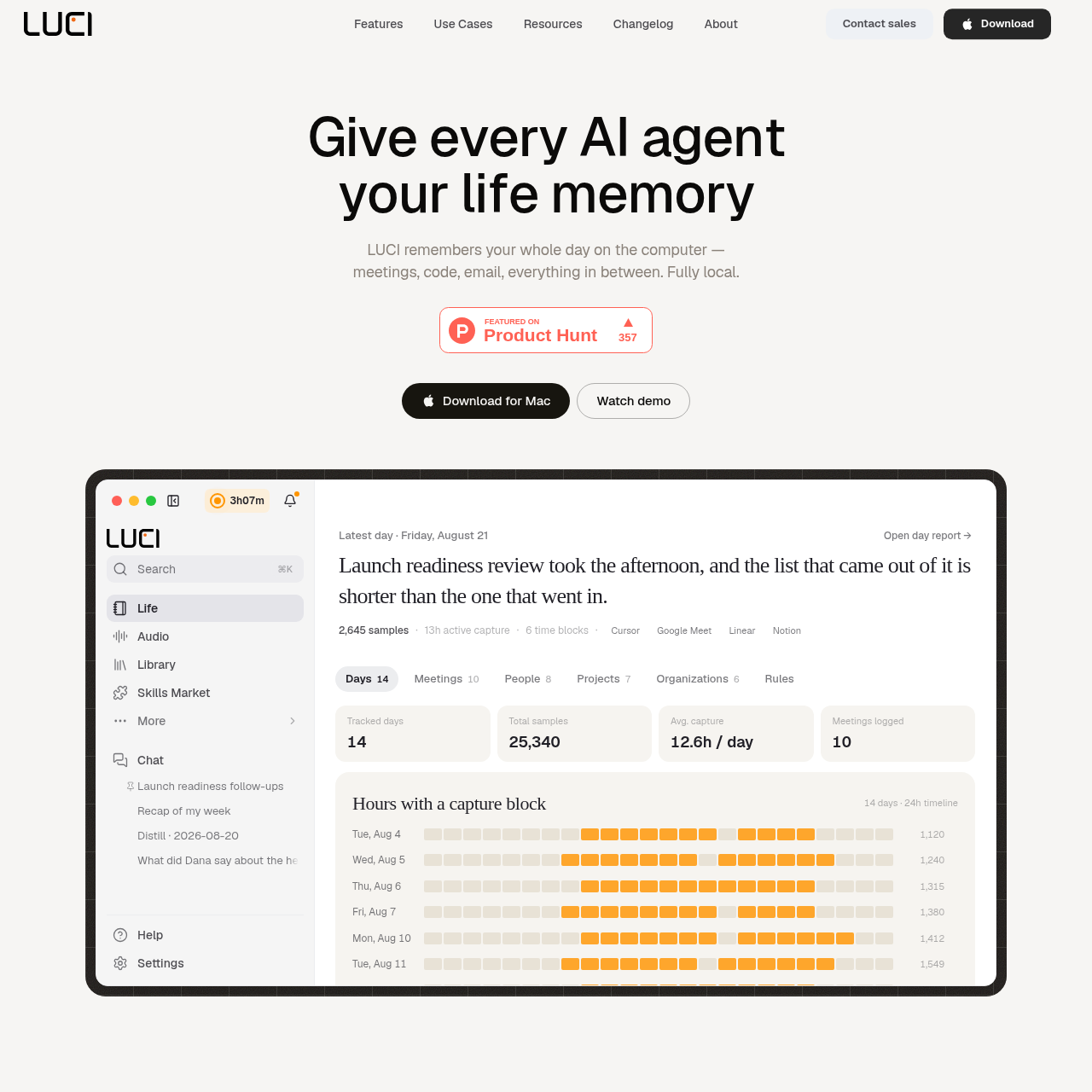
LUCI Desktop product interface screenshot
Estimated monthly visits
490K
Data period:
Listed on AIToolly

What Is LUCI Desktop? Product Overview

What the product does and how it is positioned

LUCI Desktop is an on-device personal memory tool designed to capture and index user activity across desktop applications. It records on-screen content and meeting audio from tools like Zoom, Google Meet, and Microsoft Teams without requiring application-specific connectors or cloud accounts.

The software operates fully locally, utilizing on-device language models like Phi, Qwen, Llama, and DeepSeek while encrypting all stored data on disk. It connects to developer tools such as Cursor, Claude Code, and Codex, allowing AI agents to query past visual context, meeting transcripts, and project activities directly from local plain files.

What Can You Use LUCI Desktop For?

Source-supported ways to use the product

Context Retrieval for Coding Agents

Developers use LUCI to let AI coding agents like Cursor or Claude Code recall terminal errors, design specifications, and previous discussions without manual copy-pasting.

Automated Meeting Transcription and Summaries

Team members record calls across Google Meet, Zoom, and Teams to retain searchable transcripts and generate meeting notes automatically.

Activity Recaps and Daily Logging

Founders and professionals review automated daily summaries stored in a local Life folder to track where time was spent across projects and applications.

Visual Search Across Past Work

Knowledge workers query past screen views in natural language to locate previously viewed references, documents, and discussions.

Agent Bridge and Local Memory Architecture

LUCI Desktop provides a background indexing pipeline that monitors screen state and voice interactions directly on the host computer. By processing visual information and audio locally, it maintains a continuous chronological timeline without relaying desktop data to external servers or requiring OAuth integrations for individual apps.

The platform integrates with developer agents such as Codex, Cursor, and Claude Code through an agent bridge. External agents query LUCI's local indices to retrieve relevant project constraints, architectural decisions, and visual references from earlier sessions.

Data governance relies on client-side boundaries. Sensitive items such as API credentials, authentication tokens, and credit card numbers are redacted prior to persistence. Data remains encrypted on disk, and summaries are saved as plain text files that users can inspect, retain, or delete on custom schedules.

  • Connects to agents such as Claude Code, Cursor, Codex, Windsurf, Zed, and VS Code
  • Executes models locally including Phi, Qwen, Llama, and DeepSeek
  • Encrypts all captured records on local storage without remote cloud copies
  • Applies pre-storage redaction to sensitive credentials and financial data

What to Test Before Choosing LUCI Desktop

Checks to run with your own material and workflow

  • Confirm local hardware resources meet requirements for running local models like Phi, Qwen, or Llama smoothly.
  • Verify that the automated redaction filters reliably identify and mask proprietary keys and sensitive tokens in your development environment.
  • Check compatibility with your installed developer agents and IDE environments such as Cursor, VS Code, or Claude Code.
  • Review the local storage footprint and disk encryption behavior over extended multi-hour capture sessions.

LUCI Desktop Sources and Last Checked

What was checked and when

Last checked
Category
Code & IT

LUCI Desktop Frequently Asked Questions

Answers based on the source-checked product record

What operating systems support LUCI Desktop?

LUCI Desktop is documented for Mac and Windows operating systems, running locally on the user's computer.

Does LUCI Desktop require cloud synchronization for its capture engine?

No, LUCI operates fully locally, storing encrypted records on disk without creating cloud copies of user data.

Which AI agents can connect to LUCI Desktop?

LUCI documents integration with agents including Claude Code, Cursor, Codex, Gemini, Copilot, Windsurf, Zed, and VS Code.

How are sensitive credentials and personal data protected?

LUCI includes automated zero-leak redaction that blacks out payment cards, access keys, and passwords before data is written to disk.

Which local language models can be used with LUCI Desktop?

The platform supports running local models such as Phi, Qwen, Llama, and DeepSeek on the host machine.

Explore other recently added tools in the same category.