Kombai Gallery favicon

Kombai Gallery

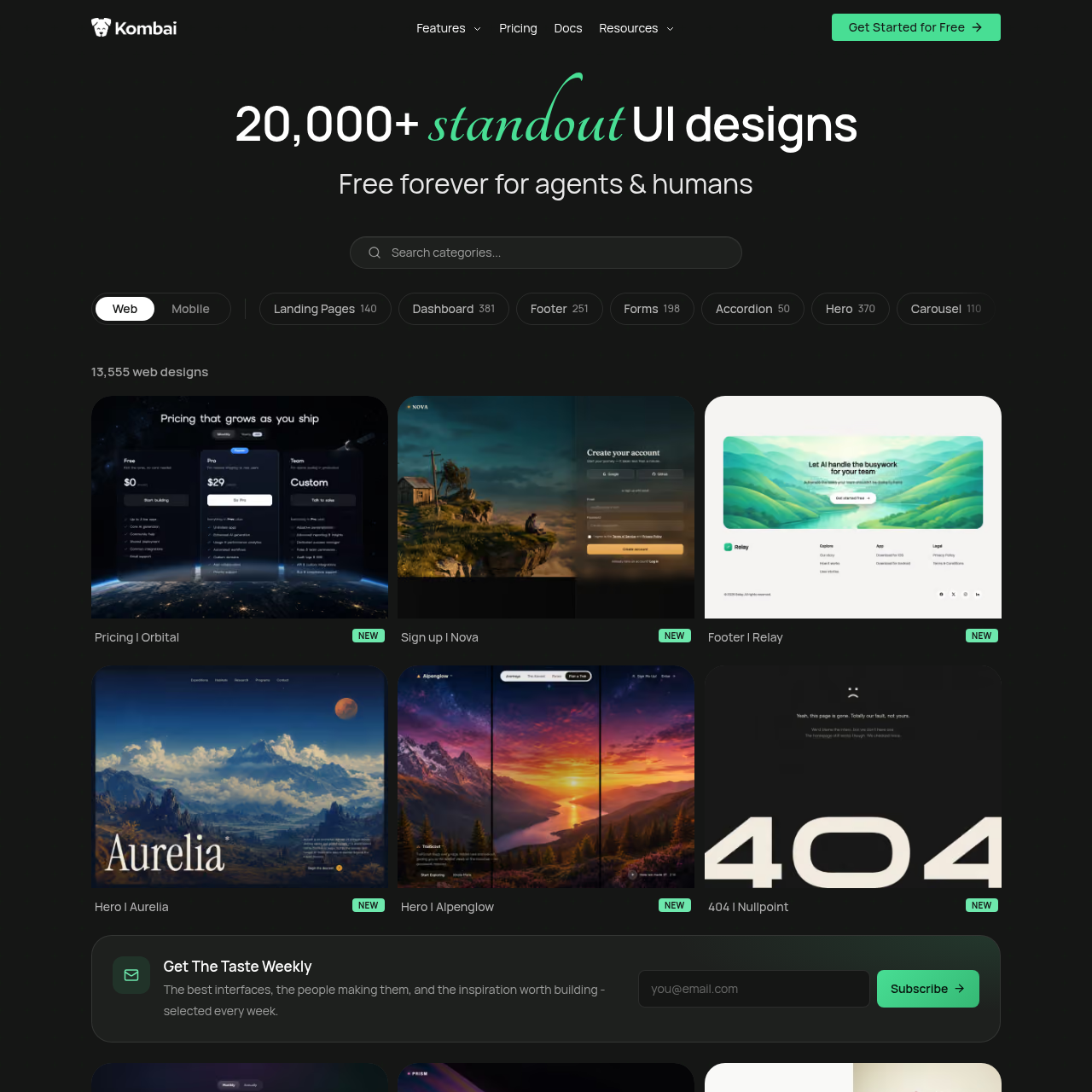
Kombai Gallery is an interface library providing indexed web and mobile UI designs, allowing users to browse components like heroes, dashboards, and footers.

Web DesignBrowsing and filtering an indexed…Reviewing specific component categoriesSubscribing to curated weekly design…Component and Pattern Categorization
Kombai Gallery product interface screenshot
Estimated monthly visits
128K
Data period:
Listed on AIToolly

What Is Kombai Gallery? Product Overview

What the product does and how it is positioned

Kombai Gallery is a digital catalog indexing over 20,000 user interface designs across web and mobile interface patterns.

The platform organizes interface examples into specific categories, including landing pages, dashboards, navigation elements, forms, and bento grids.

What Can You Use Kombai Gallery For?

Source-supported ways to use the product

UI Component Research

Browsing specific component categories such as heroes, footers, navigation bars, and cards to inspect varied layout designs.

Interface Pattern Exploration

Reviewing landing page, dashboard, and form patterns across hundreds of catalog pages to identify interface structures.

UI Catalog Organization and Categorization

Kombai Gallery organizes a broad collection of interface designs into defined component and layout types. Users can explore thousands of web designs spanning landing pages, dashboards, footers, forms, accordions, heroes, carousels, cards, chat modules, and navigation bars.

The collection presents individual layout instances tagged with descriptive screen and project names. Content is indexed across hundreds of catalog pages with pagination controls and regular additions highlighted in the library.

  • Includes indexed categories for landing pages, dashboards, forms, cards, heroes, and footers.
  • Supports multi-page navigation across hundreds of catalog pages.
  • Identifies newly added interface patterns with distinct status indicators.

What to Test Before Choosing Kombai Gallery

Checks to run with your own material and workflow

  • Confirm whether the available component categories cover the specific UI patterns required for your project.
  • Verify the navigation and search options to ensure desired layout styles, such as bento grids or dashboards, can be readily located.
  • Check whether the library provides direct code export or serves primarily as a visual design reference on the browsing interface.

Kombai Gallery Sources and Last Checked

What was checked and when

Last checked
Category
Web Design

Kombai Gallery Frequently Asked Questions

Answers based on the source-checked product record

What types of UI designs are cataloged in Kombai Gallery?

Kombai Gallery catalogs a wide selection of UI designs covering components such as heroes, footers, navigation bars, forms, cards, dashboards, and landing pages.

How many interface designs are available in the gallery?

The gallery features more than 20,000 UI designs, including over 13,000 web designs organized across hundreds of paginated catalog pages.

How are designs organized within Kombai Gallery?

Designs are categorized by functional UI elements, including landing pages, dashboards, accordions, carousels, chat screens, pagination, steppers, and FAQs.

What is The Taste Weekly in Kombai Gallery?

The Taste Weekly is a weekly email subscription offered through the gallery that shares curated interface designs, creators, and selected UI inspiration.

What policies and governance resources are provided by Kombai?

The official site links to governance resources including Terms and Conditions, a Privacy Policy, an Acceptable Use Policy, and a Trust Center.

Explore other recently added tools in the same category.