Taste Lab
taste: Reverse Engineer Design Taste and Decisions for AI Agents
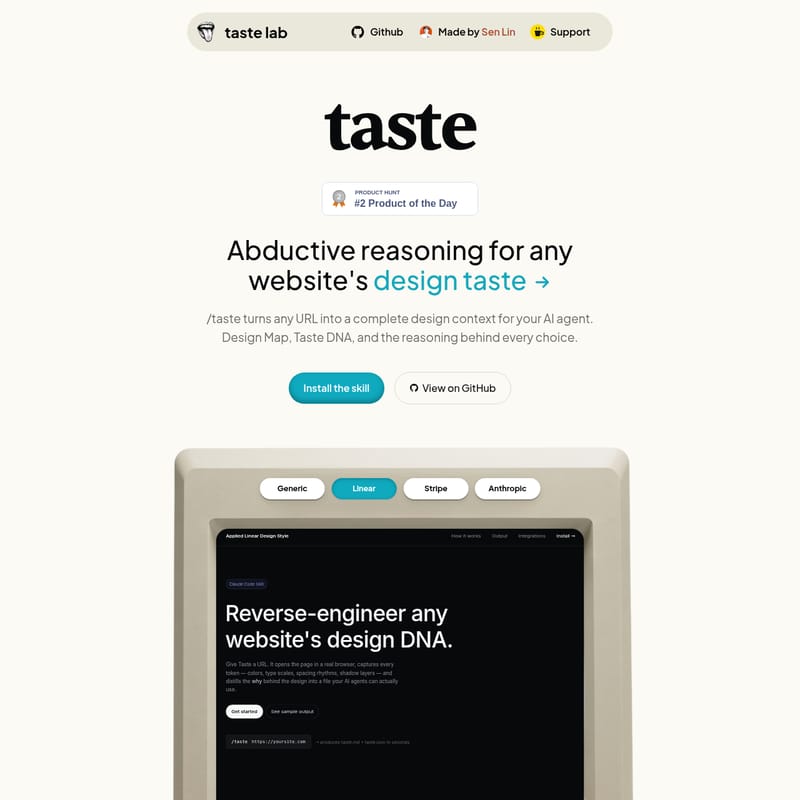
taste is an advanced design extraction tool that uses abductive reasoning to decode the design taste of any website. It transforms URLs into comprehensive design contexts, capturing the specific decisions and trade-offs that define a brand's visual DNA for use with AI agents.
2026-06-16
2.0K
Taste Lab Product Information
taste: Decoding Design Taste Through Abductive Reasoning
In the world of modern web development and AI-assisted creation, the difference between a generic interface and a world-class user experience often comes down to one elusive quality: taste. While most extraction tools focus on providing a simple spec sheet of tokens—font sizes, hex codes, and border radii—taste goes deeper. Developed by Sen Lin, the taste tool is designed to move beyond raw data, focusing instead on the philosophy that taste = decisions × trade-offs.
By utilizing abductive reasoning, taste turns any URL into a complete design context for your AI agent. It allows developers and designers to understand not just what a design looks like, but why it looks that way and what was sacrificed to achieve that specific aesthetic. Whether you are working with tools like Cursor, Windsurf, or Claude Code, taste provides the necessary Design Map and Taste DNA to build pages that feel authentic to a specific brand identity.
What is taste?
At its core, taste is more than just a measurement tool; it is a reasoning engine for design. While a standard extraction tool might tell you a background is #08090A and the font is Inter, taste interprets these as intentional choices.
"A decision is the why: why this specific near-black instead of pure black. A trade-off is both sides of that call—what was chosen, and what was deliberately left out."
When an AI agent lacks design taste, it simply copies numbers without understanding the underlying logic. An agent equipped with taste understands the meaning behind each decision. This level of understanding allows the AI to make the "right call" even on a page it has never seen before, maintaining consistency and intent across entirely new layouts.
Key Features of the taste Framework
1. The Multi-Agent Pipeline
To move from a raw URL to a refined design taste file, the tool employs a four-step pipeline, with four distinct AI roles refining the data through progressively sharper lenses:
- Step 01: Extract Measurements (Senior Design AI): This agent extracts precise, objective design measurements. It identifies every color, weight, spacing value, and shadow with exact precision (px, hex, or ratio), avoiding any approximations.
- Step 02: Detect Patterns (Principal Design Engineer): This agent looks for systematic rules within the measurements. It identifies 5–8 system-level patterns, providing evidence and the design goal for each.
- Step 03: Infer Taste (Ultimate Design Critic): This agent derives the actual design taste. It identifies the deliberate and often painful trade-offs made by the designer. It requires at least one "Restraint" principle to ensure the analysis is grounded in real-world design limits.
- Step 04: Observer (Lead Critic & Final Editor): This is the quality gate. It ruthlessly filters the analysis to remove "slop," validates the JSON structure, and produces the final output files.
2. Comprehensive Output Files
Every run of the taste tool generates two essential files: a .md brief and a .json file. These files contain:
- Part 1: Design Map: A complete token set covering colors, typography, spacing, border radius, and depth/shadows.
- Part 2: Taste DNA: A set of four principles explaining the reasoning behind design choices.
3. Taste DNA Principles
Each principle in the Taste DNA section is broken down into five critical components:
- Trigger: The specific design decision being analyzed.
- Decision: What was actually chosen.
- Reason: The design logic behind that specific choice.
- Evidence: Proof from the page (DOM values, hex codes, px).
- Trade-off: What the design gives up by making this choice.
Practical Use Case: Analyzing Linear’s Design Taste
To understand how taste works in practice, consider an analysis of a high-end site like Linear. One of the core principles identified by the tool is Restraint.
Principle: Brand Lives in White, Not in Color
- Trigger: Deciding on an accent or brand color.
- Decision: Don't introduce a traditional brand color. Use white (
#F7F8F8) as the accent against a near-black background. - Reason: Color-as-brand is often a shortcut. On a near-black surface, white provides all the necessary emphasis. Adding a colored CTA (like purple or blue) would make the site feel like a generic template.
- Evidence: All nav links and buttons are white/near-white. The only color is a functional green badge.
- Trade-off: You cannot differentiate feature tiers by color alone. The design must rely on weight and size hierarchy for differentiation.
How to Use taste
Setting up taste is straightforward and designed to work within your existing developer workflow. It currently supports environments like Claude Code and Gemini CLI.
Using taste with Claude Code
- Clone the Skill:
git clone https://github.com/senlindesign/taste-skill ~/.claude/skills/taste - Install Playwright MCP:
claude mcp add playwright -s user -- npx -y @playwright/mcp@latest --isolated - Run the Command:
Restart Claude Code and run
/taste [URL](e.g.,/taste https://linear.app).
Using taste with Gemini CLI
- Clone the Skill:
git clone https://github.com/senlindesign/taste-skill ~/.gemini/skills/taste - Add Playwright to Settings:
In
~/.gemini/settings.json, add the Playwright MCP server configuration. - Run the Command:
Restart Gemini CLI and run
/taste [URL].
Tool Integrations
Once the taste files are generated, they can be immediately picked up by various AI agents and development tools without further setup:
- Cursor: Uses
.cursor/rules/{domain}-taste.mdc - Windsurf: Uses
.windsurf/rules/{domain}-taste.md - Claude Code: Appends to
CLAUDE.md - GitHub Copilot: Uses
.github/copilot-instructions.md - v0 by Vercel: Uses
taste-tokens.cssand instructions - Figma Make: Uses
taste-figma.cssand instructions - Bolt: Uses
.bolt/prompt
FAQ
Q: How does taste differ from a CSS extractor? A: A CSS extractor only gives you the "tokens" (the numbers). taste provides the "DNA"—the reasoning and trade-offs behind those numbers so an AI can apply the same logic to new designs.
Q: What is a "Restraint" principle? A: A restraint principle is a required part of the Taste DNA that identifies what a designer refused to do. This is often the most important part of defining a unique design taste.
Q: Does it work on any website? A: Yes, taste can be run on any URL to reverse engineer its design context and create a set of rules for your AI agent to follow.
Q: What files does the tool produce?
A: It produces a Markdown file (.md) for human/AI reading and a .json file for structured data usage, both containing the Design Map and Taste DNA.