SVG Converter
SVG Converter: AI SVG Converter & Vectorizer
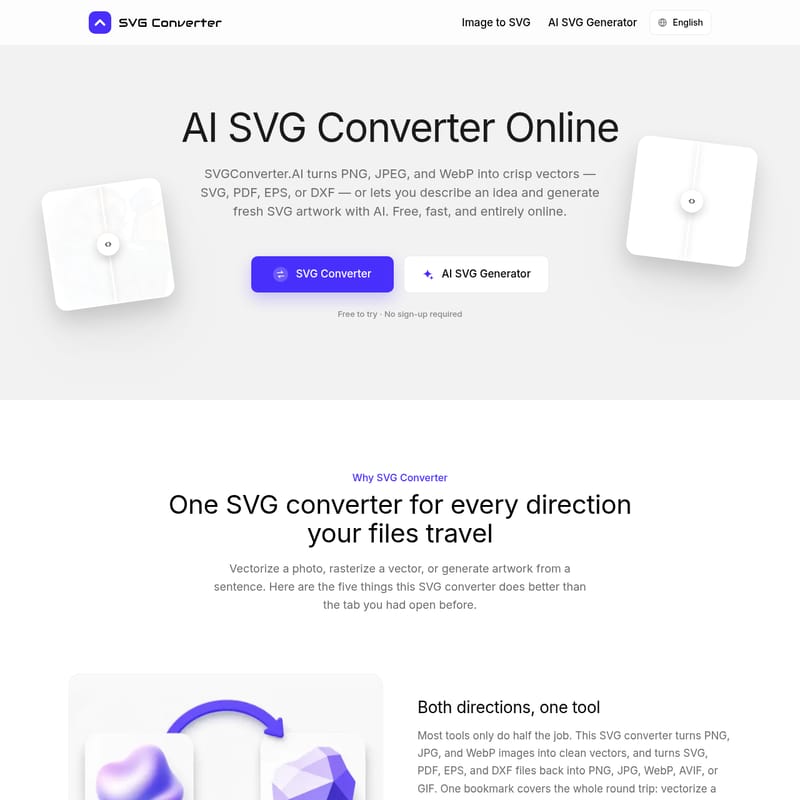
Use SVG Converter to turn PNG, JPG, and WebP into clean vectors. This AI SVG converter also generates editable vector artwork from text prompts.
2026-08-05
--K
Structured product information
SVG Converter: At a glance
Last checked: · Official source
Key features
Bidirectional Conversion
Converts raster images to vectors and vector files back to raster formats.
AI Text-to-SVG
Generates editable vector artwork from natural language text prompts.
Sub-pixel Accuracy
Traces edges with high precision to maintain detail during scaling.
No Sign-up Required
Allows users to process files without creating an account.
Best for
- Graphic designers
- Web developers
- Print shops
- CAD and laser cutting makers
Supported platforms
- Web Browser
- macOS
- Windows
- Linux
- ChromeOS
- Tablets
- Phones
Privacy & security
- Encrypted connection for file transfers
- Automatic file deletion after processing
- No training on user-uploaded data
SVG Converter Product Information
SVG Converter is a web-based utility for transforming raster images and vector graphics. The platform functions as an AI SVG converter that processes files directly within a web browser, eliminating the need for software installation or account creation.
Bidirectional File Conversion
The platform supports bidirectional file conversion. Users can vectorize image files, including PNG, JPG, and WebP, into SVG, PDF, EPS, or DXF formats. The process also supports rasterizing vector files, allowing users to convert SVG, PDF, EPS, or DXF files into PNG, JPG, WebP, AVIF, or GIF formats. The engine maintains consistent colors and proportions during these conversions.
AI-Powered Vector Generation
The tool features a text-to-SVG generator that creates vector artwork from natural language descriptions. Users can input a text prompt to generate vector icons or graphics. The output consists of layered, editable paths, allowing for further refinement of the resulting shapes.
High-Precision Vectorization
The engine analyzes artwork to preserve detail during the conversion process. Edges are tracked with sub-pixel accuracy, and palettes are clustered to maintain brand colors. The resulting vector files are structured with a node count intended for refinement in professional design applications. This functionality supports various workflows, including converting JPG to DXF for laser cutting, plotters, or CAD software.
Privacy and Browser-Based Accessibility
As an online vectorizer, the service operates entirely within the browser and does not require user registration. File transfers occur over an encrypted connection. Uploaded files are processed only for the conversion and are deleted automatically. The tool is compatible with macOS, Windows, Linux, ChromeOS, tablets, and mobile devices.
Frequently asked questions
Can I use the converted files for commercial projects
Yes, the tools are available for use in both personal and commercial projects.
Are the vector files compatible with professional design software
Yes, the vector output, including SVG, EPS, and DXF files, can be opened and edited in programs such as Adobe Illustrator, Affinity Designer, Figma, Inkscape, and CAD software.
How does the tool handle privacy for confidential designs
Files travel over an encrypted connection and are processed only to create the download before being deleted automatically. The service does not sell, publish, or use uploaded files to train AI models.