Hera favicon

Hera

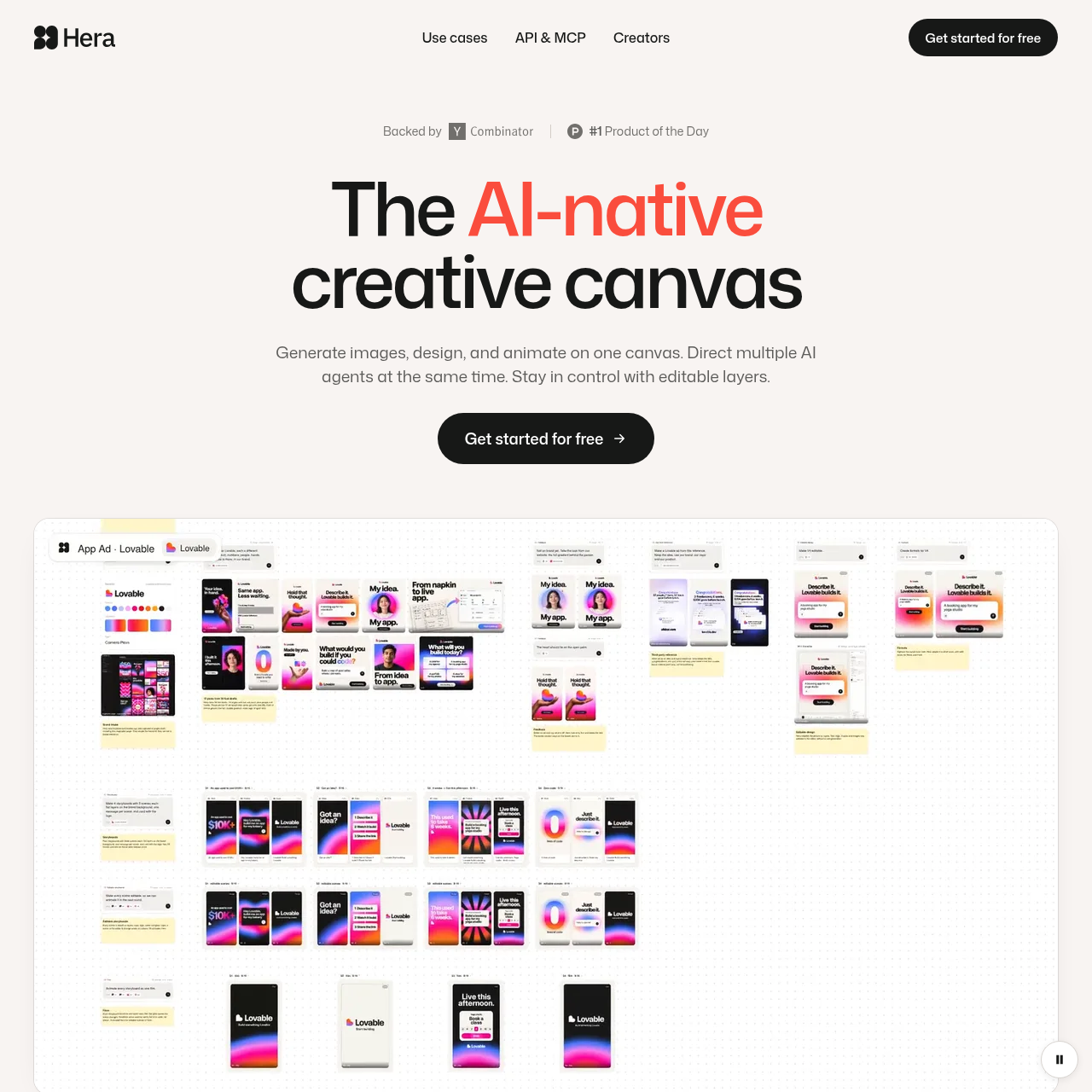
Hera is an AI-native creative canvas that combines image generation, design, and animation in a single workspace. It enables creators to direct multiple AI agents simultaneously and edit generated outputs as discrete, editable layers.

Creators ToolkitDirecting multiple AI agents at the…Generating static images, visual…Preserving generative outputs as…Generating, comparing, and iterating…
Hera product interface screenshot
Estimated monthly visits
396K
Data period:
Listed on AIToolly

What Is Hera? Product Overview

What the product does and how it is positioned

Hera provides an integrated creative canvas where users can generate static images, assemble graphic designs, and produce animations within one unified interface. The platform supports dropping reference items directly onto the board and briefing AI agents without switching tools.

Outputs created on the platform are structured as editable layers, enabling users to adjust individual visual elements like standard design files. Users can also run parallel AI agents, generate multiple variations, and compare iterations side by side.

What Can You Use Hera For?

Source-supported ways to use the product

AI Motion Design

Creating animations and motion graphics directly on the canvas alongside static visual assets.

Product Launch Asset Creation

Designing, generating, and iterating visual creative assets and promotional materials for product launches.

Multi-Variation Visual Exploration

Briefing AI agents with reference materials to produce and compare multiple visual design variations simultaneously.

How to Use Hera

The documented workflow, where available

  1. 1

    Drop in References

    Add reference images or design materials directly onto the creative canvas.

  2. 2

    Brief AI Agents

    Provide instructions to one or multiple AI agents simultaneously to direct generation.

  3. 3

    Refine Editable Layers

    Generate multiple iterations, compare outputs, and edit individual layers on the board.

Canvas Architecture and Multi-Agent Orchestration

Hera centers creative production around a single spatial canvas that unifies image generation, graphic design, and animation tasks. Rather than requiring creators to switch between disconnected software environments, the board serves as an end-to-end workspace for all visual development phases.

The system enables users to brief and direct multiple AI agents simultaneously. Creators can place reference items directly onto the canvas, instruct agents to carry out parallel generative tasks, and review several iterations concurrently to advance concepts without disrupting active workflows.

  • Consolidates image generation, graphic layout, and animation workflows onto a single interactive canvas.
  • Supports simultaneous direction and prompting across multiple AI agents.
  • Allows users to drop reference assets onto the board to guide ongoing generation tasks.

Layer-Based Control and Iteration

A core technical distinction in Hera is that AI generations are delivered as structured, editable layers rather than static, flattened bitmaps. This structure gives creators granular control over individual elements, mirroring the organization of traditional professional design files.

Users can produce multiple variations simultaneously to test alternate visual directions. Because elements remain separated into manageable layers, creators can directly refine, adjust, or replace specific components of an output without re-generating entire compositions from scratch.

  • Generates outputs with separated, editable layers for precise component-level control.
  • Enables rapid generation and side-by-side comparison of multiple design variations.
  • Facilitates iterative adjustments directly on the board without leaving the primary file.

What to Test Before Choosing Hera

Checks to run with your own material and workflow

  • Verify how multiple AI agents coordinate tasks when operating simultaneously on the canvas.
  • Confirm the fidelity and organization of editable layers generated during complex design tasks.
  • Check the motion and animation capabilities to assess how dynamic sequences are configured on the board.
  • Review available API and Model Context Protocol (MCP) integrations for external workflow compatibility.

Hera Sources and Last Checked

What was checked and when

Official source
https://hera.video/
Last checked

Hera Frequently Asked Questions

Answers based on the source-checked product record

What core creative capabilities does Hera support on its canvas?

Hera supports image generation, graphic design, and motion animation within a single unified canvas workspace.

How does Hera handle AI generations within design files?

Every generation in Hera comes as editable layers, allowing creators to retain control over individual elements like standard design files.

Can users run more than one AI agent at the same time in Hera?

Yes, Hera allows users to brief and direct multiple AI agents simultaneously on the same creative canvas.

Does Hera support external integrations such as APIs or protocols?

Hera provides support for an API and Model Context Protocol (MCP) as noted in its platform navigation.

What security and data governance documentation does Hera maintain?

Hera maintains a Trust Center alongside documentation for Security, Data Processing, Terms, Privacy, and Subprocessors.

Explore other recently added tools in the same category.