Paico
AIToolly product video
See Paico in motion
Paico: The AI-Powered UI Design Tool for Instant Web, App, and SaaS Interface Generation
Paico is a revolutionary AI UI design platform that transforms text prompts into professional design drafts. Supporting web, mobile, and SaaS interfaces, Paico enables users to generate responsive, editable designs in seconds without requiring professional skills. With features like multi-round conversation optimization, Pixso integration, and code mode, Paico empowers product managers and designers to iterate faster than ever.
2026-03-26
7.0K
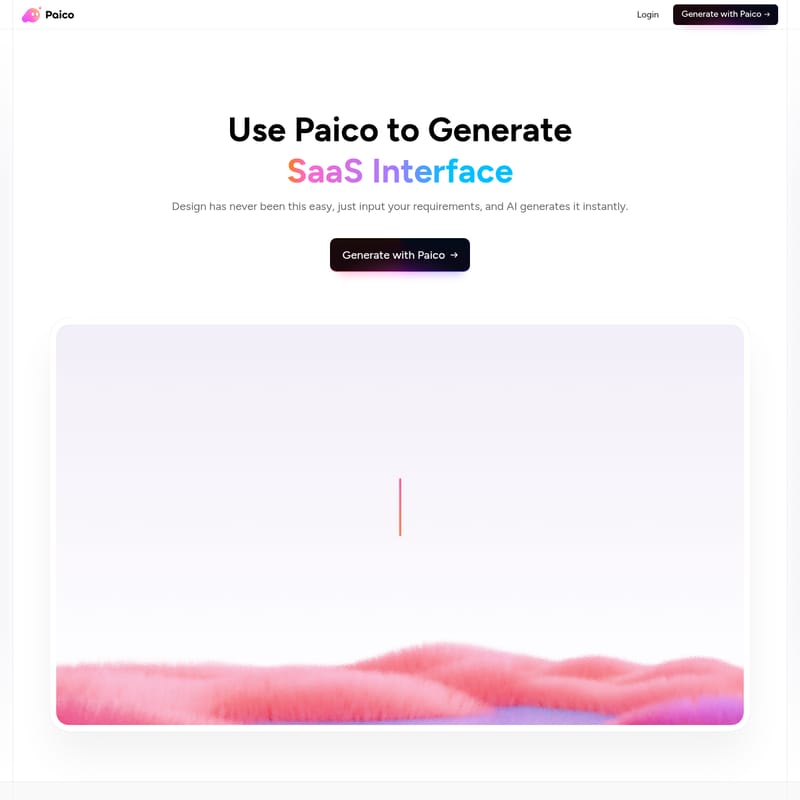
Paico Product Information
Paico: Revolutionizing UI Design with AI-Powered Generation
In the fast-paced world of digital product development, the ability to bridge the gap between an idea and a visual prototype is essential. Paico is a cutting-edge AI design tool specifically engineered to streamline this process. By leveraging advanced artificial intelligence, Paico allows users to generate professional UI Design, Web Interface layouts, App Interface concepts, and SaaS Interface drafts instantly.
Whether you are a seasoned designer or a founder with no technical skills, Paico brings your ideas to life with zero friction. Design has never been this easy—just input your requirements, and Paico generates it instantly.
What's Paico?
Paico is an innovative AI workspace designed to automate the creation of user interfaces. At its core, Paico functions as a virtual design partner that transforms natural language descriptions into stunning, functional design drafts. It is a versatile platform that supports everything from education website homepages to complex financial information platforms and project management dashboards.
By using Paico, teams can eliminate the "blank canvas" phase. Instead of spending hours building frames from scratch, users can use Paico to generate a usable framework in 30 seconds. The platform is trusted by over 10,000 users, including product managers, independent developers, and senior interaction designers, all of whom use Paico to spark new ideas for interaction and layout.
Key Features of Paico
From Text to UI Design
With Paico, you can just describe the UI you want, and the AI will create a stunning, user-friendly design for you. This feature ensures that bringing your ideas to life requires zero design skills.
One-Click Responsive Generation
Paico works across all devices. From web to mobile to tablet, the platform can automatically generate responsive interfaces, ensuring your designs look perfect on any screen size.
Flexible Control and Fine-Tuning
Paico offers flexible control of details. From colors to layouts, and from components to copy, it supports fine-tuning and remixing. This makes iterations more efficient than traditional manual design methods.
Multi-Round Conversation Optimization
You can optimize designs through multi-round conversations. Adjust layouts, interaction flows, and button text just like chatting with a designer. Paico even includes version cards, allowing you to switch between your design history seamlessly.
Professional Integration with Pixso
For those who need precise adjustments, Paico allows you to import and edit in Pixso. With one click, you can sync to your Pixso design file to drag, edit, and collaborate with your team.
Code Mode and Asset Management
- Code Mode: Switch to code view to check layouts, styles, variables, and hierarchy for seamless developer handoff.
- Access via Link: Share generated interfaces via a link for quick team review and feedback.
- Recents: Review every spark of inspiration. Every design generated by Paico is automatically saved.
How to Use Paico
Designing stunning UIs with Paico is a simple three-step process designed for maximum speed and efficiency.
- Step 1: Sign Up Start your smart design journey by signing up in seconds. Once registered, you can jump straight into your personal Paico design workspace.
- Step 2: Describe Your Design Requirements Describe your requirements in natural language. The Paico AI accurately understands your prompts and generates the best design solution based on professional design guidelines.
- Step 3: AI-Generated Design Drafts Experience instant output and rapid iteration. Once the AI generates the draft, the layouts, components, and color schemes can all be edited and adjusted directly within the platform.
Use Cases for Paico
Paico is versatile enough to handle a wide variety of scenarios across different industries. Explore the designs Paico generates in these common scenarios:
- Web & SaaS: Education website homepages, Fintech websites, and Advertising Campaign Management Platforms.
- Mobile Applications: Fitness mobile apps, Health management apps, and Online learning apps.
- Management Tools: Meeting management systems, CRM dashboards, Project Management Dashboards, and Customer Management Dashboards.
- Specialized Interfaces: Financial Information Platforms and Smart Home control panels.
FAQ
Who should use Paico?
Paico is designed for product managers, UI/UX designers, founders, students, and independent developers. It is particularly useful for those who need to build prototypes rapidly or explore new interaction ideas without starting from scratch.
Can I edit the designs generated by Paico?
Yes. Paico offers flexible control over details, allowing you to adjust colors, layouts, and components. You can also sync your work with Pixso for more advanced editing and team collaboration.
Does Paico support mobile responsive design?
Absolutely. Paico can automatically generate responsive interfaces that work across web, mobile, and tablet devices.
How does the "Code Mode" work?
In Paico, you can switch any design to code view. This allows you and your development team to inspect layouts, styles, variables, and the overall hierarchy, making the transition from design to production much smoother.
Is there a history of my designs?
Yes, the "Recents" section in your Paico workspace automatically saves every design you generate, ensuring you never miss a single spark of inspiration.