Grok Imagine Video
AIToolly product video
See Grok Imagine Video in motion
Grok Imagine: A Comprehensive Creative AI Studio for Cinematic Video, Sharp Visuals, and Grok Video AI Generation
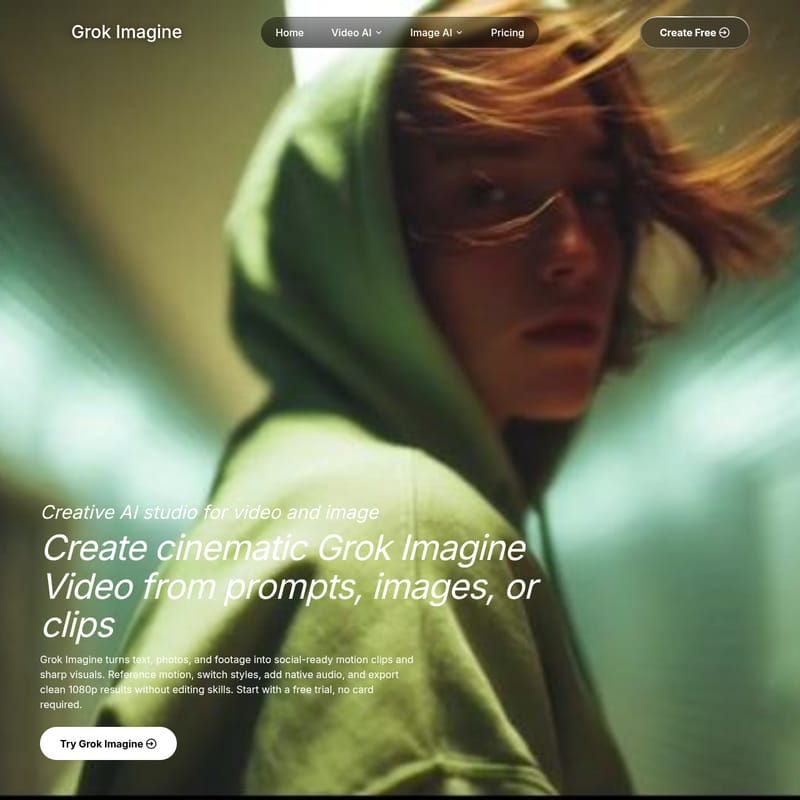
Grok Imagine is a powerful creative AI studio designed to transform text prompts, photos, and existing footage into high-quality, social-ready motion clips and sharp visuals. Ideal for creators, animators, and filmmakers, Grok Imagine offers professional features like Grok Video AI workflows, Restyle capabilities, and native audio integration to produce 1080p cinematic content without the need for advanced editing skills.
2026-07-16
--K
Grok Imagine Video Product Information
Grok Imagine: The Premier Creative AI Studio for Cinematic Grok Video Production
In the rapidly evolving world of digital content, Grok Imagine stands out as a versatile and powerful creative AI studio designed specifically for video and image generation. Whether you are an indie filmmaker, a social media creator, or a brand designer, Grok Imagine provides the tools necessary to turn simple prompts, static images, and raw clips into high-quality, social-ready motion content. By leveraging advanced Grok Video AI workflows, users can create professional-grade visuals that capture attention and tell compelling stories.
What's Grok Imagine?
Grok Imagine is an all-in-one creative AI studio that empowers creators to generate cinematic Grok Imagine Video content from text, photos, or existing footage. The platform is designed to bridge the gap between creative imagination and technical execution, allowing users to produce sharp visuals and motion clips with native audio. With a focus on ease of use, Grok Imagine enables the export of clean 1080p results, making it an essential tool for those who need to "ship" high-quality content every week without the steep learning curve of traditional editing software.
Key Features of Grok Imagine and Grok Video AI
Grok Imagine offers a robust suite of features tailored to modern content creation needs. From restyling existing footage to generating entirely new scenes from scratch, the platform provides a wide range of capabilities.
Grok Imagine Restyle
The Grok Imagine Restyle feature is a game-changer for creators who want to transform the aesthetic of their footage while maintaining original motion. By using Grok Imagine, you can push the look of a clip into a rain-lit movie scene with polished color and atmosphere, ensuring the camera and motion stay locked while the visual style shifts entirely.
Grok Video AI for Product Ads
For marketers and creators, Grok Video serves as an excellent tool for animating product shots. You can take a standard creator frame or product photo and turn it into a bright Grok Video ad that feels native to high-engagement platforms like TikTok and Reels. These vertical-ready formats are specifically designed to stop the scroll and drive engagement.
Grok Video AI Food Motion
Generating appetizing, high-energy content is easy with Grok Video AI. The specialized food motion workflow allows users to create fast-cut commercial shots featuring motion blur, glossy surfaces, and extreme close-ups, perfect for food commercials and promotional videos.
Anime Action Clips
Grok Imagine is highly effective at turning characters into high-energy action beats. By integrating neon effects, expressive poses, and social-ready pacing, creators can produce stylized anime clips that are ready for immediate publication.
Grok Video AI Chase Scenes
Cinematic storytelling is enhanced through the ability to generate wide cinematic chase sequences. By simply describing the vehicle, setting, and camera movement, Grok Imagine uses its powerful AI to generate complex scenes from basic text prompts.
High-Quality Output and Formats
- Clean 1080p Exports: Ensure your content looks professional on any screen.
- Native Audio: Add synchronized sound to your AI-generated clips for a complete sensory experience.
- Western-Style Social Formats: Optimized for modern social media aesthetic standards.
Use Cases: Who is Grok Imagine For?
Grok Imagine is utilized by a wide variety of professionals in the creative industry. Here is how different creators are integrating Grok Imagine Video into their daily workflows:
Character Animators
Animators like Alex Carter use Grok Imagine to save hours of manual labor. By dropping a reference clip for motion onto a static character drawing, the AI can generate a clean dance loop, replacing a full day of keyframing.
Illustrators and Brand Designers
Illustrators use Grok Imagine Restyle to test different visual directions before committing to a final design. Marco Rossi and David Nava highlight the ability to cycle through cinematic, illustration, and product looks on the same input, making it the fastest mood-board workflow available.
Freelance Video Editors
Editors like Daniel Lee utilize Grok Imagine to provide clients with multiple creative directions—such as anime, cinematic, or photoreal—in a single afternoon rather than taking several days.
Short-form Creators and Course Makers
Short-form creators use the tool to generate vertical Reels and Shorts hooks from simple product photos. Meanwhile, indie course makers like Emma Brooks rely on the platform's reliable lip-sync and talking-head capabilities to create trustworthy avatar-led explainer modules.
Indie Filmmakers and Creative Directors
For those in film production, Grok Imagine acts as a rapid prototyping tool. Filmmakers like Lucas Martin use it to generate and compare multiple drafts quickly, while Creative Directors like Ryan Park use the native audio and camera controls to prototype full trailer beats before opening a traditional editor.
How to Use Grok Imagine
While Grok Imagine is a sophisticated AI studio, the workflow is designed to be intuitive and fast:
- Select Your Input: Start with a text prompt, a static image, or an existing video clip.
- Define the Motion: If starting with a photo or text, describe the motion you want to see (e.g., "red sports car chase through a desert canyon").
- Use Reference Clips: For character animation, drop in a reference clip to dictate the specific motion required.
- Apply Restyle: If you have existing footage, use the Grok Imagine Restyle tool to shift the aesthetic (e.g., turning a daylight scene into a dark magic close-up or a sci-fi cliff city flythrough).
- Add Native Audio: Paste your script or describe the sound environment to generate native audio that fits the visual.
- Review and Export: Generate the clip, compare it with alternatives, and export in 1080p once satisfied.
FAQ
Q: Do I need a credit card to try Grok Imagine?
A: No, you can start with a free trial and no card is required to begin creating.
Q: What kind of resolutions does Grok Imagine support?
A: Grok Imagine allows you to export clean 1080p results, suitable for professional and social media use.
Q: Can I turn static images into video?
A: Yes, you can animate product shots or creator frames into vertical ads or cinematic clips using the Grok Video AI workflow.
Q: Is Grok Imagine suitable for social media ads?
A: Absolutely. The platform is built to create social-ready motion clips, with formats specifically designed for TikTok, Reels, and Western-style social ads.
Q: Can I maintain the motion of my original video while changing the style?
A: Yes, the Grok Imagine Restyle feature allows you to keep the motion and camera movement locked while changing the color, atmosphere, and overall visual style.
Q: Does Grok Imagine generate audio?
A: Yes, the platform includes the ability to add native audio to your generated clips, making it a comprehensive tool for video production.