GPT Image 2 - AI Image Editor & Generator
GPT Image 2: Photorealistic AI Image Generator with Conversational Editing
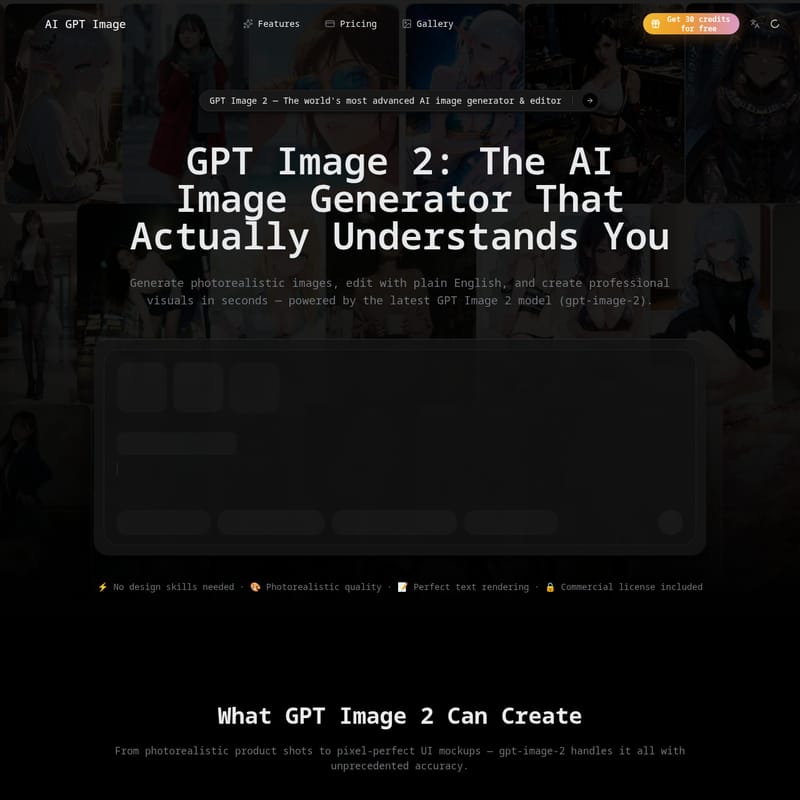
GPT Image 2 (gpt-image-2) is OpenAI's most advanced AI image generation and editing model. It features razor-sharp text rendering, photorealistic quality, and multi-turn conversational editing. Designed for creators, marketers, and developers, it supports wide aspect ratios, transparent backgrounds, and offers a robust API for commercial integration. Whether you need product photography, UI mockups, or social media creatives, GPT Image 2 delivers professional results without requiring design skills.
2026-04-24
10.0K
GPT Image 2 - AI Image Editor & Generator Product Information
GPT Image 2: The World's Most Advanced AI Image Generator & Editor
In the rapidly evolving landscape of artificial intelligence, GPT Image 2 (also known as gpt-image-2 or GPT Image 2.0) stands as a monumental leap forward. As OpenAI's most sophisticated multimodal model, GPT Image 2 empowers users to generate photorealistic images and perform complex edits using plain English. Whether you are a professional designer or someone with no technical skills, the GPT Image 2 model provides the tools necessary to create high-fidelity visuals in seconds.
What is GPT Image 2?
GPT Image 2 is a cutting-edge AI image generation and editing framework built natively into a multimodal large language model. Unlike previous iterations, gpt-image-2 is designed to understand human intent with unprecedented accuracy. It is not just an image creator; it is a creative partner capable of multi-turn conversations to refine and perfect your vision. From rendering dense, accurate text to capturing lifelike lighting and textures, GPT Image 2 sets a new industry standard for AI-generated content.
Key Features of GPT Image 2
Perfect Text Rendering
One of the most significant breakthroughs in GPT Image 2 is its ability to render razor-sharp text. It accurately handles UI labels, poster copy, and even non-Latin scripts, eliminating the garbled characters often found in older AI models.
Photorealistic Quality
gpt-image-2 delivers near-photorealistic results by mastering natural skin tones, rich material textures, and lifelike lighting. It successfully removes the "uncanny" feel and warm yellow tints associated with earlier generations.
Conversational Multi-Turn Editing
With GPT Image 2, you can edit images by simply describing changes. Whether you want to swap an outfit, change a background, or move an object, the model understands your instructions without compromising the rest of the image.
Superior World Knowledge
GPT Image 2 possesses deep world knowledge, allowing it to generate accurate product packaging, recognizable brand elements, and contextually correct real-world scenes.
Professional Format Support
- Wide Aspect Ratios: Supports everything from 1:1 social posts to 16:9 widescreen banners.
- Transparent Backgrounds: Full support for PNG and WebP with transparency.
- Developer-Ready API: The gpt-image-2 API allows for batch generation and seamless SaaS integration.
Use Cases for GPT Image 2
GPT Image 2 is a versatile tool that powers workflows across various industries:
- Marketing Creatives: Generate ad banners and social media graphics that follow brand guidelines.
- Product Photography: Create high-quality product shots and packaging mockups without a studio.
- UI & App Mockups: Prototype website screenshots and interface wireframes with realistic text and layouts.
- Content & Blog Visuals: Produce on-brand thumbnails and editorial illustrations at 10x speed.
- Developer Integrations: Use the gpt-image-2 API to build AI features into custom applications.
- Brand Assets: Develop logo variations and consistent visual assets at scale.
How to Use GPT Image 2
Creating stunning visuals with GPT Image 2 is a simple three-step process:
- Describe Your Vision: Enter a prompt in plain English. Use specific details regarding composition and style; gpt-image-2 handles complex instructions with ease.
- Generate & Refine: View your generated image in seconds. If it needs adjustments, tell the AI to "add a shadow" or "make the background darker" to refine the output.
- Download & Deploy: Export your creation in PNG, JPEG, or WebP formats. For high-volume needs, utilize the gpt-image-2 API for automated workflows.
Comparison: GPT Image 2 vs. Previous Versions
| Feature | GPT Image 1.5 | GPT Image 2 (Latest) | | :--- | :--- | :--- | | Image Quality | Exceptional | ⭐⭐⭐⭐⭐ Photorealistic | | Text Rendering | Good (UI/Infographics) | Perfect (Dense text/Scripts) | | Editing | Multi-turn | Multi-turn, High-fidelity | | Aspect Ratios | Standard | Includes 16:9 Widescreen | | Transparency | Full PNG/WebP support | Full PNG transparency support | | API Access | gpt-image-1.5 API | Full gpt-image-2 API |
FAQ
Q: What is GPT Image 2 (gpt-image-2)? A: It is OpenAI's most advanced AI image generation and editing model, featuring superior text rendering and conversational editing capabilities.
Q: Can I use GPT Image 2 for free? A: Yes, you can get 30 credits for free to start exploring the capabilities of the model.
Q: Is GPT Image 2 the same as GPT Image 2.0? A: Yes, GPT Image 2, gpt-image-2, and GPT Image 2.0 all refer to the same advanced multimodal model.
Q: Does GPT Image 2 include a commercial license? A: Yes, commercial licenses are included in the Standard and Pro plans, allowing you to use your creations for business purposes.
Q: What formats are supported? A: GPT Image 2 supports PNG, JPEG, and WebP formats, including transparent backgrounds.
Q: How does conversational editing work? A: You simply describe the edits you want in plain English, and the model updates the image intelligently while maintaining the original context.