Free and Uncensored Image to Video
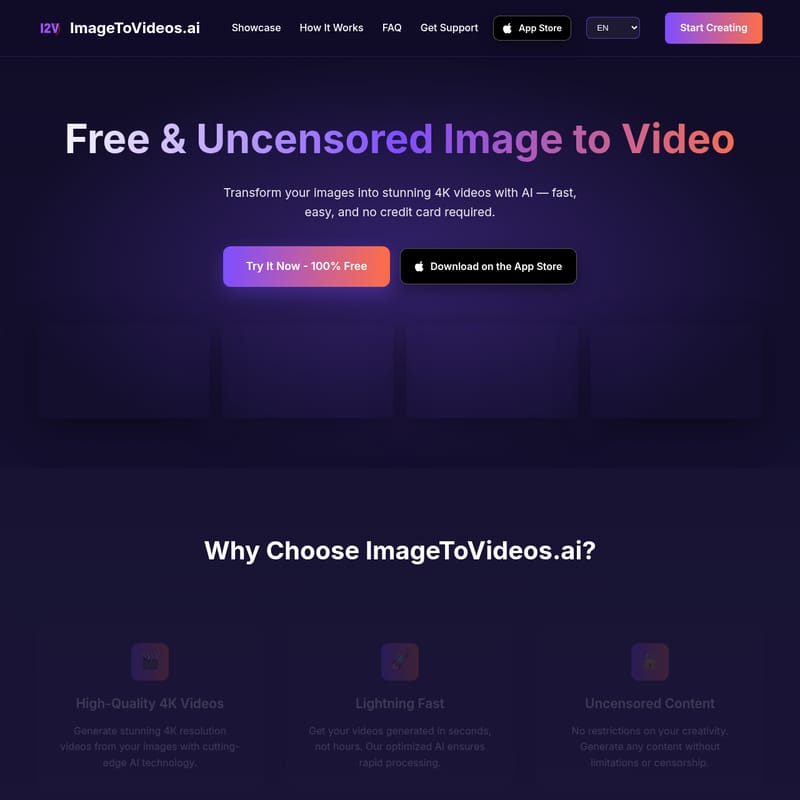
ImageToVideos.ai: Free & Uncensored 4K AI Image to Video Generator
ImageToVideos.ai is a revolutionary, free AI-powered platform that transforms static images into stunning 4K videos. With its uncensored approach and lightning-fast processing, users can animate any image using natural language prompts without credit cards or hidden fees. Supporting formats like JPG and PNG, it delivers professional, high-quality motion in seconds for commercial or personal use.
2026-03-26
4.0K
Free and Uncensored Image to Video Product Information
ImageToVideos.ai: Transform Your Images Into Stunning 4K AI Videos
In the modern digital landscape, static visuals are often not enough to capture attention. ImageToVideos.ai emerges as a premier solution for creators, marketers, and hobbyists looking to breathe life into their photography. By leveraging advanced artificial intelligence, this platform offers a seamless way to convert your images into high-quality, professional-grade videos.
Whether you are looking for a Free & Uncensored Image to Video tool or a high-performance AI-powered animation engine, ImageToVideos.ai provides the technology necessary to create cinematic results in seconds.
What is ImageToVideos.ai?
ImageToVideos.ai is an innovative online platform designed to transform static images into fluid, high-resolution videos using cutting-edge artificial intelligence. Unlike many other services that require expensive subscriptions or credit card registrations, ImageToVideos.ai is completely free to use.
The platform stands out in the market by offering uncensored content generation, meaning there are no artificial restrictions on your creativity. From realistic human movements to whimsical animations, the AI understands natural language prompts to generate natural and fluid motion that matches your vision precisely.
Key Features of ImageToVideos.ai
High-Quality 4K Videos
Quality is never compromised. ImageToVideos.ai generates stunning 4K resolution videos, ensuring that every frame is crisp, clear, and professional. This makes the tool ideal for high-end digital displays and professional presentations.
Lightning Fast Processing
Time is of the essence in content creation. This AI Image to Video generator is optimized for speed, delivering completed video files in seconds rather than hours. Most videos are processed within 30 to 60 seconds.
Uncensored Creative Freedom
One of the most unique aspects of ImageToVideos.ai is its commitment to uncensored content. Users can generate any content without limitations or censorship, providing a truly open canvas for creative expression.
Completely Free and Accessible
There are no hidden fees or credit card requirements. Users can access the power of high-end AI video generation 100% free. You can even start creating immediately without the mandatory requirement of creating an account.
Natural AI-Powered Motion
The advanced artificial intelligence integrated into ImageToVideos.ai doesn't just distort pixels; it understands the subject matter of your images to create realistic, fluid motion that looks natural to the human eye.
Use Case Examples
To understand the versatility of ImageToVideos.ai, consider these successful prompt results:
- Elegant Performance: Using a prompt like "A graceful ballerina spinning elegantly on a grand stage," the AI creates a video featuring delicate movements and soft lighting with a high-detail slow-motion effect.
- Cinematic Landscapes: By prompting "A woman riding a horse slowly across a vast grassy field," the tool generates a cinematic scene where hair and clothing move naturally with the wind.
- Whimsical Animations: For more creative tasks, such as "An orange cat riding a tricycle, smiling at the camera," the AI produces an adorable animation with expressive facial features.
How to Use ImageToVideos.ai
Creating your first AI video is a simple three-step process designed for users of all skill levels.
-
Upload Your Image: Start by selecting the image you wish to animate. ImageToVideos.ai supports all common formats, including JPG, PNG, WEBP, and GIF. You can simply drag and drop your file into the interface.
-
Write a Prompt: Describe the motion you want to see. Use natural language to tell the AI how the subjects in your image should move. The more descriptive you are, the better the AI can tailor the animation.
-
Generate Video: Click the generate button and watch as the AI transforms your static file into a stunning, high-quality 4K video in a matter of seconds.
Frequently Asked Questions (FAQ)
Is ImageToVideos.ai really free?
Yes! ImageToVideos.ai is completely free to use. There are no hidden fees, and no credit card is required to start creating your videos.
What image formats are supported?
The platform supports all common image formats, including JPG, PNG, WEBP, and GIF. For the best output quality, it is recommended to use high-resolution source images.
How long does it take to generate a video?
While processing times can vary based on server load and complexity, most videos are ready within 30-60 seconds.
What video quality can I expect?
You can expect high-quality video outputs up to 4K resolution. The final quality is often determined by the resolution of the input image and the complexity of the motion prompt provided.
Are there any content restrictions?
No. ImageToVideos.ai provides uncensored content generation, allowing you to create without artificial restrictions on your creativity.
Can I use the videos commercially?
Yes. You own the rights to the videos you create with ImageToVideos.ai, and they can be used for any purpose, including commercial projects.
Do I need to create an account?
You can start using the service immediately without an account. However, creating an optional account allows you to save your creations and access advanced features.