FluentDB
FluentDB: The Native AI-First Database Client for Mac with Built-in Guardrails and SQL Editor.
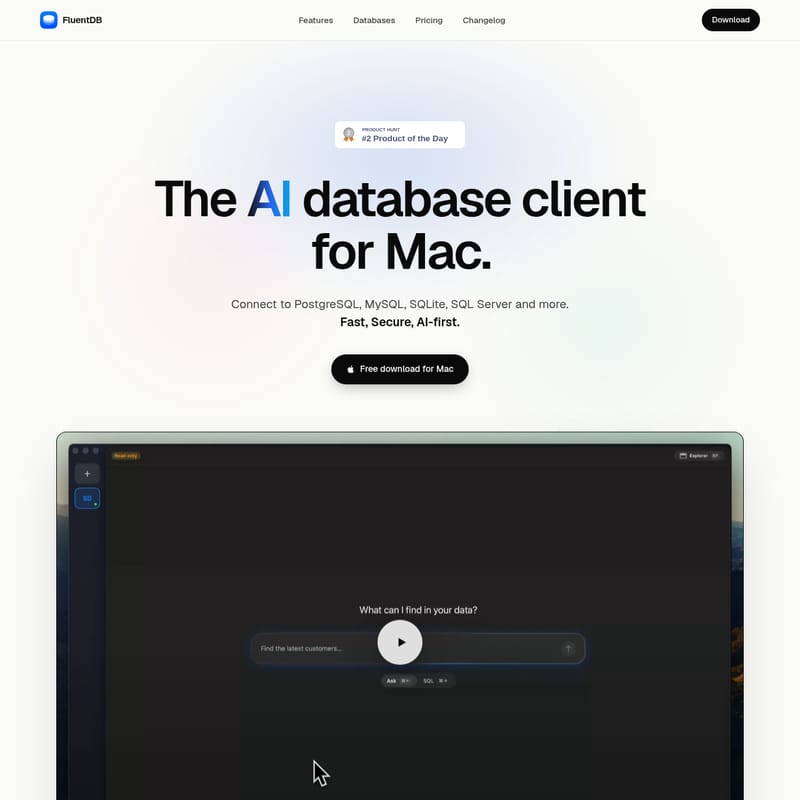
FluentDB is an AI-first database client for Mac, offering native performance on Apple Silicon. It supports PostgreSQL, MySQL, SQLite, and SQL Server with advanced features like AI guardrails, a schema-aware SQL editor, and 100K+ row data grids. Use your own models from OpenAI, Anthropic, or Ollama for a secure, AI-assisted database management experience.
2026-07-27
--K
FluentDB Product Information
FluentDB: The Ultimate AI-First Database Client for Mac
In the modern era of software development, the efficiency of managing data can define the success of a project. FluentDB emerges as the premier solution for developers seeking a native macOS experience combined with the power of artificial intelligence. As an AI database client for Mac, FluentDB is designed from the ground up to be fast, secure, and AI-first, ensuring that users can interact with their data using the most advanced tools available in 2026.
Built specifically as an Apple Silicon native application, FluentDB provides a seamless experience for PostgreSQL, MySQL, SQLite, and SQL Server users. It eliminates the friction of traditional database management by integrating an AI co-pilot directly into the workflow, allowing for smarter queries and safer data handling.
What's FluentDB?
FluentDB is a professional-grade, native macOS database client equipped with an AI co-pilot. Unlike traditional cross-platform tools that may feel sluggish or out of place on a Mac, FluentDB is crafted specifically for the macOS ecosystem. It represents a paradigm shift in how developers interact with databases, moving away from manual SQL wrestling and toward an AI-driven methodology.
At its core, FluentDB acts as a bridge between your complex database structures and your creative workflow. Whether you are managing local SQLite files or remote PostgreSQL and MySQL clusters, FluentDB provides a unified, high-performance interface. It is the only truly AI-first database client that prioritizes safety, performance, and user experience above all else.
Key Features of FluentDB
FluentDB is packed with features designed to modernize your database management experience. Every aspect of the application, from the editor to the data grid, has been optimized for speed and intelligence.
AI-Driven with Strong Guardrails
FluentDB is the only database client that is truly AI-first while being wrapped in deep safety measures. The AI guardrails integrated into FluentDB are designed to protect you from costly mistakes—such as accidental data deletion or poorly optimized queries—and ensure that your sensitive data never leaks. This focus on safety allows you to leverage the power of AI without compromising the integrity of your production environments.
SQL Editor, Rethought for 2026
The FluentDB SQL editor has been completely re-imagined to meet the demands of modern development. Features include:
- Schema-aware autocomplete: The editor understands your tables and columns, providing intelligent suggestions as you type.
- Advanced Formatting: Keep your code clean and readable automatically.
- Instant Results: See the output of your queries without delay.
- AI Mode: Switch to AI mode in a snap to generate or optimize complex SQL queries through natural language prompts.
- Saved Queries: Organize and save your most important queries for future use.
A Smooth Explorer
Navigating your database has never been faster. FluentDB features a "smooth explorer" that allows you to browse any table or view in a snap. By simply hitting ⌘P, you can search for the specific data structure you need and enter it immediately. This keyboard-centric design ensures that your hands never have to leave the home row, maximizing productivity.
Blazing Fast Performance
Performance is a hallmark of FluentDB. Even when dealing with massive datasets of 100K+ rows, the application remains blazing fast. You can scroll through thousands of rows in a fluid data grid that never stutters, providing a desktop-class experience that web-based or non-native tools cannot match.
Visualize Your Data
Data is only as useful as the insights you can draw from it. FluentDB allows you to turn any query result into a chart without ever leaving the application. This built-in visualization tool makes it easy to spot trends and analyze data patterns instantly.
Bring Your Own Model (BYOM)
FluentDB gives you total control over the AI intelligence you use. FluentDB has no model of its own; instead, it allows you to connect to providers you already trust with keys you control. Your prompts go straight to the provider, never through FluentDB's servers. Supported models include:
- Anthropic: Use your Claude Code subscription or API key.
- OpenAI: Use your Codex subscription or API key.
- Ollama: Run local models directly on your own Mac for total privacy and offline access.
Control with MCP
For those who use AI agents, FluentDB supports the Model Context Protocol (MCP). This allows you to connect your own AI agent over MCP to manage your database connections for you, further automating your development environment.
Supported Databases
FluentDB is actively expanding its driver support to cover the entire database spectrum. Current and upcoming support includes:
- AVAILABLE NOW:
- PostgreSQL
- MySQL
- SQLite
- SQL Server
- COMING SOON:
- MongoDB
- Redis
- ClickHouse
- MariaDB
- Snowflake
- BigQuery
- DuckDB
- Cassandra
Use Case Scenarios
Scenario 1: Optimizing Complex Queries
Imagine you are working with a legacy PostgreSQL database with complex schemas. Instead of manually writing joins, you can use the FluentDB AI co-pilot to describe the data you need. The AI-driven editor, protected by guardrails, will generate the SQL for you, ensuring it follows best practices and schema requirements.
Scenario 2: High-Volume Data Analysis
When analyzing a table with over 100,000 rows in MySQL, many clients lag. With FluentDB, you can scroll through the data fluidly, apply filters, and then instantly visualize the results as a chart to present to your team, all within one native macOS app.
Scenario 3: Local-First Privacy
For sensitive projects where data cannot leave the machine, you can point FluentDB to a local Ollama instance. This allows you to use AI-assisted SQL generation and data exploration while keeping all prompts and data strictly on your own Mac hardware.
How to Use FluentDB
Getting started with FluentDB is designed to be a frictionless 60-second process:
- Download: Obtain the FluentDB installer for Mac (Apple Silicon native).
- Connect: Open the app and connect to your preferred database (PostgreSQL, MySQL, SQLite, or SQL Server).
- Configure AI: Provide your own API key for OpenAI/Anthropic or connect to a local Ollama instance.
- Query: Start your first AI-assisted query immediately using the rethought SQL editor.
FAQ
Q: Does FluentDB store my data or AI prompts?
A: No. FluentDB is designed with privacy in mind. Your prompts go directly to your chosen provider (like OpenAI or Anthropic) using your own keys, or they stay local if you use Ollama. They never pass through FluentDB's servers.
Q: Is FluentDB optimized for M1/M2/M3 chips?
A: Yes, FluentDB is Apple Silicon native, ensuring the best possible performance and battery efficiency on modern Mac hardware.
Q: Can I use FluentDB with local databases?
A: Absolutely. FluentDB provides excellent support for SQLite and other local connection types.
Q: What makes FluentDB's AI "safe"?
A: FluentDB includes AI guardrails specifically designed to prevent the AI from executing destructive commands without confirmation and to protect against data leakage during the prompting process.
Stop wrestling with your database. Download FluentDB and run your first AI-assisted query in 60 seconds.