Flixier Generate AI Video in Timeline
Flixier AI Video Generator: Create and Edit Professional Videos Directly Within a Powerful Cloud-Based Timeline
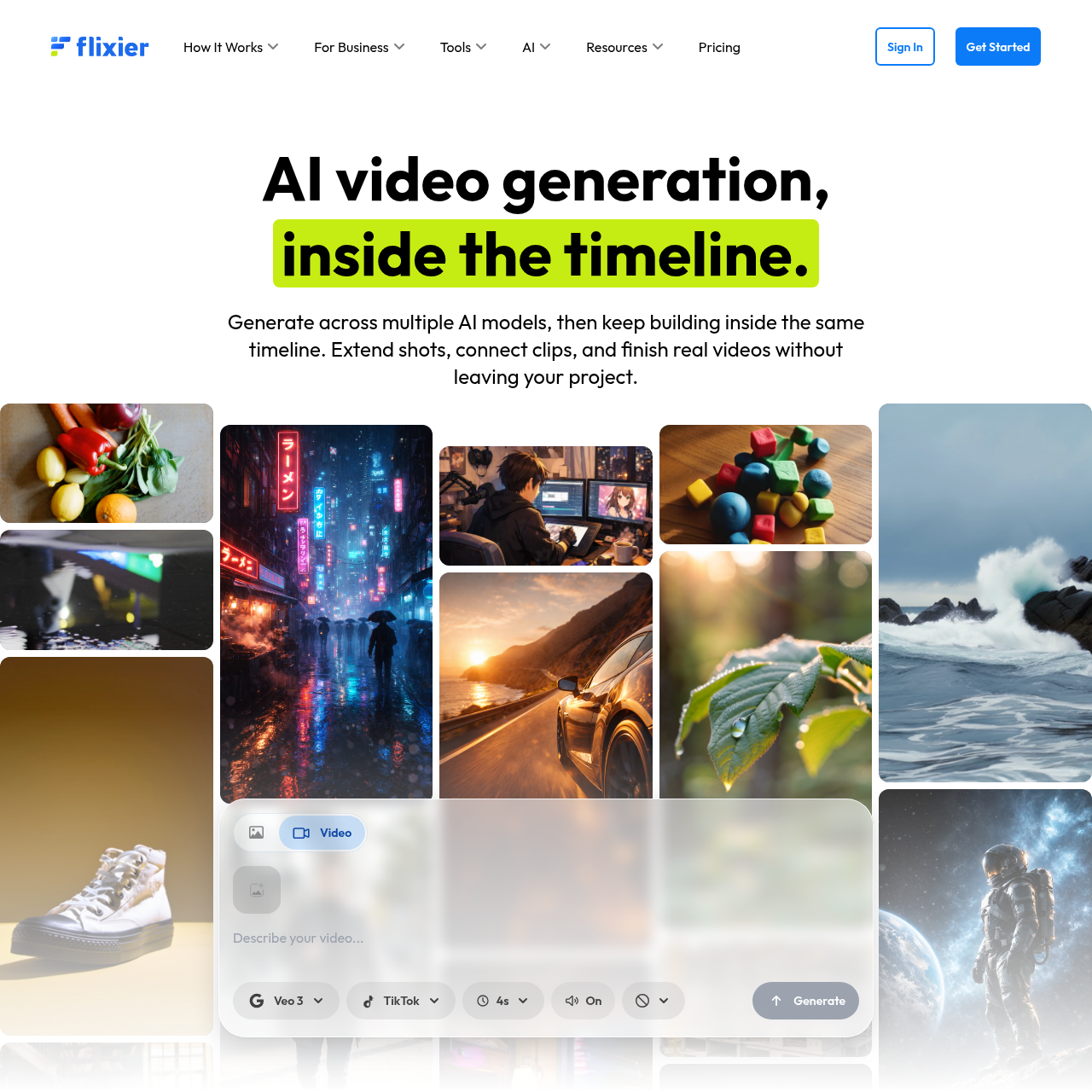
Flixier is an advanced AI video generator and online editor that allows users to generate clips using multiple AI models like Kling, VEO, and Sora directly inside a professional timeline. Unlike standalone AI tools, Flixier enables you to extend shots, connect clips, add voiceovers, and generate captions within the same project. It is designed for creators and businesses looking to bridge the gap between AI generation and final video production, offering features like AI audio enhancement, video translation, and speed controls for a complete post-production workflow.
2026-02-20
1400.0K
Flixier Generate AI Video in Timeline Product Information
Flixier: The All-in-One AI Video Generator and Professional Editor
In the rapidly evolving world of digital content, the Flixier AI video generator stands out as a revolutionary tool that bridges the gap between artificial intelligence and professional video editing. Most AI video tools operate in isolation, providing a single clip and leaving the creator to figure out the rest. Flixier changes the game by integrating AI video generation directly inside a functional editing timeline.
Whether you are a professional creator or a business looking to scale content, the Flixier AI video generator provides the infrastructure to not just generate, but to finish real videos. By housing multiple AI models within one workflow, Flixier ensures that if it’s in the timeline, it’s ready to be finished.
What’s Flixier?
Flixier is a comprehensive online video editor and AI video generator designed to streamline the creative process. It is a cloud-based platform that allows users to generate video content across multiple AI models and continue building within the same timeline. Unlike traditional AI video generators that lock you into one model or result at a time, Flixier treats every AI-generated clip as a building block for a larger project.
With Flixier, you are not just getting a standalone result; you are getting a complete video production suite. From AI video generation to advanced post-production features like color grading and upscaling, Flixier is the first place where creators can truly turn AI outputs into a finished, professional product.
Key Features of Flixier
Integrated AI Timeline
At the heart of the platform is the Flixier AI video generator timeline. This feature allows you to:
- Generate clips across multiple AI models without leaving your project.
- Extend shots from the last frame to maintain continuity.
- Connect various AI-generated clips to create a cohesive narrative.
Multiple AI Models in One Workflow
Flixier provides access to a variety of cutting-edge AI video models and AI image models, allowing you to compare outputs before committing them to your project.
- AI Video Models: Explore Kling 3.0, VEO 3.1, Sora2, Kling 2.6, and VEO 3.1 Fast.
- AI Image Models: Utilize Flux 2 Pro, Nano Banana Pro, Stable Diffusion 3, GPT Image 1.5, and Imagine Art.
Advanced AI Editing Tools
Beyond generation, the Flixier AI video generator ecosystem includes a suite of tools to polish your work:
- AI Speech Generator & Voiceover: Create professional narrations instantly.
- AI Audio Enhancer: Improve sound quality with a single click.
- AI Caption Generator: Automatically add subtitles to increase accessibility.
- AI Video Translator: Reach a global audience by translating your content into multiple languages.
Comprehensive Video Utility Tools
Flixier also functions as a robust traditional editor with features like:
- Video Trimmer and Speed Controls (Speed Up/Down).
- Green Screen and Blur/Pixelate capabilities.
- Chromebook Screen Recorder and Zoom recording integration.
- Extract Text From Video and Audio to Text conversion.
Use Cases for Flixier
Social Media Content Creation
Creators use the Flixier AI video generator to produce high-quality TikToks, Reels, and short-form videos. With the ability to create AI transitions and generate clips from any frame, social media managers can produce eye-catching content at scale.
Business and Training
Businesses leverage Flixier for various internal and external needs:
- Product Demo Videos: Showcase features with close-up AI-generated shots.
- Employee Onboarding & Training: Create professional instructional videos with AI voiceovers.
- Sales Enablement: Produce personalized videos for prospects quickly.
- Compliance & IT Training: Simplify complex information through visual storytelling.
Educational Content
Online course creators can use the AI video generator to create engaging lessons, add and translate subtitles for international students, and repurpose long-form videos into bite-sized segments.
How to Use Flixier
Using the Flixier AI video generator is a straightforward process designed for efficiency:
- Start Your Project: Sign in and click "Get Started" to open the editing timeline.
- Generate Content: Use the AI video generator tool to enter your prompt. Select from models like VEO or Kling to generate your initial clip.
- Refine in the Timeline: Drag your generated clip into the timeline. You can extend the shot or generate new content from the last frame to keep the story moving.
- Enhance with AI Tools: Add a voiceover using the AI Speech Generator, apply an AI Audio Enhancer, or use the AI Caption Generator to add text.
- Finalize and Export: Use the video trimmer to perfect your timing, add music or images, and then export your finished video directly from the browser.
FAQ
Is Flixier better than standalone AI video generators? Yes, because while most AI tools stop after generation, Flixier allows you to continue editing, connecting clips, and adding professional touches like voiceovers and captions in the same timeline.
What AI models does Flixier support? Flixier supports a wide range of models including Kling 3.0, VEO 3.1, Sora2, and image models like Stable Diffusion 3 and Flux 2 Pro.
Can I use Flixier on a Chromebook? Absolutely. Flixier is a cloud-based online video editor, and it even includes a specialized Chromebook Screen Recorder.
Does Flixier offer AI audio tools? Yes, Flixier includes an AI Audio Enhancer, AI Speech Generator, AI Voiceover, and AI Video Translator to handle all your sound and language needs.
Can I turn long videos into shorter clips? Yes, Flixier is designed to repurpose long videos into shorter segments for social media or training purposes.