DocsAlot
DocsAlot: AI-Ready Documentation Infrastructure for Developers and SaaS Teams
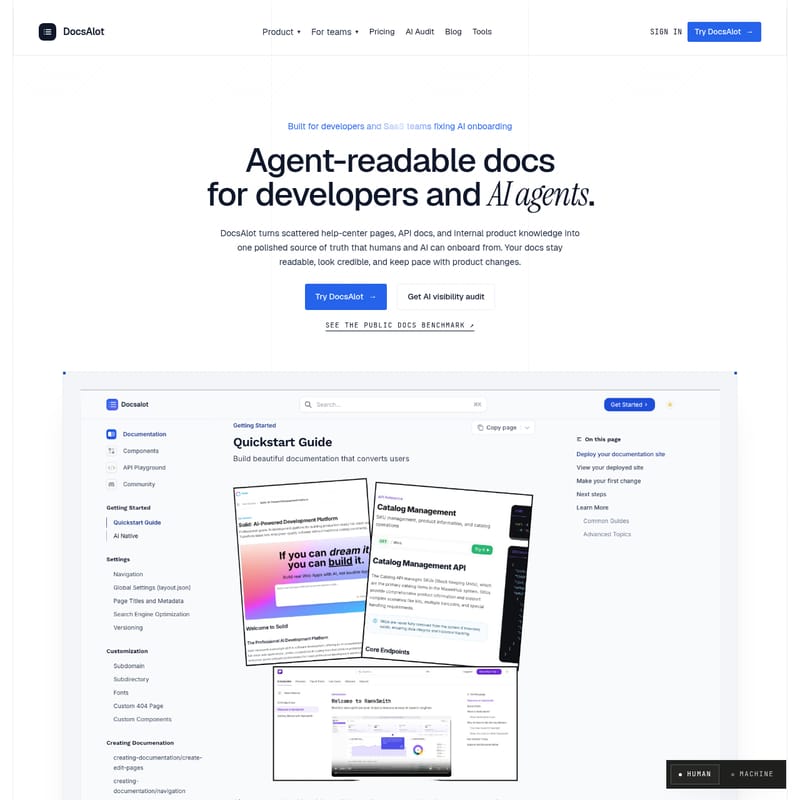
DocsAlot is a comprehensive documentation platform that transforms scattered product knowledge into a polished source of truth for both humans and AI agents. It provides hosted docs, API references, and agent-readable exports like llms.txt and MCP servers to ensure seamless AI onboarding and visibility.
2026-07-07
16.0K
DocsAlot Product Information
DocsAlot: The Ultimate AI-Readable Documentation Infrastructure
In the rapidly evolving landscape of software development and artificial intelligence, documentation is no longer just for human readers. DocsAlot is a cutting-edge platform designed to fix AI onboarding by turning scattered help-center pages, API references, and internal product knowledge into a single, polished source of truth. Built specifically for developers and SaaS teams, DocsAlot ensures that your documentation remains readable, credible, and perfectly synced with your product changes, catering to both human users and AI agents.
What’s DocsAlot?
DocsAlot is more than just a documentation hosting service; it is a comprehensive infrastructure for founders and teams who want their documentation to compound rather than accumulate. At its core, DocsAlot bridges the gap between human-readable guides and machine-legible data.
By connecting your existing docs stack—including GitHub, Notion, Intercom, and OpenAPI schemas—DocsAlot normalizes messy content into a navigable structure. It allows teams to publish surfaces that humans look for (like quickstarts and guides) alongside the files that AI agents need (such as llms.txt and skill.md). With DocsAlot, you can provide a seamless onboarding experience that empowers coding agents like Cursor, Claude, and ChatGPT to understand your product as deeply as a human developer would.
Key Features of DocsAlot
DocsAlot offers a robust suite of features designed to enhance documentation quality and AI visibility:
1. Agent-Readable Exports
DocsAlot automatically generates llms.txt and skill.md files. These compact, structured formats provide LLMs with a canonical map of your documentation, ensuring they cite the correct sources and follow your specific product rules.
2. Hosted MCP (Model Context Protocol)
Every DocsAlot project includes a hosted MCP endpoint. This allows AI agents to perform search retrieval, fetch specific page text, and run guided examples directly, without requiring your team to build additional infrastructure.
3. AI Visibility Audit and Benchmarking
One of the standout features of DocsAlot is the Docs Benchmark. This tool allows you to see how your documentation performs regarding AI readability. You can audit what AI tools actually see and identify gaps in your documentation before they impact your customers.
4. API Docs Automation
DocsAlot streamlines the creation of developer-facing references. By parsing OpenAPI schemas, it generates technical documentation, authentication guides, and runnable snippets that developers can trust on the first read.
5. GitHub and Support Workflow Integration
DocsAlot connects directly with the tools your team already uses. Whether it is pulling READMEs from GitHub or mapping help-center articles from Zendesk or Intercom, DocsAlot keeps all your onboarding answers pointed back to a single source of truth.
How to Use DocsAlot
Setting up DocsAlot is designed to be developer-friendly, offering both a guided onboarding flow and a powerful CLI for agentic setup.
The Setup Process
- Connect Your Sources: Bring in your GitHub docs, API references, and product notes from platforms like Notion.
- Package for Agents: DocsAlot creates stable anchors, clean markdown, and MCP-ready chunks from your source material.
- Publish: Ship your good-looking hosted docs and review diffs to keep everything current.
Agentic Setup via CLI
For developers who prefer using coding agents, you can install the DocsAlot skill directly to your repo. Use the following commands to get started:
$ npm install -g docsalot-cli
$ docsalot --version
$ docsalot skills install
Once installed, you can simply prompt your agent: "Use docsalot cli to create docs for my project."
Use Cases for DocsAlot
DocsAlot is versatile enough to support various team structures and business models:
- Founders: Create professional documentation that scales as the company grows without needing a dedicated docs team.
- Developer Tools Companies: Build technically credible docs that developers love to navigate and share.
- API-First Companies: Automate API references and ensure SDK examples never drift from the actual product code.
- SaaS + Agents: Specifically designed for companies building for agent adoption, providing the context LLMs need to successfully integrate your service.
- Support Teams: Reduce support tickets by ensuring AI assistants have the right information to answer customer queries accurately.
Pricing Plans
DocsAlot offers flexible pricing to suit teams of all sizes. Note that you can use the code PH50 for 50% off the first 3 months as part of the Product Hunt launch.
- Startup ($39/month): Ideal for solo founders. Includes 1 public docs site, hosted MCP endpoint, basic source integrations, and
llms.txt/skill.mdexports. - Team ($99/month): For production-grade docs. Includes custom domain hosting, private docs, 250 AI messages/month, and support for five languages.
- Enterprise (Custom): For teams requiring high-level control. Includes done-for-you migration, SDK generation, automated drift checks, and priority support.
FAQ
Q: What is llms.txt and why do I need it?
A: llms.txt is an emerging standard that provides LLMs with a canonical map of your site. DocsAlot generates this to help agents like ChatGPT and Claude find your real pages instead of guessing from outdated snippets.
Q: What’s different about DocsAlot’s MCP server?
A: Unlike local solutions, DocsAlot provides a hosted MCP endpoint. It allows agents to search and fetch content from the same source of truth you use for your human-readable documentation.
Q: Do you support migration from Intercom, Zendesk, or Notion?
A: Yes. DocsAlot offers a "Docs Pack" service to normalize messy content from various platforms into a clean, navigable documentation tree.
Q: Can I host DocsAlot on my own domain?
A: Yes, Team and Enterprise customers can host their documentation on subdomains (e.g., docs.yourcompany.com) with automatic SSL.
Q: Is DocsAlot just a CMS?
A: No. While a CMS only publishes pages, DocsAlot publishes a full AI onboarding surface, including machine-readable files, MCP tools, and visibility audits to prevent AI answer drift.