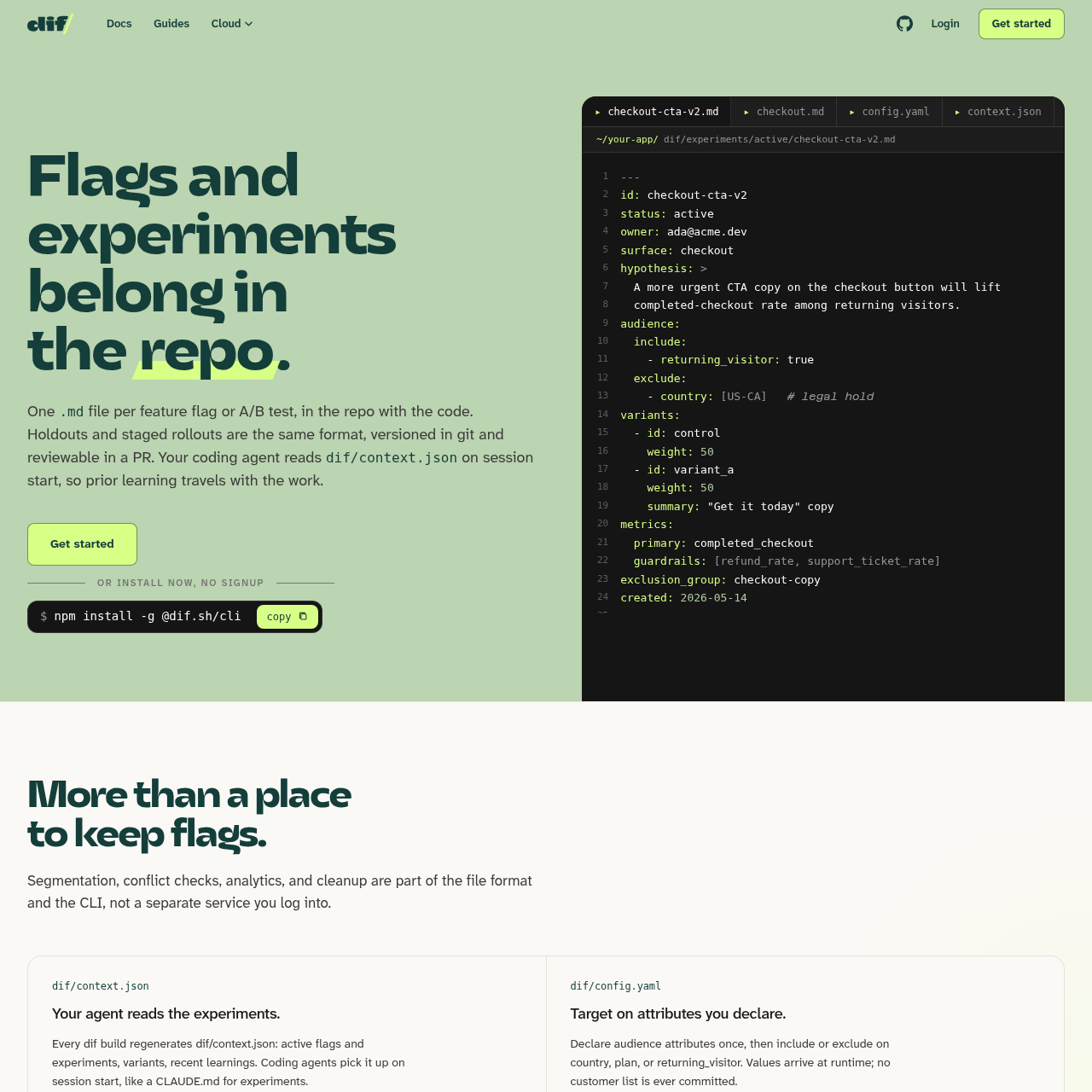
dif.sh is a developer-focused experimentation platform that stores feature flags, A/B tests, and rollouts as Markdown files within a project's repository. This approach allows teams to manage the entire lifecycle of a feature flag using standard version control tools.
The system integrates with existing Git workflows, enabling the use of pull requests for experiment approvals and maintaining a permanent, versioned history of all changes. It includes a CLI that automates the creation, validation, and conclusion of tests while generating a typed client for production use.
By utilizing a local build process, the tool detects potential experiment collisions before they reach production. It also generates context files specifically designed to help AI coding agents understand the current experimental state of the codebase.
What Can You Use dif.sh For?
Source-supported ways to use the product
Managing A/B tests
Teams can define variants, hypotheses, and metrics in Markdown files to run and track experiments alongside their code.
AI Coding Agent Context
Providing coding agents with a generated context file so they understand active experiments and prior learnings during development.
How to Use dif.sh
The documented workflow, where available
1
Initialization
Run the init command to set up the local folder structure, including experiment and surface directories within the repository.
2
Experiment Creation
Use the CLI to draft a new test, which automatically pulls historical context from the relevant surface log to inform the new hypothesis.
3
Validation and QA
Execute validation checks to ensure configurations are correct and use the QA command to preview specific variants locally.
4
Build and Deployment
Run the build command to generate a typed client and resolve exclusion group conflicts before shipping the code to production.
5
Conclusion
Wrap up a test by archiving the file, drafting a decision block, and updating the surface's learning log for future reference.
Git-Based Experimentation Lifecycle
The platform treats feature flags and experiments as code artifacts, utilizing Markdown files for configuration and Git for version control. This approach is designed so that the audit log and approval process remain within existing developer workflows like pull requests, eliminating the need for a separate database or external dashboard for configuration management.
During the build process, the tool resolves the exclusion graph to ensure that no user is bucketed into two conflicting experiments simultaneously. If a conflict is detected, the build fails in the continuous integration environment, helping reduce logic clashes from reaching the production application.
Automatic generation of a context file for AI agent awareness.
Build-time conflict detection to help reduce overlapping experiments.
Surface logs that maintain a history of learnings for specific application areas.
Typed client generation to ensure production code remains small and performant.
What to Test Before Choosing dif.sh
Checks to run with your own material and workflow
Confirm that the CLI correctly identifies and blocks overlapping experiments within the same exclusion group during the build process.
Verify that the generated context file contains the expected active flags and variants for use by external coding agents.
Check that the surface logs are correctly updated with decision blocks after an experiment is concluded via the CLI.
Answers based on the source-checked product record
How are experiment conflicts handled?+
The system uses exclusion groups defined in the file frontmatter and checks for collisions during the build step, failing the build if a user would be bucketed into two conflicting tests.
Where is customer data stored?+
Customer data is not stored or committed to the repository; instead, audience attributes are declared in configuration and values are provided at runtime from the application's user context.
What is the role of the surfaces directory?+
Surfaces act as a repository of institutional memory, containing markdown files that log prior learnings and landmines for specific screens or features to inform future experiments.
How does the tool integrate with AI coding agents?+
Every build regenerates a context file containing active flags and recent learnings, which coding agents can read at the start of a session to understand the current experimental state.
Is a cloud service required to use the tool?+
No, the core functionality operates via the CLI and local files, though an optional cloud layer is available for teams wanting centralized analytics and confidence interval visualizations.
More Code & IT AI tools
Explore other recently added tools in the same category.