CtrlOps
CtrlOps: AI-Powered Linux Server Management and Deployment Platform for Native Local DevOps
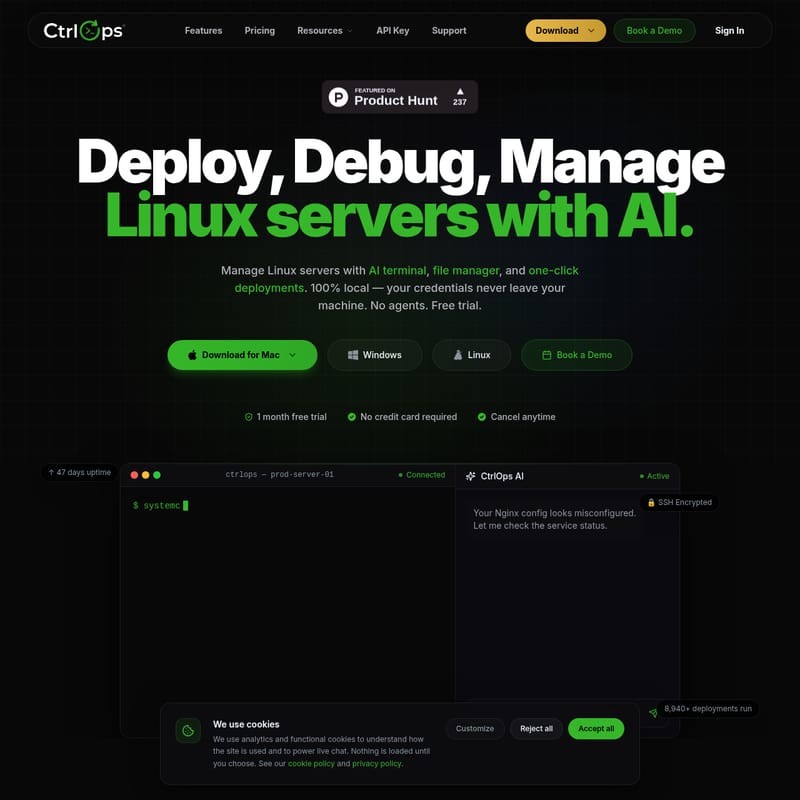
CtrlOps is a privacy-first, agentless Linux server management tool that combines an AI terminal, file manager, and one-click deployment into a native desktop application. It allows engineers to manage infrastructure locally without cloud keys or agents.
2026-05-21
16.0K
CtrlOps Product Information
Master Linux Server Management with CtrlOps: The AI-Powered DevOps Command Center
In the modern landscape of infrastructure management, efficiency and security are paramount. CtrlOps emerges as a revolutionary desktop application designed to streamline how engineers deploy, debug, and manage Linux servers. By integrating a sophisticated AI terminal, an advanced file manager, and seamless multi-server orchestration, CtrlOps eliminates the friction of traditional DevOps workflows. Whether you are using Apple Silicon, Apple Intel, Windows, or Linux, CtrlOps provides a native environment that ensures your credentials and sensitive data never leave your local machine.
What’s CtrlOps?
CtrlOps is a comprehensive, privacy-first DevOps command center that allows you to manage your entire server fleet from a single application. Unlike traditional web dashboards or fragmented CLI tools, CtrlOps is 100% local and agentless. It connects to your remote Linux distributions directly via SSH, meaning you don't need to install any proprietary software on your servers.
At its core, CtrlOps is built to replace the "Old Way" of juggling multiple applications like PuTTY and WinSCP. It consolidates toolsets into one cohesive interface, offering built-in AI assistance to help you navigate complex server tasks using natural language. With over 1,250 servers currently under management and thousands of successful deployments, CtrlOps is the preferred choice for teams seeking speed, privacy, and intelligent automation.
Key Features of CtrlOps
CtrlOps is packed with features designed to modernize Linux server management and infrastructure oversight.
AI-Powered Terminal
The AI Terminal is the standout feature of CtrlOps. It acts as a 24/7 senior DevOps engineer sitting right in your console.
- Natural Language to Bash: Don't remember a specific command? Simply describe what you need in plain English, and CtrlOps converts it into the correct bash commands.
- Sudo-Free Error Diagnosis: Troubleshoot permissions and system errors without the guesswork.
- Context-Aware Suggestions: Receive terminal suggestions based on your current server environment.
- Output Explanation: Use the AI to explain complex log outputs or terminal results in simple terms.
Privacy-First Architecture
Security is a non-negotiable aspect of SSH management. CtrlOps is designed with a Zero Data Sharing policy:
- 100% Local Storage: Your SSH keys, server IPs, and credentials stay encrypted on your device.
- No Cloud Bridge: CtrlOps speaks directly to your fleet via SSH (ED25519) on port 22. There is no middleman service, no telemetry, and no vendor lock-in.
- No Cloud Keys Needed: You never have to upload AWS IAM, GCP service accounts, or Azure credentials. Your SSH key is all that is required.
Comprehensive Server Toolkit
Beyond the terminal, CtrlOps provides all the tools necessary for full-cycle infrastructure management:
- Advanced File Manager: Navigate and edit remote files with ease.
- Multi-Server Fleet Management: View and manage all your servers in one place without context switching.
- Infra Details: Get real-time data on your infrastructure performance.
- One-Click Deployments: Achieve average deployment times of less than 30 seconds.
- Automated Backups: Execute and monitor backups to ensure data integrity.
Use Cases for CtrlOps
CtrlOps is versatile enough to manage any server that runs Linux and has SSH enabled, regardless of the provider.
1. Multi-Cloud Management
Whether your infrastructure is hosted on AWS, Google Cloud, Azure, DigitalOcean, or any other VPS provider, CtrlOps provides a unified interface. You can manage a staging server on one provider and a production database on another without switching apps.
2. Legacy Tool Consolidation
For engineers tired of using 4+ different apps for terminal access, file transfers, and deployment monitoring, CtrlOps offers a native, fast, and built-in AI alternative. It replaces the slow UI of web dashboards with a high-performance native application.
3. Server Hardening and Debugging
The AI assistant guides users through step-by-step server hardening and real-time troubleshooting. This is ideal for teams that need to diagnose terminal errors quickly or understand complex system logs without searching through documentation.
Pricing Plans
CtrlOps offers simple pricing with a 1-month free trial and no credit card required to start.
Monthly Plan
- Price: $7/month
- Features: Unlimited server connections, AI Terminal, Advanced File Manager, Multi-Server Fleet Management, One-click Deployments, and all updates included.
Pro (Annual) - Best Value
- Price: $70/year (equivalent to $6/month)
- Features: Includes everything in the Monthly plan plus a 20% discount, priority email support, early access to new features, and extended license support.
Enterprise
- Price: Coming Soon
- Features: Dedicated account manager, 99.9% uptime SLA guarantee, custom integrations, SSO/team provisioning, and on-prem deployment options.
FAQ
Is CtrlOps free? Yes—you can start managing your servers with a 1-month free trial, and no credit card is required.
Do you store my SSH keys or server credentials? Absolutely not. CtrlOps is built on a privacy-first, local-storage architecture. Your SSH keys and credentials remain encrypted on your local machine and are never uploaded to any cloud. We literally cannot see your data.
Which operating systems does CtrlOps support? CtrlOps runs natively on macOS (Silicon and Intel), Windows, and Linux. It connects to any remote Linux and Ubuntu server with SSH enabled distributions.
Do I need to install anything on my servers? No. CtrlOps is entirely agentless. It communicates over the standard SSH protocol already present on your Linux machines. You don't need to install or maintain any software on your remote servers.
How is CtrlOps different from Termius or MobaXterm? While legacy clients provide SSH access, CtrlOps is a complete DevOps command center. It integrates AI troubleshooting, real-time fleet monitoring, and deployment pipelines into a single, cohesive workflow.
What can the AI assistant actually do? The AI acts as a 24/7 senior DevOps engineer. It analyzes terminal errors, generates exact fix-it commands, explains complex logs in plain English, and guides you through server hardening step-by-step.
Stop juggling tools and start managing fleets with CtrlOps. Download for Mac, Windows, or Linux today and experience the future of AI-powered, local-first server management.