Claude Code auto-fix
Claude Code on the Web: A Secure Cloud-Based Coding Agent for Autonomous Development and GitHub Integration.
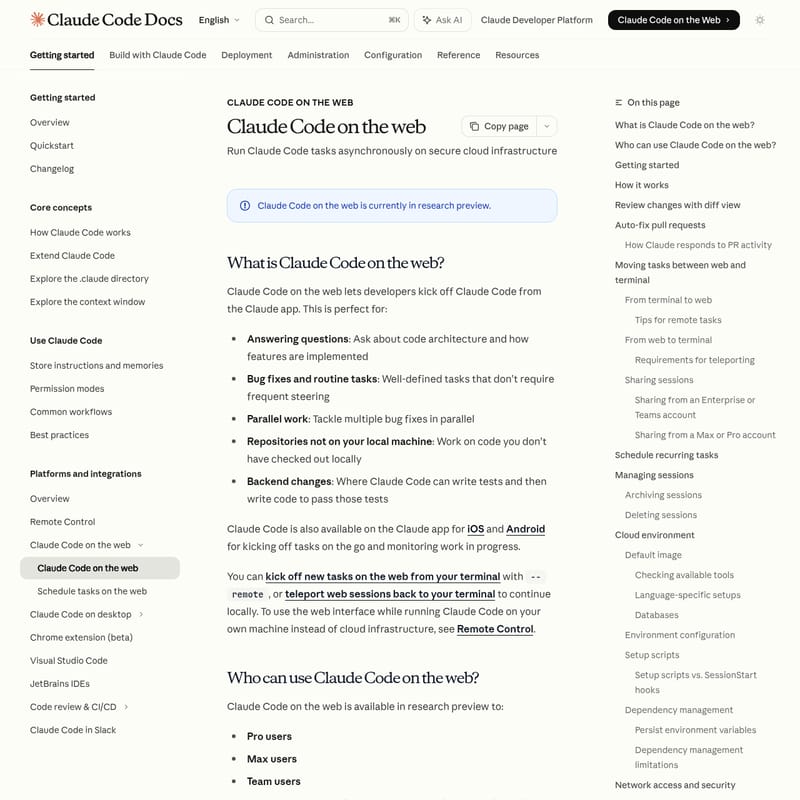
Claude Code on the web is a research preview tool that allows developers to execute coding tasks asynchronously on secure, Anthropic-managed cloud infrastructure. Integrated directly with the Claude app, it enables users to clone GitHub repositories, automate bug fixes, and manage pull requests without needing local environment setups. It supports parallel task execution, allowing developers to handle multiple issues simultaneously. With features like diff view for code reviews, auto-fixing CI failures, and the ability to 'teleport' sessions between the web and a local terminal, it bridges the gap between autonomous cloud execution and local development. It is available for Pro, Max, Team, and Enterprise users, providing a robust, isolated environment with pre-installed toolchains for major programming languages.
2026-03-29
132500.0K
Claude Code auto-fix Product Information
Claude Code on the Web: Advanced Cloud-Based Autonomous Coding
Claude Code on the web is a powerful research preview that allows developers to initiate and manage coding tasks directly from the Claude app. By leveraging secure cloud infrastructure, Claude Code on the web enables asynchronous execution of complex development tasks, such as bug fixes, architecture analysis, and automated testing, all without requiring the code to be checked out on a local machine.
What is Claude Code on the Web?
Claude Code on the web is an extension of the Claude Code ecosystem that runs on Anthropic-managed virtual machines. It is designed to act as an autonomous agent that can clone your GitHub repositories, set up a secure development environment, and execute tasks based on your natural language instructions.
Whether you are answering questions about a codebase, performing parallel bug fixes, or handling backend changes that require rigorous testing, Claude Code on the web provides a scalable solution. It is accessible via the web interface, as well as the Claude mobile apps for iOS and Android, ensuring you can monitor and steer development progress from anywhere.
Features
Cloud-Based Execution
Claude Code on the web operates within an isolated virtual machine. This environment includes a universal image pre-installed with popular programming languages, build tools, and package managers, ensuring a consistent setup for every task.
Interactive Diff View
Before committing any changes, you can use the built-in diff view. This feature allows you to:
- Review changes file by file with line-level detail (+/- indicators).
- Comment on specific lines to request modifications.
- Iterate with Claude until the code is production-ready.
Auto-Fix Pull Requests
Claude Code on the web can actively monitor GitHub activity. If a CI/CD check fails or a reviewer leaves a comment, Claude can automatically investigate and push fixes, significantly reducing the manual effort involved in the code review cycle.
Seamless Terminal Integration (Teleporting)
You can move tasks between the cloud and your local machine. Use the --remote flag to send a task to the web, or use /teleport to pull a web session back into your local terminal to continue working exactly where Claude left off.
Secure Networking and Proxies
All outbound traffic and GitHub interactions are routed through secure proxies. This ensures that sensitive credentials never enter the sandbox and that all network activity adheres to defined security policies.
Use Cases
- Parallel Development: Kick off multiple bug fixes across different repositories simultaneously using separate web sessions.
- On-the-Go Monitoring: Start a complex refactoring task from your desk and monitor its progress via the Claude mobile app while away.
- Remote Code Analysis: Ask deep architectural questions about repositories that are not currently cloned to your local environment.
- Automated Maintenance: Schedule recurring tasks for dependency audits, CI failure analysis, or daily PR reviews.
How to Use Claude Code on the Web
Getting started with Claude Code on the web is straightforward:
- Access: Visit claude.ai/code.
- Authentication: Connect your GitHub account and install the Claude GitHub App in the desired repositories.
- Environment Setup: Select your default environment (e.g., configuring network access levels or environment variables).
- Task Submission: Provide a prompt for your coding task. For example: "Fix the authentication bug in src/auth/login.ts".
- Review and Iterate: Use the diff view to inspect changes and provide feedback.
- Deployment: Once satisfied, Claude can create a pull request or push the branch directly to GitHub.
Moving from Terminal to Web
To start a remote session from your local command line, use:
claude --remote "Your task description here"
Moving from Web to Terminal
To bring a cloud session to your local machine, run:
claude --teleport <session-id>
FAQ
Q: Who can access Claude Code on the web? A: It is available to Pro, Max, Team, and Enterprise users (specifically those with premium or Chat + Claude Code seats).
Q: Which version control platforms are supported? A: Currently, Claude Code on the web only supports repositories hosted on GitHub. GitLab and other platforms are not supported in the cloud environment at this time.
Q: Can I customize the cloud environment?
A: Yes. You can use setup scripts (Bash scripts that run as root) to install specific CLI tools or runtimes not included in the default image. You can also use SessionStart hooks within your .claude/settings.json for repository-specific configurations.
Q: Is my data secure? A: Yes. Each session runs in an isolated virtual machine. Sensitive credentials like GitHub tokens are managed via a secure proxy and are never directly exposed within the sandbox where the code is modified.
Q: How does networking work in the cloud? A: By default, network access is "Limited" to an allowlist of common domains (package managers, cloud platforms, etc.). You can change this to "No internet" or "Full internet" based on your project requirements.
Q: Are there rate limits? A: Claude Code on the web shares rate limits with your standard Claude account usage. Running multiple parallel tasks will consume your rate limits proportionally.