VSDX.ai favicon

VSDX.ai

VSDX.ai converts multimodal documents, spreadsheets, images, and audio recordings into structured, editable Visio and draw.io diagrams.

ProductivityGenerates editable multi-node diagrams…Maintains version history and…Supports importing existing VSDX files…Multimodal Source IngestionAI Visio diagram generatordocument to diagramExcel to org charteditable flowchartsnative VSDX exportswimlane diagramsmultimodal diagrammingdraw.io editor
VSDX.ai product interface screenshot
Listed on AIToolly

What Is VSDX.ai? Product Overview

What the product does and how it is positioned

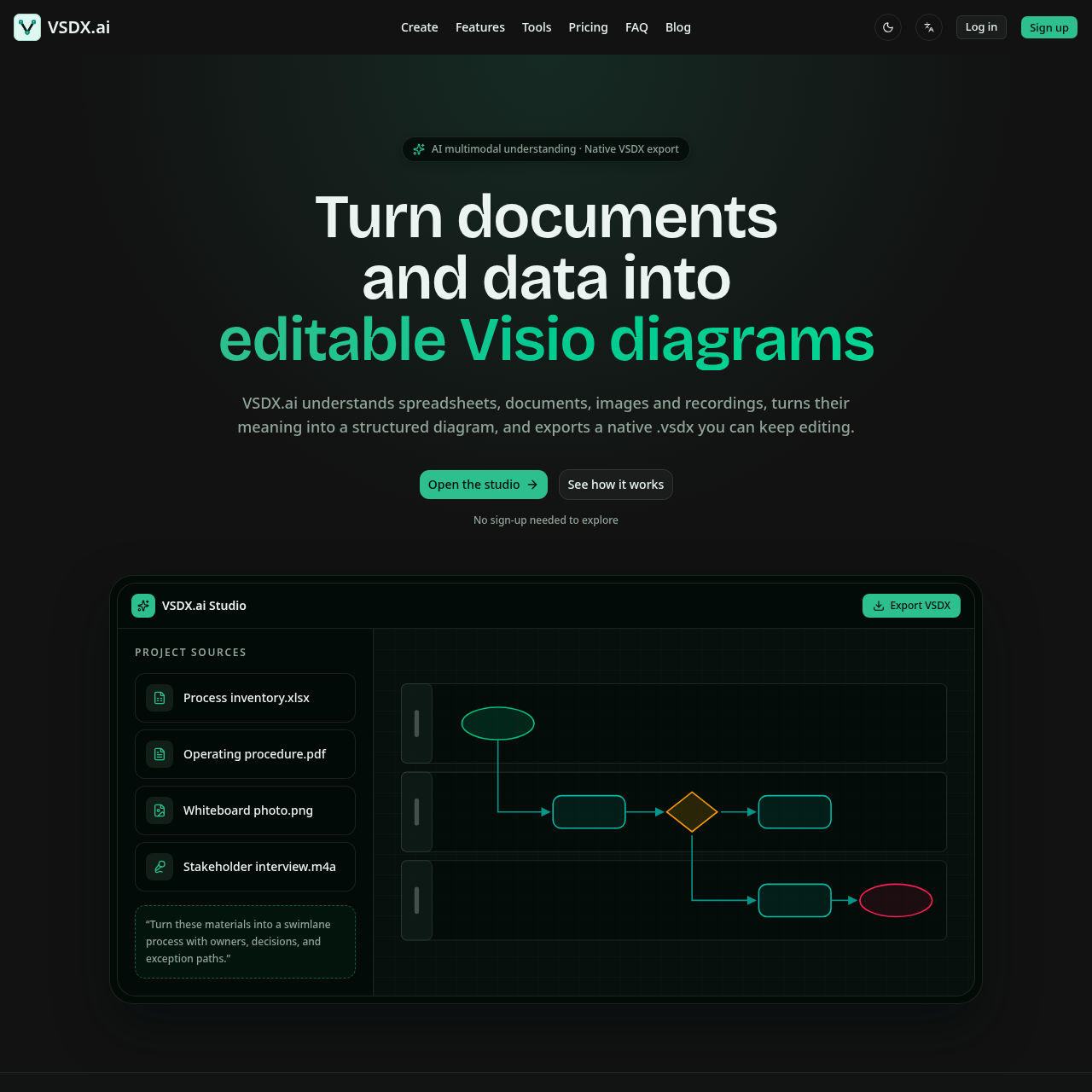
VSDX.ai is an automated diagramming solution that extracts business logic, system structures, and operational steps from diverse source formats. Users can provide text prompts, spreadsheets, PDFs, Word documents, images, or audio recordings, which the system interprets to build structured diagrams across multiple standard layout types.

Rather than outputting static graphics, the application generates editable objects within an embedded draw.io editor. Teams can refine layouts, review version history, import existing VSDX files, and export native ZIP-based Microsoft Visio or draw.io files for ongoing technical and process documentation.

What Can You Use VSDX.ai For?

Source-supported ways to use the product

Reconstructing Visual Diagrams

Convert whiteboard sketches and diagram screenshots into editable vector shapes and connected paths.

Process Extraction from Business Documents

Extract participants, decisions, and sequential steps from spreadsheets, text procedures, or interview audio into swimlane and flowchart formats.

How to Use VSDX.ai

The documented workflow, where available

  1. 1

    Add Material

    Upload business evidence across supported source formats or begin with a written request.

  2. 2

    Understand

    Extract participants, systems, operational steps, decision nodes, and structural relationships.

  3. 3

    Structure

    Generate and validate diagram structures across supported formats such as flowcharts, swimlanes, architectures, or BPMN models.

  4. 4

    Deliver

    Refine shapes on the canvas, preserve project version history, and export native VSDX or draw.io files.

Multimodal Ingestion and Native Diagram Generation

VSDX.ai accepts diverse inputs, including spreadsheets, documents, images, and audio files, to identify core diagram elements such as systems, participants, decisions, and process connections.

Diagrams are rendered directly on an embedded draw.io editing canvas as editable nodes and connectors. Users can modify layouts, cancel or retry tasks, restore previous versions, and export results as native ZIP-based Visio packages or draw.io files.

  • Supports inputs including Excel, CSV, PDF, Word, text, JSON, YAML, images, and audio recordings.
  • Generates flowcharts, swimlanes, architectures, org charts, network diagrams, ER, UML, and BPMN layouts.
  • Produces native VSDX and draw.io exports while enabling VSDX file re-import.

VSDX.ai Pricing

Human-maintained commercial information

subscriptionfree trial
  • USD 20/month

Pricing can change. Confirm the current plan and billing terms on the official site before purchasing.

What to Test Before Choosing VSDX.ai

Checks to run with your own material and workflow

  • Verify that uploaded documents, spreadsheets, or audio files correctly map their entities and decision logic into the generated diagram.
  • Confirm that exported VSDX files open cleanly with fully editable shapes and connectors in Microsoft Visio.
  • Check whether the embedded draw.io editing canvas and version restoration meet team workflow requirements.

VSDX.ai Sources and Last Checked

What was checked and when

Official source
https://vsdx.ai/
Last checked
Category
Productivity

VSDX.ai Frequently Asked Questions

Answers based on the source-checked product record

What diagram types can VSDX.ai generate?

VSDX.ai supports flowcharts, swimlanes, architecture diagrams, organizational charts, network diagrams, entity-relationship diagrams, UML diagrams, and BPMN diagrams.

What file formats can be uploaded as source material?

Supported inputs include Excel, CSV, PDF, Word, plain text, JSON, YAML, image files such as screenshots and whiteboard photos, and audio recordings.

Is the exported Visio file fully editable?

Yes, the export produces a native ZIP-based Microsoft Visio package containing editable shapes and connectors rather than a static image.

Can diagrams be edited directly within the tool before exporting?

Yes, users can refine and edit diagrams directly in the embedded draw.io canvas, retry failed jobs, cancel active operations, and restore previous versions.

Does VSDX.ai support importing existing Microsoft Visio files?

Yes, existing VSDX files can be imported into the workspace for editing alongside draw.io conversion tools.

Explore other recently added tools in the same category.