Unabyss
UNABYSS: The Universal Context Layer for AI Agents, Providing Structured, Self-Updating, and Secure Data Integration via MCP.
UNABYSS is a sophisticated context headquarter designed to eliminate context chaos by organizing fragmented data into a universal context layer. It serves as a self-updating, user-owned, and encrypted platform that connects your favorite tools—like Notion, Slack, and Gmail—with AI agents such as Claude, ChatGPT, and Cursor. By utilizing the Model Context Protocol (MCP), UNABYSS ensures that LLMs have access to up-to-date, segmented information while maintaining a robust permission layer to protect sensitive data. With features like 10x retrieval efficiency and granular item-level access, UNABYSS provides the structure and clarity needed for builders, founders, and marketers to optimize their AI workflows without the risk of context-rot.
2026-05-27
9.0K
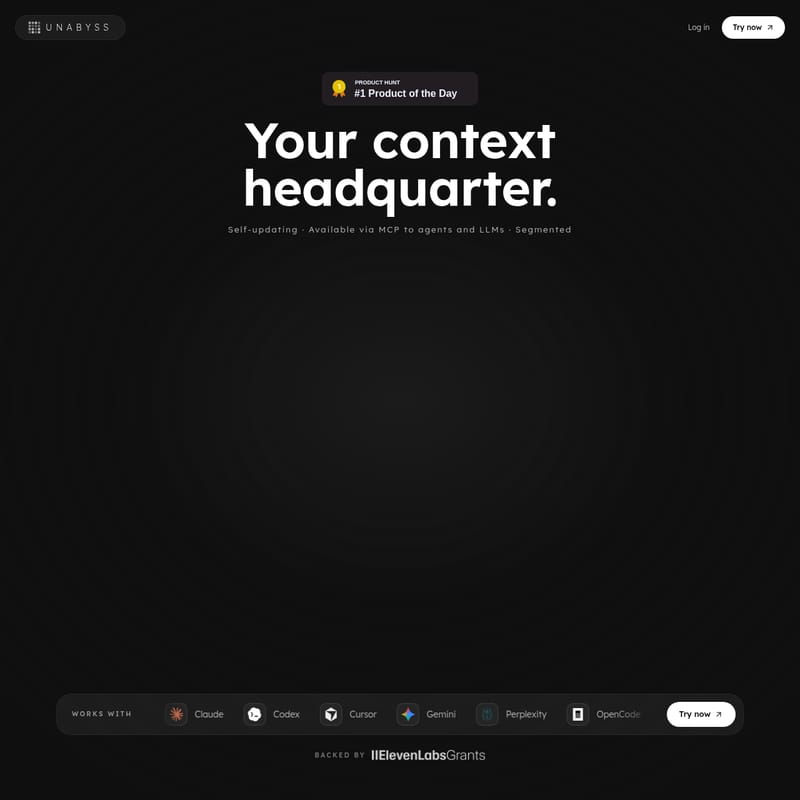
Unabyss Product Information
UNABYSS: The Universal Context Layer for AI Tools and Agents
In the modern digital landscape, information is often scattered across dozens of platforms, leading to what many professionals call "context chaos." Your UNABYSS serves as the definitive context headquarter, designed to bring structure, order, and clarity to your fragmented data. As a universal context layer, UNABYSS ensures that your AI agents, Large Language Models (LLMs), and productivity tools are always in sync, providing a single source of truth for your entire digital life.
What's UNABYSS?
UNABYSS is a state-of-the-art context engineering platform that transforms raw, fragmented signals from various applications into clean, scoped context. The name itself is derived from the Latin abyssus (meaning chaos or the bottomless) and the prefix un-, representing the opposite: structure and order.
At its core, UNABYSS is a user-owned, encrypted, and segmented environment where you decide how your data is shared. It acts as a permission layer that is ready via the Model Context Protocol (MCP), making it the ultimate tool for anyone looking to optimize how their AI agents interact with their personal and professional information. Unlike traditional systems where context is invisible to agents or lost between tools, UNABYSS keeps your context self-updating and available across every app you use.
Key Features of UNABYSS
UNABYSS is built on a high-performance engine that utilizes three distinct layers of context engineering to segment, compress, and gate information.
1. Context Segmentation
Every piece of incoming data is automatically tagged across multiple axes including topic, confidence, sensitivity, and source app. This allows UNABYSS to distinguish between personal items and company interests. Whether it is a lease renewal PDF or a Slack design sync, retrieval can target any specific slice of your data. This ensures that only the relevant bucket of information is surfaced for a specific query, rather than your entire history.
2. High Retrieval Efficiency
Traditional Retrieval-Augmented Generation (RAG) often dumps massive chunks of loosely matched data into a prompt, which is both expensive and inefficient. UNABYSS scores and extracts only the specific lines that actually answer the question. This results in up-to-date context with up to 10× fewer tokens, making your AI interactions faster, cheaper, and significantly more accurate by reducing context-rot.
3. Robust Permission Layer
Privacy is a cornerstone of the UNABYSS philosophy. The platform provides four toggleable scopes that the assistant respects during every retrieval:
- No restriction: Full access to the context.
- Exclude private information: Personal items stay yours.
- Exclude company confidential: Hides work-restricted notes.
- Exclude an entire source app: Allows you to omit specific integrations entirely. Filters are applied at the time of retrieval, ensuring that blocked context never reaches the model.
4. Ready via MCP
UNABYSS is built to work everywhere via the Model Context Protocol (MCP). With a single install command, you can enjoy instant, up-to-date context inside every agent you use, from coding assistants to research tools.
How to Use UNABYSS
Setting up UNABYSS is a simple process designed to get your AI working correctly in just a few clicks.
Step 1: Connect Sources Once
You can connect from hundreds of integrations including Notion, Slack, Gmail, Google Drive, and more. UNABYSS will extract the data, segment it, and prepare it for retrieval. If you need a token for an MCP host, you can generate one instantly within the dashboard.
Step 2: Plug the Agent
Plug tools like Claude Code, OpenClaw, Perplexity, or Cursor via MCP. This ensures your chosen agent always has access to the most recent context from your connected sources.
Step 3: Choose Access Level
You have granular control over what the AI can see. You can set permissions on an item-level, topical level, or confidence level. Once configured, you can forget about it—your context will remain up-to-date in every agent and LLM automatically.
Use Cases: Who is UNABYSS Built For?
UNABYSS provides tailored value for various professional roles:
For Builders and Vibe Coders
Whether you are using Cursor, Claude Code, Codex, or GitHub, UNABYSS keeps your context in sync. Every coding agent picks up exactly where the last one left off, eliminating the need to re-explain project goals or architectural decisions.
For Founders
Founders can connect Notion, Slack, and Drive to ensure that every AI interaction sounds like the company. Whether you are drafting an investor update or a roadmap, the AI has access to the latest revenue figures, active user counts, and runway data.
For Angel Investors
Investors can use UNABYSS to triage cold inbounds and track startups from seed decks to YC founder intros. It helps you remember every founder you have met and saves promising leads to your shortlist automatically.
For Marketers and GTM Engineers
Marketers can generate on-brand copy from the first draft by providing the AI with access to LinkedIn stats, email performance, and webinar data. GTM engineers can plug context into outbound workflows, ensuring tailored offers are based on specific call notes and pricing matches the prospect's stack size.
Extensive Integration Ecosystem
UNABYSS integrates with the apps you use daily, including:
- AI Agents: Claude, ChatGPT, Gemini, Perplexity, OpenClaw.
- Development: VS Code, Cursor, Codex, GitHub.
- Productivity: Notion, Obsidian, Google Drive, Google Calendar, OneNote.
- Communication: Slack, Gmail, X / Twitter, LinkedIn.
- Meetings: Fathom, Fireflies, tl;dv, Granola.
Pricing
UNABYSS allows you to start for free and pay only when you are ready. There are no complicated tiers; every feature and integration is available from the start.
- $5 in credits on signup: No credit card or sales call required.
- Pay-as-you-go: After your credits are used, you only pay for what you use.
- Cancel anytime: You keep your data and can stop at any time.
FAQ
Q: How does UNABYSS handle private data? A: UNABYSS uses a multi-layered permission system. You can exclude private information or company confidential data with a simple toggle. These filters ensure that sensitive information never reaches the LLM.
Q: What is MCP and how do I install it?
A: MCP stands for Model Context Protocol. You can install UNABYSS via MCP using the following command:
$ claude mcp add --transport http unabyss https://mcp.unabyss.com/
Q: Does UNABYSS prevent context rot? A: Yes. Because UNABYSS is self-updating and uses advanced retrieval scoring to extract only relevant lines, it prevents the model from being flooded with outdated or irrelevant .md files.
Q: Can I use UNABYSS with my existing coding tools? A: Absolutely. It is designed to work seamlessly with Cursor, VS Code, and Claude Code, keeping your project context synchronized across all platforms.