Thumbfa.st
Thumbfa.st: The AI YouTube Thumbnail Generator for Consistent Branding and Professional Styles
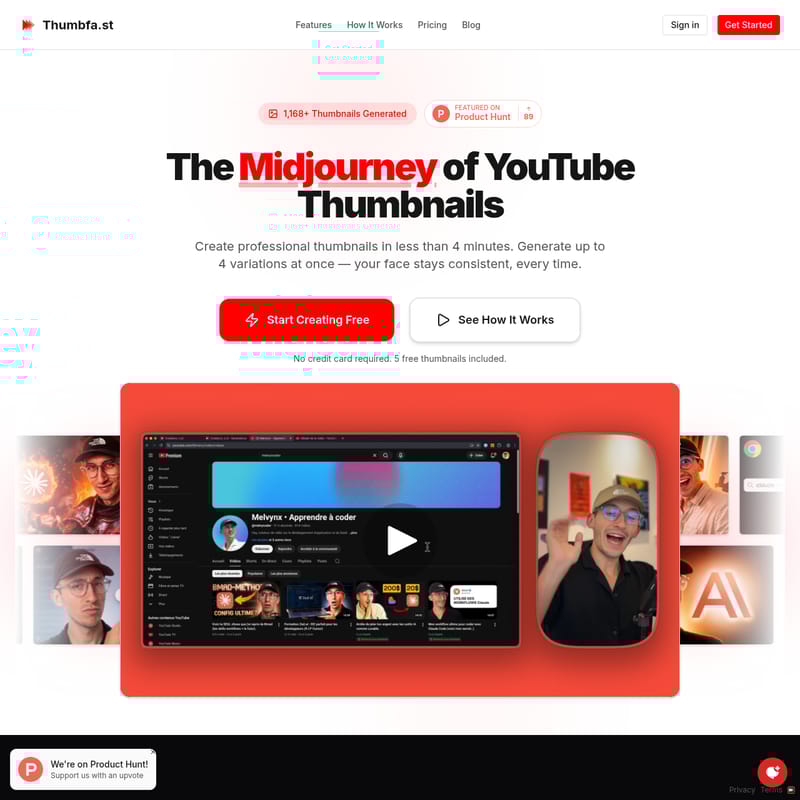
Thumbfa.st is a specialized AI design tool built specifically for YouTube creators. Known as the Midjourney of YouTube thumbnails, it allows users to create professional, high-converting thumbnails in under four minutes. Its standout features include consistent face modeling, where users can upload their photo once to maintain their exact likeness across all designs, and 'Infinite Steal Mode,' which extracts styles and compositions from any existing YouTube URL. With over 1,168 thumbnails generated and a featured status on Product Hunt, Thumbfa.st eliminates the need for complex design software like Canva. Creators can generate up to four variations at once, perform A/B testing, and bypass AI policy restrictions using built-in pixelation tools. Thumbfa.st helps creators transition from spending hours on design to publishing viral content in seconds, offering a free tier alongside Pro and Ultra subscriptions.
2026-01-27
--K
Thumbfa.st Product Information
Create Viral YouTube Content with Thumbfa.st AI
In the competitive world of content creation, your thumbnail is the single most important factor between 100 views and 100,000 views. Thumbfa.st is the revolutionary AI thumbnail designer built to help YouTube creators produce professional, eye-catching thumbnails in less than four minutes. Often described as "The Midjourney of YouTube Thumbnails," Thumbfa.st solves the most common struggles of design, consistency, and originality for creators of all sizes.
What's Thumbfa.st?
Thumbfa.st is a specialized AI-powered platform designed specifically for YouTube creators who want professional thumbnails without the steep learning curve of graphic design software. Unlike generic AI image generators, Thumbfa.st focuses on the unique requirements of the YouTube platform, such as brand recognition and high click-through rates. Whether you are tired of losing hours to Canva or struggling to keep your face looking consistent across your channel, Thumbfa.st provides a streamlined, AI-driven workflow that turns vision into high-quality PNG downloads ready for YouTube Studio.
Features of Thumbfa.st
Thumbfa.st offers a robust suite of tools tailored to maximize creative efficiency and visual impact:
- Your Face, Every Time: Maintain your brand recognition by uploading your photo once. Thumbfa.st ensures your exact likeness is preserved in every generated thumbnail.
- Infinite Steal Mode (Style Extraction): See a thumbnail style you love on YouTube? Simply paste the URL, and Thumbfa.st captures the style, colors, composition, and vibe to recreate it with your face and message.
- Multi-Variation Generation: Generate 1 to 4 thumbnail variations with a single click. This allows you to A/B test different options and select the most compelling visual before you publish.
- Bypass AI Restrictions: Using the built-in pixelate tool, creators can bypass AI policy blocks. If the AI refuses a generation, simply pixelate sensitive areas or faces to fix the problem and regenerate.
- Version History: Every thumbnail created is saved automatically, allowing you to scroll through your history, compare iterations, and never lose a good idea.
- Optimized Resolution: All outputs are generated at the exact YouTube resolution of 1280x720 in high-quality PNG format.
How It Works
Creating a professional thumbnail with Thumbfa.st is a simple three-step process designed to take you from 60 minutes of manual design to 60 seconds of AI generation.
Step 01: Set Up Your Creative Assets
Start by uploading photos to create a "Person" profile. You can also paste YouTube URLs into your Inspiration library to save the styles you admire. These assets stay in your account for forever use.
Step 02: Describe Your Vision
Write a simple text prompt describing the scene you want. Select your Person profile, choose an Inspiration style reference, and decide how many variations (1-4) you wish to generate.
Step 03: Generate and Download
Click generate and watch the AI work. Within seconds, you can preview the variations, download your favorite as a PNG, and upload it directly to your YouTube video.
Use Cases for Thumbfa.st
Thumbfa.st is ideal for various scenarios in a creator's journey:
- Consistent Branding: Use the Person profile feature to ensure that your face looks identical in every video, building faster recognition with your subscribers.
- Competitor Research Implementation: Use the Inspiration feature to ethically "steal" the composition and vibe of trending videos in your niche while keeping your unique content front and center.
- A/B Testing: Generate multiple versions of a thumbnail to see which lighting, text placement, or expression works best for your target audience.
- Scaling Content Production: If you publish multiple videos a week, Thumbfa.st cuts design time by 90%, allowing you to focus on editing and filming.
Pricing Plans
Thumbfa.st offers flexible options for every type of creator:
- Free Plan ($0/mo): Includes 5 credits per month, 10 inspirations, 2 person profiles, and up to 2 thumbnails at once using the Gemini model.
- Pro Plan ($19/mo): Includes 100 credits per month, unlimited inspirations and persons, up to 4 thumbnails at once, priority support, and access to both Gemini and OpenAI models.
- Ultra Plan ($49/mo): Designed for power users with 300 credits per month and all Pro features included.
- Power User (Lifetime Access - $199): A one-time payment for lifetime access where you bring your own API keys for unlimited generation without monthly fees.
FAQ
What is Thumbfa.st? It is an AI-powered designer specifically for YouTube thumbnails that allows for face consistency and style copying.
How does the AI generation work? It uses advanced models like Gemini and OpenAI to interpret your text prompts and combine them with your saved person profiles and style inspirations.
What are Person profiles? These are saved creative assets that store your likeness, ensuring the AI generates the same face in every thumbnail without you needing to re-upload photos.
How does the Inspiration feature work? You paste a YouTube URL, and the AI analyzes the visual elements so you can apply that same "vibe" to your own thumbnail.
What image format do thumbnails come in? All thumbnails are exported as high-quality PNG files at 1280x720 resolution, ready for immediate upload to YouTube.