SaveFBS
SaveFBS: The Best Free Online Facebook Video Downloader for HD, Reels, and MP3 Downloads
SaveFBS is a premier, 100% free online Facebook video downloader designed to help users save high-quality content from Facebook, Instagram, and TikTok. Whether you need to download Facebook Reels, Facebook Story videos, or convert Facebook to MP3, SaveFBS provides a seamless, secure, and fast solution. The platform supports various formats including SD, Full HD 1080p, and MP4 without requiring any software installation or account registration. Optimized for all devices including PC, Mac, Android, and iOS, SaveFBS ensures a private downloading experience by not recording user data. It is the ideal tool for content creators, educators, and cross-platform sharers who need watermark-free videos for offline viewing or professional use. Simply copy the Facebook video link, paste it into the search box, and download your favorite media in seconds.
2026-01-09
--K
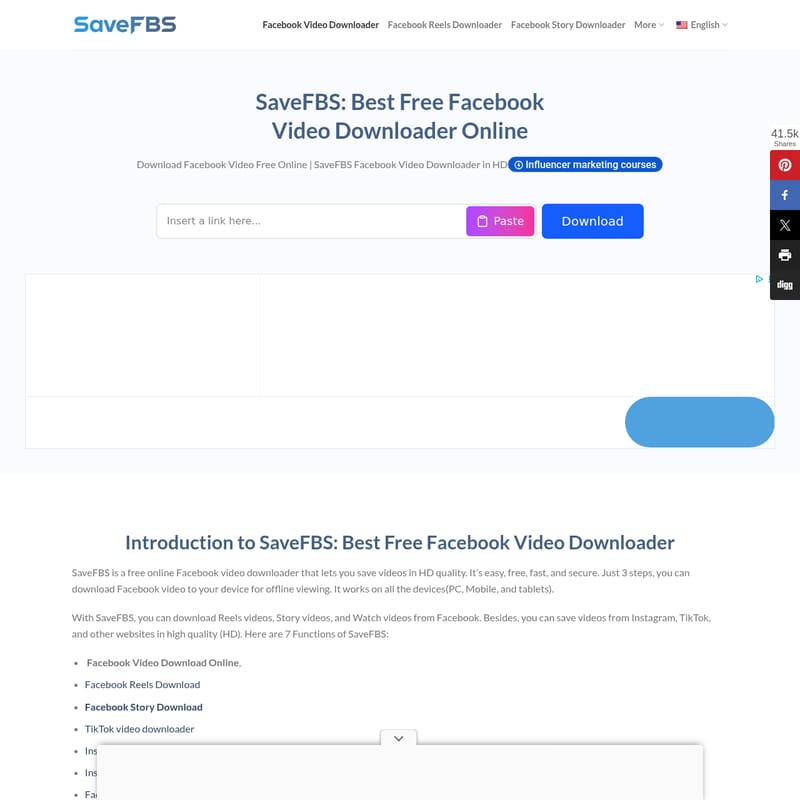
SaveFBS Product Information
SaveFBS: The Ultimate Free Online Facebook Video Downloader
In the modern digital landscape, Facebook remains a primary hub for viral content, educational clips, and engaging stories. However, the platform's closed ecosystem doesn't provide a native way to save these videos directly to your device. SaveFBS is the premier Facebook video downloader designed to bridge this gap. As a high-performance, free online Facebook video downloader, it allows users to save their favorite content in HD quality for offline viewing, editing, or sharing.
What's SaveFBS?
SaveFBS is a comprehensive, web-browser based tool that serves as a Facebook video downloader, Facebook Reels downloader, and Facebook Story downloader. It is a 100% free service that requires no account registration or software installation. Whether you are looking to download Facebook video content from public posts, private groups, or live streams, SaveFBS provides a secure and fast environment to do so. Beyond Facebook, this versatile tool also functions as a TikTok video downloader and Instagram Reels downloader, making it an all-in-one solution for social media enthusiasts.
Features of SaveFBS
SaveFBS stands out as the best Facebook video downloader due to its robust feature set designed for speed and quality:
- High-Quality Downloads: Supports download Facebook video files in SD, HD, and Full HD 1080p resolutions with sound.
- Multiple Format Support: Users can choose to save files as watermark-free video (MP4) or use the Facebook to MP3 converter feature to extract audio.
- Universal Compatibility: Works seamlessly on all devices, including Desktop (PC/Mac), Android, and iPhone/iPad via any web-browser.
- Secure & Anonymous: No data collection or download history recording ensures a private experience. No malware, no hidden costs.
- Multi-Platform Functionality: In addition to being a Facebook video downloader, it supports Instagram and TikTok downloads.
- Fast Processing: Retrieve your download links and save your video within 5 seconds.
Use Case Scenarios
Many different types of users rely on a reliable Facebook video downloader to enhance their digital workflows:
Content Creators
Creators often need a watermark-free video for reposting or editing. SaveFBS allows them to get high-definition files to repurpose for other platforms like YouTube or Twitter without the quality loss associated with screen recording.
Cross-platform Sharers
To share a video in WhatsApp or Telegram groups without forcing users to log in to Facebook, you can download Facebook video files directly and send the actual MP4 file.
Educators and Professionals
For classroom teaching or professional presentations, relying on an active internet connection can be risky. Using a Facebook video downloader ensures you have an offline file ready for a smooth, buffering-free demo.
Data-conscious and Offline Users
In areas with poor connectivity, users can download Facebook video content while on Wi-Fi to enjoy offline video viewing anytime, anywhere.
How to Use SaveFBS to Download Facebook Video
Using the SaveFBS Facebook video downloader is a simple three-step process:
- Step 1 — Find the Facebook Video URL: Open Facebook, find the video you want, and copy the video link or URL from the share button.
- Step 2 — Visit SaveFBS and Paste the URL: Open your web-browser, navigate to savefbs.com, and paste the link into the search box.
- Step 3 — Download Facebook Video: Press the download button. Choose your preferred quality (SD, HD, or MP3) and click download to save the file to your device.
Instructions for Different Devices
- Desktop (PC/Mac): Copy link > Paste in box > Choose quality and save.
- Android: Tap "Share" in the Facebook App > Copy link > Paste in mobile browser > Save to gallery.
- iPhone/iPad: Tap "Share" > Copy link > Open Safari > Visit SaveFBS and paste > Use Safari's download manager to save to photos.
FAQ
Is SaveFBS truly free? Yes, SaveFBS is 100% free with no hidden fees or registration requirements.
Do I need to install any software? No, SaveFBS is a web-based Facebook video downloader that works directly in your browser.
Can I download Facebook Reels and Stories? Yes, the tool fully supports Facebook Reels downloader and Facebook Story downloader functions.
Does SaveFBS support private Facebook video? Yes, SaveFBS is capable of downloading videos from private groups and closed profiles.
Where are my FB videos saved? Videos are typically saved in the "Downloads" folder on your PC or the gallery/photos app on mobile devices.
Can I convert Facebook to MP3? Absolutely. SaveFBS provides an option to download the audio-only version of any Facebook video in MP3 format.
Note: SaveFBS is not affiliated with Facebook or Meta. Please respect copyrights when using this Facebook video downloader and only download content for personal, non-infringing use.