remove bg video
RemoveBGVideo: The AI-Powered Tool to Remove BG Video and Backgrounds Instantly Without Green Screens
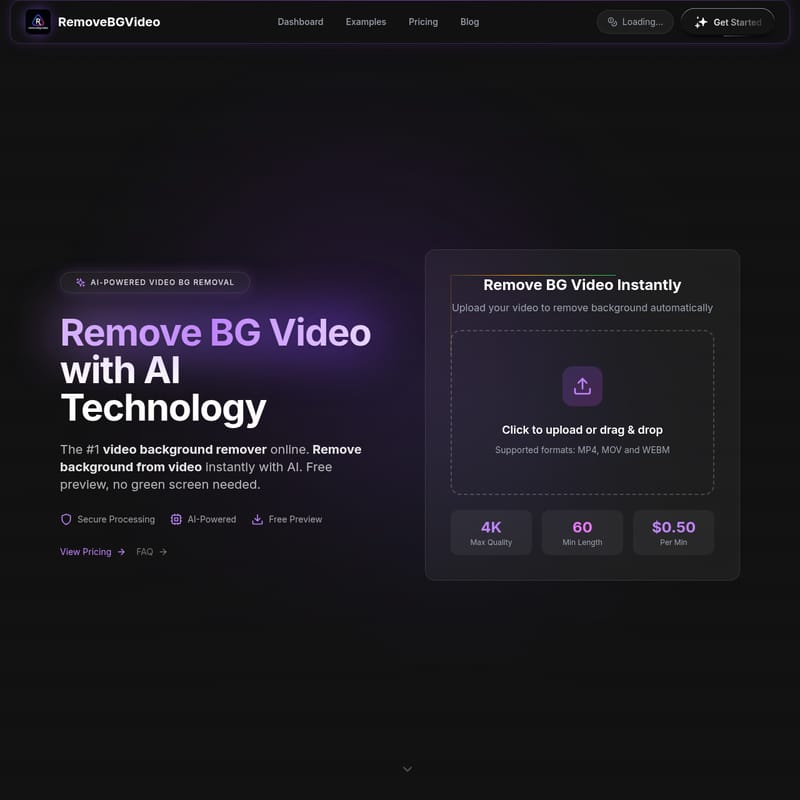
RemoveBGVideo is the leading AI-powered video background remover designed to eliminate backgrounds from video footage instantly. Utilizing advanced GPU-accelerated technology, this tool allows creators to remove bg video automatically without the need for traditional green screens. Supporting up to 4K resolution and lengths of 60 minutes, it provides professional-grade results for influencers, businesses, and content creators. With the 2025 shutdown of Unscreen, RemoveBGVideo has emerged as the premier alternative, offering flexible pay-as-you-go pricing starting at just $0.50 per minute. The platform supports diverse formats including MP4, MOV, and WebM, and offers exports like transparent WebM, ProRes with Alpha, and PNG sequences. Whether you are looking to change video backgrounds to custom images or export clean transparent animations, RemoveBGVideo delivers high-quality, secure processing online. Users can start with a free preview to verify results before purchasing credits, ensuring a 100% satisfaction guarantee.
2026-04-02
2.9K
remove bg video Product Information
Remove BG Video Instantly with AI-Powered Technology
In the modern digital landscape, the ability to remove bg video elements with precision is essential for professional content creation. RemoveBGVideo stands as the #1 video background remover online, leveraging cutting-edge AI technology to help users remove background from video footage instantly. Unlike traditional methods, our platform requires no green screen, allowing you to transform any video into a professional masterpiece with just a few clicks.
What's RemoveBGVideo?
RemoveBGVideo is a specialized online tool designed to remove bg video backgrounds using sophisticated artificial intelligence. It serves as a high-performance alternative to general design tools and recently discontinued services like Unscreen. By focusing specifically on video background removal, the platform offers GPU-accelerated processing that handles complex subjects—including people, pets, and products—with extreme accuracy.
Whether you are a YouTuber, a TikTok creator, or a corporate professional, this tool allows you to remove video background layers and replace them with solid colors, custom images, or maintain a transparent alpha channel. It is a 100% online solution that works directly in your browser, supporting high-quality outputs up to 4K resolution.
Key Features of the Video Background Remover
1. Advanced AI-Powered Background Removal
Our advanced AI automatically detects the subject in your footage. You can remove bg video components without manually masking frames or setting up expensive lighting. The AI handles hair, moving edges, and intricate details that standard tools often miss.
2. High-Quality 4K Support
Quality matters. Unlike other platforms that limit exports to 1080p, RemoveBGVideo supports 4K Max Quality. This ensures that when you remove bg video backgrounds, the remaining subject stays sharp and professional.
3. Extensive Format Support
The tool is compatible with major video formats including MP4, MOV, and WEBM. For professionals needing advanced post-production files, you can export in:
- Transparent WebM
- ProRes with Alpha (MOV)
- PNG Sequences
- GIF and WebP
4. GPU-Accelerated Processing
Speed is a priority. Our lightning-fast pipeline allows you to remove bg video in minutes, not hours. Most videos are processed in under 5 minutes, ensuring your workflow remains uninterrupted.
5. Flexible Customization
After you remove background from video, you have the power to:
- Keep the background transparent.
- Change video background to a solid color.
- Upload and apply custom background images.
Use Cases for RemoveBGVideo
"The ability to remove bg video has transformed how we produce content, saving thousands in studio costs and hours in manual editing."
- Influencer Content: Create clean, professional-looking videos even if you shoot in a messy room or a cluttered environment.
- Product Marketing: Perfect for jewelry and nail design videos where a clean, distracting-free background is necessary to highlight the product.
- Personal Branding: Enhance your professional presence by placing yourself in virtual studios or branded spaces.
- Content Creators: Easily generate AI-generated spaceships or sci-fi scenes by removing original backgrounds and overlaying transparent subjects.
- Corporate Communication: Standardize CEO announcements and training videos by applying consistent branded backgrounds across all footage.
How to Use RemoveBGVideo
Removing your video background is a straightforward process that requires no technical skills:
- Upload: Click to upload or drag and drop your MP4, MOV, or WEBM file (up to 500MB and 60 minutes).
- AI Processing: The AI instantly analyzes your footage to remove bg video layers.
- Preview: View a free preview of the background removal result to ensure quality.
- Customize: Choose to keep it transparent or add a new background.
- Download: Export your final video in your preferred format and resolution.
Why We Are the Best Choice (vs. Alternatives)
With the permanent shutdown of Unscreen on December 1, 2025, creators need a reliable successor. RemoveBGVideo offers better value and more features than competitors:
- Pricing: Starting at just $0.50/min with no subscription fees. Compare this to Canva Pro which requires a $119/year commitment.
- Video Length: We support videos up to 60 minutes, whereas Canva is limited to only 90 seconds.
- Export Variety: We provide WebM, MOV, and PNG sequences, while many others are limited to MP4 only.
- No Login Required: You can try the free preview without even registering an account.
FAQ
Is the video background remover free?
We offer a free preview for all videos so you can see the results before you buy. To download the full video, we offer affordable pay-as-you-go plans starting at $0.50 per minute.
Do I need a green screen to remove background from video?
No! Our AI technology is designed to remove bg video backgrounds from any footage, regardless of the original background color or complexity.
What video formats are supported for background removal?
We currently support MP4, MOV, and WEBM formats with a file size limit of up to 500MB.
How long does it take to remove video background?
Thanks to our GPU-accelerated technology, most videos are processed in under 5 minutes. The exact time depends on the length and resolution of the file.
Can I change video background after removal?
Yes. Once the AI helps you remove bg video elements, you can choose a transparent background, a solid color, or upload your own custom image to serve as the new background.
Is there an API for video background remover?
API access is currently listed as coming soon for our Standard and Pro users, allowing for automated batch processing and integration.