GetMimic
WhatsApp Chat Mockup Generator: Create Ultra-Realistic WhatsApp Conversations with GetMimic
GetMimic is a professional WhatsApp Chat Mockup Generator designed to create realistic fake chats for storytelling, marketing, and fun. It offers 100% private, browser-based image generation for WhatsApp, Telegram, Instagram, and more, allowing users to customize messages, timestamps, and delivery statuses without Photoshop.
2026-03-10
--K
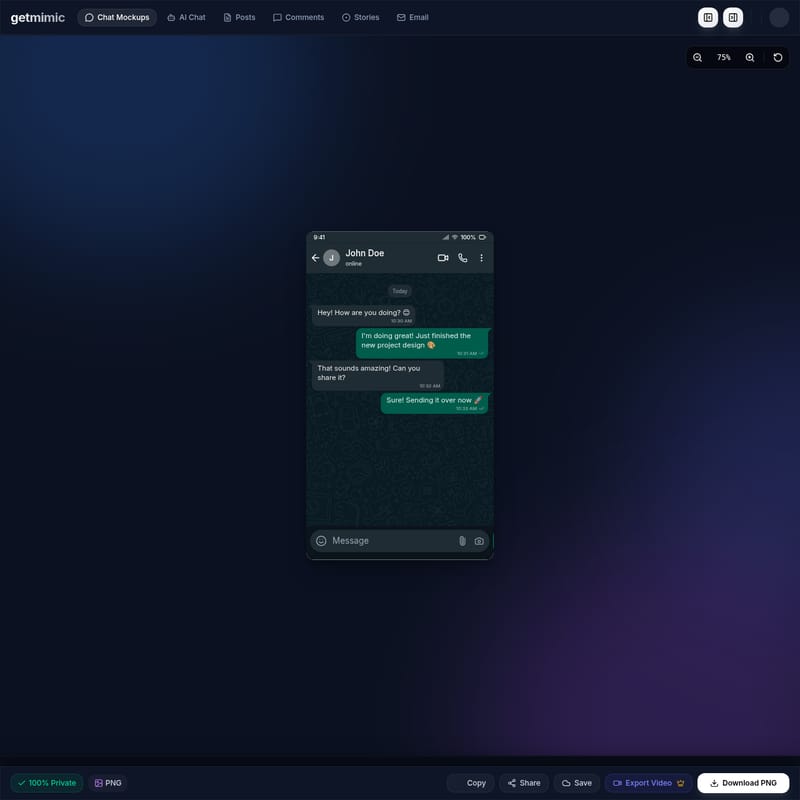
GetMimic Product Information
WhatsApp Chat Mockup Generator: The Ultimate Tool for Realistic Chat Simulations
In the digital age, visual storytelling often requires high-quality, believable chat interfaces. Whether for marketing campaigns, social media content, or creative projects, the WhatsApp Chat Mockup Generator by GetMimic provides a professional-grade solution. Stop photoshopping and start mimicking with a tool designed to produce ultra-realistic fake chats that are indistinguishable from the real application.
What's the WhatsApp Chat Mockup Generator?
The WhatsApp Chat Mockup Generator is a specialized feature within the GetMimic platform (GetMimic v1.0) that allows users to create high-fidelity chat screenshots. This tool is built for users who need to generate WhatsApp conversations for storytelling, marketing, and fun without the complexity of graphic design software.
Unlike traditional image editors, this generator functions entirely in your browser, ensuring that your data remains 100% private. It mimics the exact UI of the WhatsApp mobile interface, including battery icons, signal strength, profile pictures, and message bubbles, making it the premier choice for creators looking for authenticity.
Features of the WhatsApp Chat Mockup Generator
GetMimic offers a robust suite of features designed to provide total control over your simulated conversations. The WhatsApp Chat Mockup Generator includes:
1. Multi-Platform Support
While the WhatsApp interface is a primary focus, the tool supports a wide range of messaging platforms including:
- Telegram, Instagram DM, and Discord.
- iMessage, X / Twitter DM, and Signal.
- Slack, LinkedIn, and Messenger.
- Even niche platforms like Bumble, Tinder, TikTok, and Reddit.
2. Advanced Customization Options
The generator allows you to tweak every detail of the chat interface:
- People & Profiles: Customize names (e.g., John Doe) and statuses such as "online."
- Appearance Settings: Adjust the visual elements to match current OS designs, including 9:41 time stamps and 100% battery indicators.
- Message Types: Switch between Direct Messages and Group Chats with ease.
3. AI-Powered Editing
Leverage the AI Auto-Complete feature to streamline the creation of your dialogues. This helps in maintaining a natural flow of conversation within the WhatsApp Chat Mockup Generator.
4. Message Status Control
For ultimate realism, you can toggle the status of each message individually:
- Sent (Single grey tick)
- Delivered (Double grey ticks)
- Read (Blue ticks)
5. High-Quality Export Options
Once your mockup is complete, you can:
- Download PNG: High-resolution images ready for use.
- Export Video: Create dynamic chat reveals.
- Copy & Share: Quick actions for fast workflows.
Use Cases for WhatsApp Chat Mockups
The versatility of the WhatsApp Chat Mockup Generator makes it suitable for various professional and personal scenarios:
Marketing and Advertising
Marketers use chat mockups to showcase customer testimonials or create relatable ad copy that looks like a real conversation. It is an effective alternative to platforms like Mockly or FakeDetail for creating promotional content.
Social Media Storytelling
Influencers and content creators can build engaging narratives or "pov" (point of view) stories. By using the WhatsApp Chat Mockup Generator, you can simulate drama, humor, or informative exchanges that capture audience attention on platforms like TikTok and Instagram.
Creative Pranks and Fun
For lighthearted use, the generator is perfect for creating prank conversations to share with friends. Since the tool is free to use (with 3 free credits for new users), it is accessible for casual entertainment.
UI/UX Presentations
Designers can use the tool to demonstrate how a specific notification or message interaction might look within the WhatsApp ecosystem without having to build the assets from scratch.
How to Use the WhatsApp Chat Mockup Generator
Creating your first chat is simple and requires no technical skills. Follow these steps:
- Select Platform: Choose "WhatsApp" from the list of available messaging apps on GetMimic.
- Configure Appearance: Set the header details, including the contact name (e.g., John Doe) and their status.
- Add Messages: Navigate to the "Messages" tab. Click "Add Message" to create new bubbles.
- Assign Senders: Distinguish between "You" and the other participant to create a back-and-forth dialogue.
- Customize Content: Type your text and include emojis (e.g., 😊, 🎨, 🚀). Set the specific time for each message (e.g., 10:30 AM).
- Set Status: Choose whether the message should appear as sent, delivered, or read.
- Export: Review the live preview (displayed at 75% or 100% zoom) and click "Download PNG" to save your file.
FAQ
Is the WhatsApp Chat Mockup Generator free?
Yes, GetMimic v1.0 is free to use. New users can get 3 credits for free to start creating their mockups. Premium and Pro plans are also available for power users.
Is my data safe?
Absolutely. GetMimic is 100% private. All images are generated entirely within your browser, meaning your chat contents are never stored on a server.
Can I create group chats?
Yes, the WhatsApp Chat Mockup Generator allows you to toggle between "Direct Message" and "Group Chat" types in the settings panel.
What file formats can I download?
Users can export their creations as high-quality PNG images or as videos for social media posts.
Can I use this on a mobile device?
The tool is optimized for web browsers, allowing you to create realistic mobile screenshots of WhatsApp, Telegram, and more from your desktop or laptop.
"Stop photoshopping. Start Mimicking." — GetMimic is the professional choice for generating realistic chat conversations in seconds.