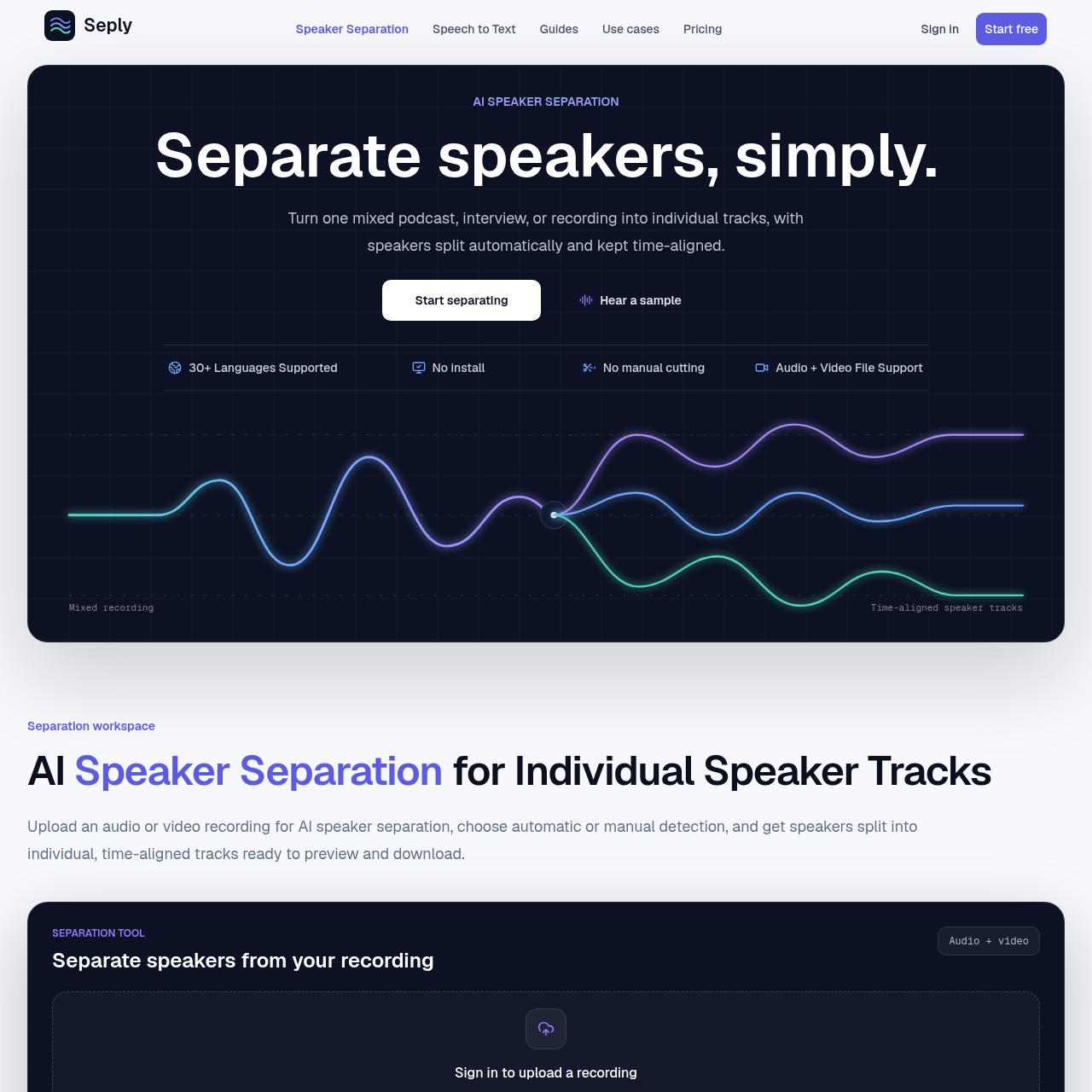
Seply Speaker Separation is an AI-powered tool that isolates individual voices from mixed audio and video recordings into separate, time-aligned tracks for editing.
AudioGenerates independent, time-aligned…Supports both audio and video file…Processes video files by extracting the…Automated Speaker Separation
What Is Seply Speaker Separation? Product Overview
What the product does and how it is positioned
Seply Speaker Separation provides a streamlined workflow for isolating voices from podcasts, interviews, and meetings. By transforming a single mixed recording into independent audio tracks, it enables users to edit, mute, or enhance each speaker individually.
The platform supports a wide range of audio and video formats, ensuring compatibility with various production environments. Users can choose between automatic speaker detection or manual input to ensure accurate separation for their specific content.
What Can You Use Seply Speaker Separation For?
Source-supported ways to use the product
Podcast and Interview Editing
Enables producers to isolate hosts and guests to adjust volume levels, remove errors, and edit each voice track independently.
Video and Content Production
Allows creators to prepare independent dialogue tracks from video files for precise placement back into an editing timeline.
How to Use Seply Speaker Separation
The documented workflow, where available
1
Upload Recording
Users upload their mixed audio or video file, such as a podcast or meeting recording, to the platform.
2
AI Separation
The AI identifies individual voices and generates time-aligned tracks for each detected speaker.
3
Preview and Download
Users listen to the isolated tracks and download them as individual WAV files for their editing workflow.
Separation Versus Diarization
While speaker diarization identifies who spoke at specific timestamps, Seply focuses on speaker separation. This process goes beyond labeling by creating distinct, usable audio files for every voice present in the recording.
Diarization provides a transcript-style log of speaker activity.
Separation provides isolated audio tracks for independent editing.
Separated tracks allow for muting or enhancing specific speakers.
Seply Speaker Separation Pricing
Human-maintained commercial information
subscriptionfreemium
USD 12/month
Pricing can change. Confirm the current plan and billing terms on the official site before purchasing.
What to Test Before Choosing Seply Speaker Separation
Checks to run with your own material and workflow
Verify that the input file format is supported and under the 1 GB upload limit.
Confirm the number of speakers in the recording to decide between automatic detection or manual input.
Answers based on the source-checked product record
What is the difference between speaker separation and diarization?+
Speaker diarization labels who spoke at specific times, whereas speaker separation creates independent audio tracks for each voice, allowing for individual editing and processing.
Can I upload video files directly to the platform?+
Yes, Seply supports various video formats including MP4, AVI, MOV, MKV, and WebM, extracting the original audio track for processing without re-encoding.
How long are my files and results stored?+
Uploaded recordings and their corresponding separated tracks are kept private and are retained on the platform for 30 days.
Does the tool support overlapping speech?+
Seply is designed to handle real conversations, including podcasts, interviews, and meetings, by organizing mixed signals into editor-ready tracks.
What happens if I need to adjust the speaker detection?+
Users can choose to let the AI detect speakers automatically or manually enter the expected number of speakers to refine the separation process.
More Audio AI tools
Explore other recently added tools in the same category.