Rewisp
Rewisp: The Private, Open-Source On-Device AI Memory for macOS 15 and Apple Silicon
Rewisp is a privacy-first AI memory application for Mac that transforms screen glimpses into text-based 'wisps.' Running locally on macOS 15 and Apple Silicon, Rewisp enables users to search screen history by meaning, track changes, and automate form filling while keeping all data securely on-device. With features like Smart Routing, MCP agent connectivity, and a secure Touch ID Vault, Rewisp offers a powerful, open-source alternative to cloud-based memory apps without sacrificing privacy.
2026-07-20
18.0K
Rewisp Product Information
Rewisp: The Private, Open-Source AI Memory for Your Mac
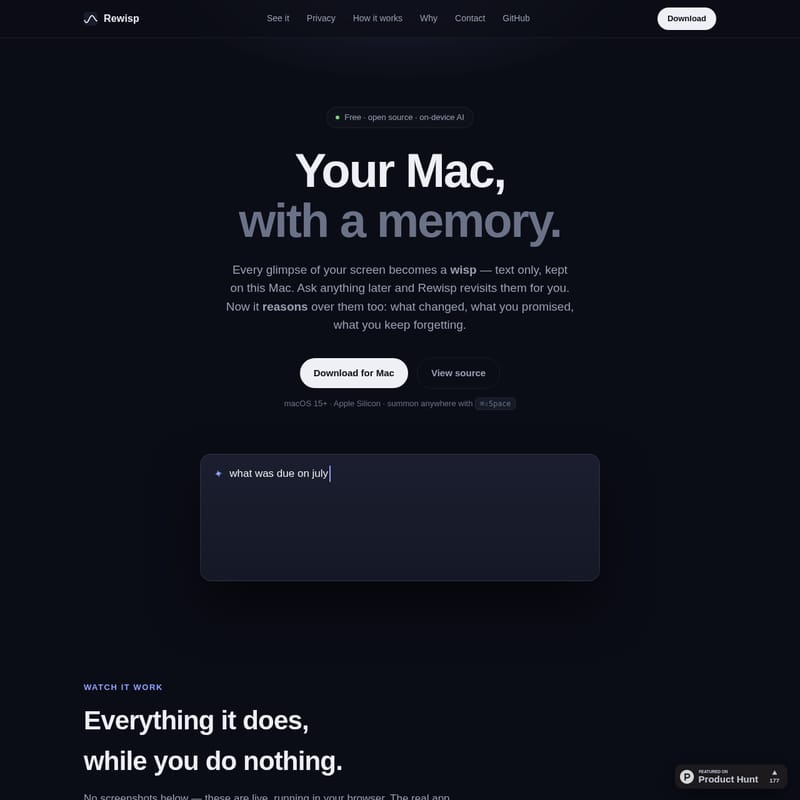
In the modern digital age, we process a staggering amount of information daily. Often, we find ourselves searching for a specific detail we saw hours ago—a number, a promise made in a chat, or a specific version of a document. Rewisp is designed to solve this problem by giving your Mac a memory. Rewisp is a free, open-source, and privacy-focused application that allows you to revisit anything you have seen on your screen by converting glimpses into text-based "wisps."
What's Rewisp?
Rewisp is a macOS application specifically built for macOS 15 and above, optimized for Apple Silicon. Unlike traditional screen recording software that saves massive video files, Rewisp captures only the text from your screen. This text is stored locally on your Mac, allowing Rewisp to reason over your history.
With Rewisp, every moment on your screen becomes a searchable "wisp." This allows the application to help you remember what changed in a document, what tasks you promised to complete, and even those small details you tend to forget. It acts as an intelligent layer over your daily workflow, providing a memory that you can query at any time using a simple keyboard shortcut: ⌘⇧Space.
Features of Rewisp
Rewisp is packed with features that leverage on-device AI to make your digital life more organized and retrievable.
Intelligent Semantic Search
Rewisp goes beyond simple keyword matching. With its "Search by Meaning" capability, you can ask for something like “that article about burnout,” and Rewisp will find the relevant page even if it only contained the word “exhaustion.” It understands the context of your queries.
Smart Routing for Model Accuracy
To provide the best possible answers, Rewisp utilizes a hierarchical model chain:
- Apple On-Device AI: Attempts to answer the query first for maximum privacy and speed.
- Gemini: A fast and free escalation if the on-device model is insufficient.
- Claude: Used for the deepest reasoning and most complex questions.
- ChatGPT: Available as part of the six-engine chain to ensure you always get a high-quality response.
Automated Form Filling and the Touch ID Vault
Rewisp includes a secure Vault locked behind Touch ID. You can store your resume, addresses, and standard answers here. When you are on a signup or checkout page, Rewisp can read the fields and autofill them from your Vault. It never stores passwords or credit card numbers, and it never submits forms without your review.
What Changed? (Version Tracking)
One of the most powerful aspects of Rewisp is its ability to track changes. Because it keeps every version of a page as clean text, it can show you exactly what was added, removed, or moved since you last viewed a page—a feat that a standard screen recorder cannot achieve.
9 PM Digest and Daily Summaries
Every night at 9 PM, Rewisp provides a quiet summary of your day. This digest includes:
- A summary of completed work.
- A list of unfinished tasks or open items.
- Facts it learned about your preferences.
Smart Reasoning and Memory
Rewisp is designed to understand your habits. It tracks your "forgetting curve," identifying things you saw once that might need rescuing before they fade, while pinning facts you look up frequently. It can even nudge you when your current task echoes something you saw in the past.
Connect Agents (MCP Support)
Rewisp allows you to give your AI agents your memory. Using any MCP (Model Context Protocol) client like Claude Desktop, Cursor, or VS Code, these agents can search your local screen history and read your promises to assist you more effectively in your coding and writing tasks.
How to Use Rewisp
Getting Started
- Download and Install: Download Rewisp for Mac (requires macOS 15+ and Apple Silicon).
- Initial Launch: On first launch, Rewisp checks your hardware and offers to install a local model that fits your Mac for offline, private reasoning.
- Set Up the Vault: Add your common details (name, email, address) to the Vault and secure it with Touch ID.
Daily Interaction
- Summon Rewisp: Use the global hotkey ⌘⇧Space to bring up the search panel anywhere.
- Ask Questions: Type queries in plain English. Rewisp will search your history and provide an answer with a source and timestamp.
- Track Time: Check the menu bar app to see exactly how many minutes were spent in different applications like Xcode, Chrome, or YouTube.
- Manage Memory: You can view the local markdown file that contains what Rewisp knows. You have full control to approve, edit, or delete any line of your memory.
Use Cases
- Recalling Promises: Ask Rewisp, "What did I promise this week?" to see a list of commitments extracted from your chats and emails.
- Monitoring Data: Track numbers over time, such as weight, grades, or prices. Rewisp can turn these repeated sightings into sparkline charts.
- Version Comparison: Use Rewisp to see the changes in an assignment or a project brief that has been updated since your last visit.
- Workflow Optimization: Use the "Time, Honestly" feature to see exactly where your time went throughout the day without having to manually start timers.
Privacy by Construction
Privacy is the core foundation of Rewisp. It is built with the philosophy that it should remember everything while sharing nothing.
- No Screenshots on Disk: Text is extracted in memory using Apple's Vision framework, and the image is discarded instantly.
- Local Storage: Everything is kept in a single SQLite file in your home folder, readable only by you.
- The Kill List: Rewisp automatically pauses capture for sensitive applications like password managers, banking sites, and private browser windows.
- Forget Button: A one-click option allows you to delete the last 10 minutes of history. All data automatically expires after six months.
FAQ
Q: Does Rewisp require a subscription? A: No. Rewisp is free and open source (MIT License). While it can connect to models like Claude or Gemini, the core on-device features and many routing options are free.
Q: What are the system requirements? A: You must have a Mac with Apple Silicon (M-series chips) running macOS 15 or later.
Q: Is my data sent to a server? A: By default, everything stays on your Mac. If you choose to use external models like Gemini or Claude for sharper answers, only the specific prompt is sent, and only when you explicitly ask.
Q: Can I see the code? A: Yes, Rewisp is open source, and the source code is available on GitHub.
Q: How does Rewisp affect my Mac's performance? A: Rewisp is a native SwiftUI app (no Electron) designed to be lightweight. It uses smart triggers to catch "wisps" only when necessary, rather than recording constantly.