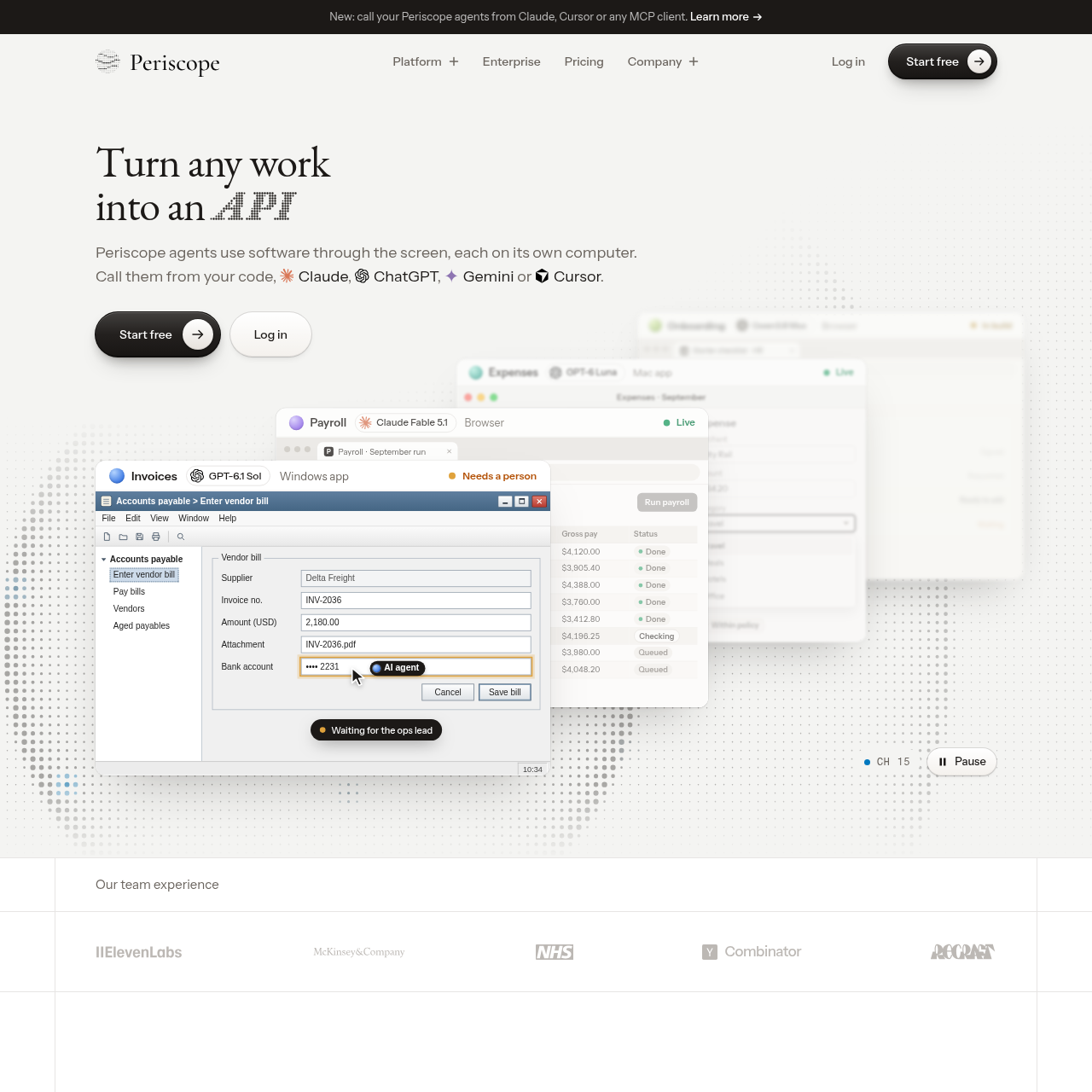
Periscope runs AI agents that operate software on dedicated desktops. Teams can invoke them through REST or MCP, and calls pause when the agent needs human input.
Organization & AutomationPerform a defined taskProvide a status linkResume a paused call after a person…Dedicated desktops
Listed on AIToolly
What Is Periscope? Product Overview
What the product does and how it is positioned
A Periscope agent handles a defined task in software a team already uses. The setup chat drafts the agent from a description of the job and the application involved.
For a REST endpoint, the team specifies the inputs and response format. The agent carries out the task on its desktop and returns the result in that format.
What Can You Use Periscope For?
Source-supported ways to use the product
Supplier bill entry
An accounts payable team can send supplier and invoice details to an agent that enters the bill in its accounting software.
Expense receipt filing
Periscope illustrates an agent checking and filing receipts in a Mac expense application.
How to Use Periscope
The documented workflow, where available
1
Describe the task
The user identifies the task and the software it involves. The setup chat drafts an agent for review.
2
Set up the desktop
Periscope gives the agent a dedicated cloud desktop. The agent asks for a login when it needs one.
3
Call the agent
The user invokes a configured endpoint with an API key or requests the task through a connected MCP client.
How REST calls run
A REST call enters the queue for the agent's desktop. The caller receives a status link and can poll it as the call moves from the queue to execution and, when human input is required, to a waiting state.
Each agent has an OpenAPI document.
A completed call returns its result in the response format configured for the endpoint.
What to Test Before Choosing Periscope
Checks to run with your own material and workflow
Confirm that the agent can complete the intended task through the target application's interface.
Verify that sequential processing on each agent's desktop fits the expected request volume.
Check which steps require human approval and how a waiting call resumes after someone responds.