Dotient
Dotient: Local AI-Powered Visual File Search and Personal Archive Management Software
Dotient is a local-first file management application that uses a quantized vision model to index personal files for natural language visual searching. Established in 2025, Dotient allows users to find images and documents by describing their appearance rather than relying on filenames. Featuring a similarity-based node graph, 'Cubbies' for organization, and 'Signal Tuning' for personalized search results, Dotient ensures complete privacy by keeping all data on the user's machine. Available for a one-time purchase of $5.
2026-06-30
--K
Dotient Product Information
Dotient: Revolutionizing File Discovery with Local AI Visual Search
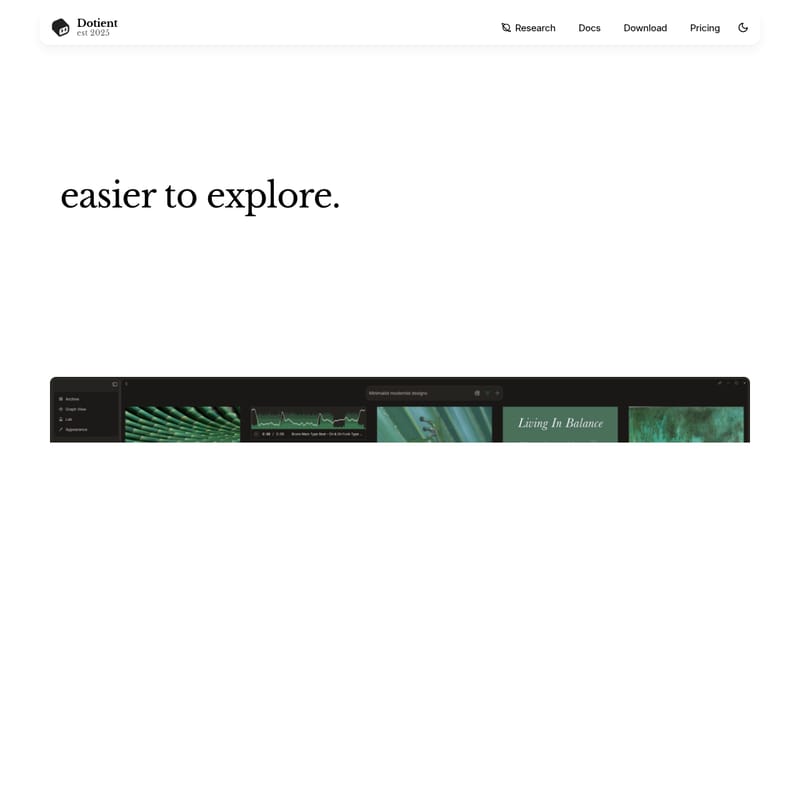
In the modern digital age, the way we store and interact with our personal files is evolving. Established in 2025, Dotient is a cutting-edge application designed to make exploring your personal archives easier than ever before. By moving away from traditional filename-based searching, Dotient introduces a sophisticated method of file discovery powered by a quantized vision model. This ensures that your files are indexed based on their visual content, allowing you to find exactly what you need by simply describing what it looks like.
What's Dotient?
Dotient is a local-first file organization and search tool that prioritizes both efficiency and privacy. At its core, Dotient utilizes a quantized vision and text model to embed your files, creating a searchable profile for every item in your archive. Unlike traditional cloud-based services, Dotient is built on a local-first philosophy. This means that your files never leave your machine; all processing, indexing, and searching happen locally on your device.
With Dotient, the frustration of guessing filenames or digging through obscure folder structures is a thing of the past. Whether you are managing thousands of professional photographs or years of personal memories, Dotient provides a seamless interface to explore your data through natural language and visual similarity.
Key Features of Dotient
Dotient is packed with innovative features designed to streamline the workflow of anyone dealing with large volumes of visual data. From advanced AI indexing to unique organizational structures, Dotient offers a comprehensive suite of tools for the modern user.
Visual Search via Natural Language
One of the standout features of Dotient is its Visual Search capability. Instead of typing in a specific filename, you can use natural language to describe what you are looking for. Because Dotient embeds your files using a quantized vision model, it understands the content of your images. Users can search for specific scenes, objects, or colors, and Dotient will retrieve the most relevant files instantly. This process is further enhanced by Signal Tuning, which allows the search engine to become even more intelligent over time.
Visualize with the Node Graph
Dotient offers a unique way to view your entire archive through a Node Graph. This feature allows you to see your files as individual nodes, with edges forming between them based on their visual similarity. The app automatically detects clusters within your data, enabling you to label groups of files and understand the relationships between different pieces of media. This high-level visualization makes Dotient a powerful tool for identifying patterns and organizing large archives intuitively.
Organize with Cubbies
For users who need structured organization, Dotient includes a feature called Cubbies. You can group related files into Cubbies to keep your archive organized in a way that makes sense to you. Beyond simple grouping, Cubbies allow you to:
- Annotate your files.
- Create moodboards.
- Maintain to-do lists within specific collections.
- Organize inspiration dumps and design thoughts.
Signal Tuning in the Lab
Dotient prioritizes user customization through the 'Lab' page. Signal Tuning is a powerful feature that allows users to create "signals" to fine-tune search results. If a specific file doesn't appear in a search where you expect it, you can select the file, provide a label, and Dotient will adjust its output to detect more images like it. This ensures that the more you use Dotient, the more aligned it becomes with your personal search preferences.
How to Use Dotient
Getting started with Dotient is a simple three-step process designed to get your archive indexed and searchable in minutes.
Step I: Import Your Files
The first step is to bring your data into the Dotient ecosystem. Simply drop any file into the application. Because Dotient is local-first, your files stay on your device throughout this process, ensuring maximum security and privacy.
Step II: AI Indexes Everything
Once your files are imported, Dotient's quantized vision and text model goes to work. The system embeds your files and creates searchable profiles. This automated indexing phase transforms your raw files into an intelligent, searchable database without requiring manual tagging or metadata entry.
Step III: Search Your Archive
After a few minutes of processing, your archive is ready. You can begin searching for any of your imported files based on what they look like. Type a description, use a signal, or explore the node graph to find your media instantly.
Use Cases: Who is Dotient For?
Dotient is designed to assist a wide range of users, from creative professionals to casual users with large digital footprints.
Photographers & Videographers
Professional shooters often deal with thousands of shots spread across hundreds of folders. With Dotient, photographers can find a specific shot instantly by describing it. There is no need for manual tagging, metadata management, or tedious manual sorting. Dotient handles the visual recognition automatically.
Designers & Art Directors
Designers often maintain extensive moodboards and reference image libraries. Dotient allows art directors to dump inspiration files into the app and use the Cubbies feature to add annotations and organize design thoughts, making it an essential tool for the creative brainstorming process.
Anyone With a Camera Roll
For the average user with years of personal photos and zero organization, Dotient is a lifesaver. You can search for 'beach sunset' or create a specific signal—for example, named 'Dad' using a few photos—and then search for 'Dad's birthday' to find those precious memories immediately.
Pricing
Dotient offers a straightforward, user-friendly pricing model.
- Standard License: $5 (One-time purchase)
- No recurring subscriptions.
- Use on up to 3 computers.
- Includes all features: Visual Search, Node Graph, Cubbies, and Signal Tuning.
- Works fully offline.
- Guaranteed privacy (files stay on your machine).
- All future updates included for free.
- Priority support.
FAQ
Q: Does Dotient require an internet connection? A: No. Dotient works fully offline. Your files never leave your machine, and the AI indexing happens locally.
Q: Is there a monthly subscription fee? A: No. Dotient is available for a one-time purchase of $5, which includes all future updates.
Q: How many devices can I use my license on? A: A single Dotient license allows you to use the software on up to 3 different computers.
Q: Do I need to manually tag my images? A: No. Dotient uses a quantized vision model to understand the content of your files, so you can search using natural language without any manual tagging or metadata entry.
Q: What is a "Signal" in Dotient? A: A signal is a way to fine-tune your search results. By labeling a file in the 'Lab' section, you teach Dotient to recognize and prioritize similar images in future searches.