
Cline CLI 2.0
Cline CLI: The Autonomous, Model-Agnostic AI Coding Agent for Your Terminal
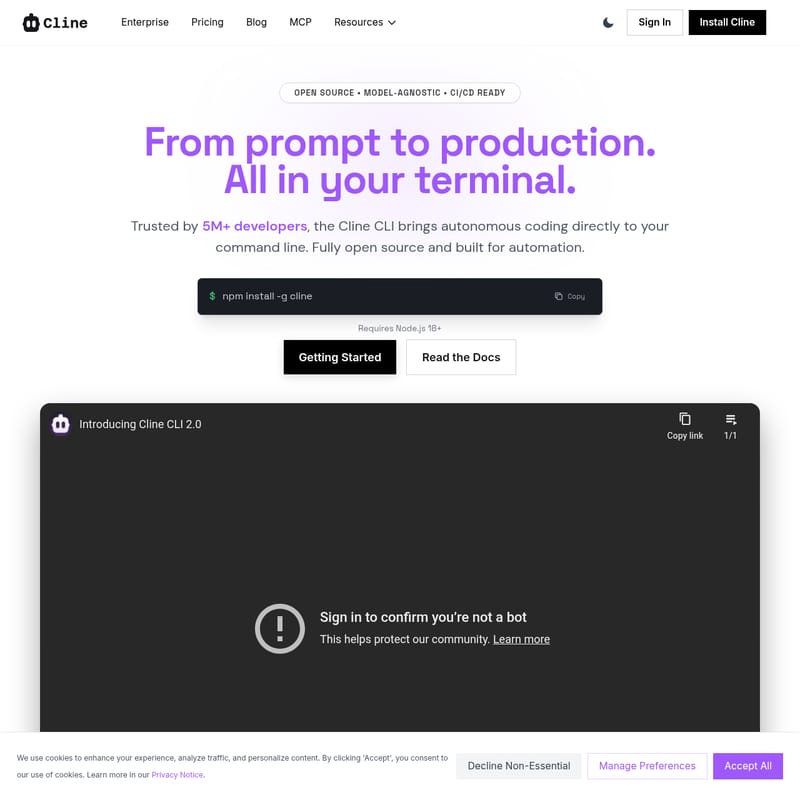
Cline is a powerful, open-source AI coding agent designed to bring autonomous development directly to the command line. Trusted by over 5 million developers, Cline CLI enables prompt-to-production workflows with complete model agnosticism. Whether you are automating routine tasks, performing code reviews in CI/CD pipelines, or seeking an interactive partner for step-by-step execution, Cline offers the flexibility and power needed for modern engineering. It supports major model providers like Anthropic and OpenAI, as well as local models via Ollama. With features like the Agent Client Protocol (ACP) for editor integration and the ability to run parallel agents, Cline transforms the terminal into a robust, context-aware development environment ready for enterprise-scale automation.
2026-02-16
--K
Cline CLI 2.0 Product Information
Cline CLI: Transform Your Terminal into an Autonomous AI Development Hub
In the modern landscape of software engineering, the bridge between a prompt and production is becoming shorter. Cline is at the forefront of this evolution, offering an open-source, model-agnostic, and CI/CD-ready autonomous coding agent that lives directly in your terminal. Trusted by more than 5 million developers, Cline is designed to amplify developer impact by bringing context-aware workflows to the command line.
What's Cline?
Cline is a versatile command-line interface (CLI) tool that acts as an autonomous AI partner for developers. Unlike traditional static tools, Cline functions as an agent capable of planning and executing complex coding tasks. It allows users to go from a simple prompt to a production-ready code change without leaving the terminal environment.
As an open-source solution, Cline provides the freedom to work with any model provider, including Anthropic, OpenAI, or local models, ensuring no vendor lock-in. It is built to maintain IDE parity, meaning you get the same agent capabilities and context-aware workflows in your terminal as you would expect in a high-end integrated development environment.
Features of Cline
1. Autonomous and Interactive Modes
Cline is built for every development workflow. For routine tasks, it can operate autonomously, planning and executing steps independently. When you need more control, you can use it interactively to review changes, switch between "plan" and "act" modes, and approve tool usage step by step.
2. Built for Automation and CI/CD
One of the most powerful features of Cline is its readiness for automation. You can integrate Cline into your CI/CD pipelines, bots, and scheduled jobs. By using the -y flag, Cline runs autonomously without an interactive UI, making it perfect for:
- Automated code reviews.
- Daily dependency scans.
- Pre-commit hooks to review staged changes.
3. Parallel Agent Execution
To keep workstreams fast and isolated, you can run multiple Cline processes in parallel across your project. Whether you are managing different branches, folders, or specific concerns, Cline can be orchestrated via your shell, tmux, or CI system to handle multiple tasks simultaneously.
4. Model Agnosticism and Infrastructure Flexibility
Cline works with your choice of infrastructure. It supports a wide range of model providers and any OpenAI-compatible API. This flexibility allows you to switch between different AI models without changing your fundamental workflow.
5. Extensible and ACP Compliant
As an extensible tool, you can customize Cline with unique tools and workflows to match your specific tech stack. Furthermore, the --acp flag makes Cline an Agent Client Protocol compliant agent, allowing it to connect with editors like Zed, Neovim, Emacs, and JetBrains.
Use Case Scenarios for Cline
"From prompt to production. All in your terminal."
- Continuous Integration: Use Cline in a GitHub Action to automatically review a
git difffor bugs, security issues, and style violations. - Security Audits: Set up a scheduled job where Cline checks your
package.jsonfor known CVEs. - Rapid Prototyping: Open a session, describe a feature, and let Cline execute the plan while you monitor the progress.
- Editor Integration: Bridge Cline to your favorite text editor using the ACP protocol to utilize AI assistance outside of a native extension.
- Offline Development: Point Cline to a local server via Ollama to maintain productivity without an internet connection.
How to Use Cline
Getting started with Cline is straightforward and requires Node.js 18+.
Installation
To install Cline globally on your system, run the following command:
npm install -g cline
Configuration
After installation, you need to authenticate and set up your API keys. You can do this interactively or via environment variables:
- Run
cline authfor an interactive setup. - Alternatively, set variables like
ANTHROPIC_API_KEYorOPENAI_API_KEY.
Basic Commands
- Start a session: Simply type
clinefollowed by your prompt. - Autonomous Mode: Use
cline -y "your instruction"for non-interactive execution. - Check Version: Run
cline --versionto ensure you are on the latest release. - Update: Keep your tool current by running
npm update -g cline.
FAQ
How do I install the Cline CLI?
Run npm install -g cline to install globally. Then authenticate with cline auth and you're ready to go.
What are the system requirements?
Cline requires Node.js 18+ and an API key from a supported provider (Anthropic, OpenAI, etc.). It is compatible with macOS, Linux, and Windows.
How do I configure my API keys?
Run cline auth for an interactive setup, or set environment variables such as ANTHROPIC_API_KEY. Keys are stored securely in your system keychain.
Can I use the CLI offline?
Yes. You can use local models via Ollama or any OpenAI-compatible endpoint. Point the Cline CLI to your local server to work offline.
Where can I find examples and tutorials?
Complete guides, API references, and real-world examples covering CI/CD and automation can be found in the official documentation at docs.cline.bot.







