Clawdi
Clawdi: The Universal Home for AI Agents, Environments, Memory, and App Connections
Clawdi is a comprehensive ecosystem designed to unify fragmented AI agents like Claude Code, OpenClaw, Hermes, and Codex. It provides a centralized home for AI environments, sessions, memory, skills, and app connections. By utilizing TEE-encrypted environments and hardware-level security, Clawdi ensures that your AI agents share a persistent memory and skill set across devices, from laptops to smartphones. Whether you are using the MIT-licensed local CLI or the powerful Cloud Hub, Clawdi eliminates siloed AI workflows, allowing for seamless cross-agent orchestration and integration with over 500 apps via Composio and various messaging channels.
2026-04-27
111.0K
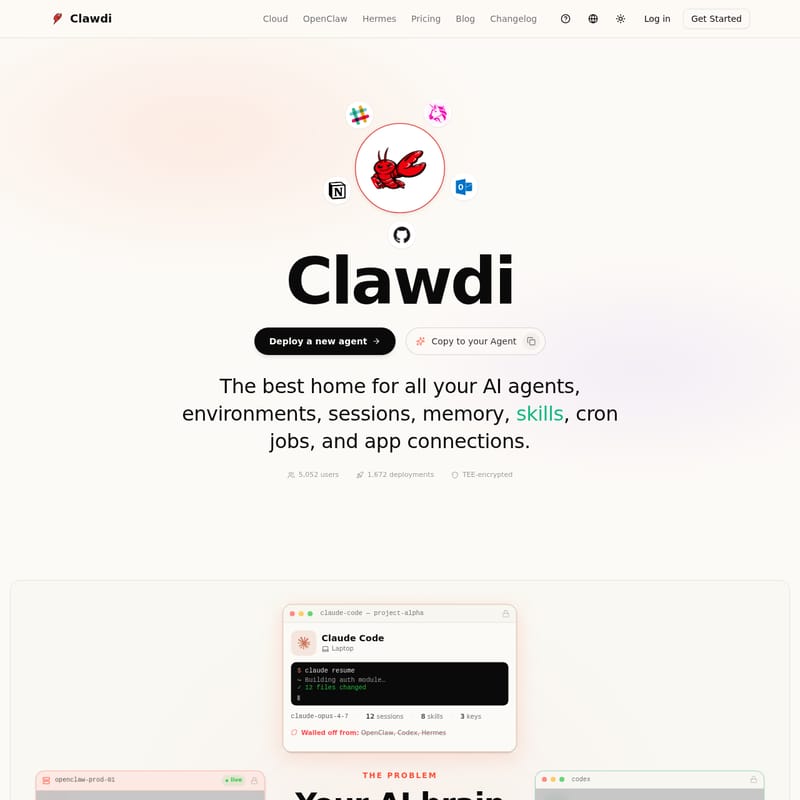
Clawdi Product Information
Clawdi: The Ultimate Home for All Your AI Agents and Environments
In the rapidly evolving landscape of artificial intelligence, users often find their workflows fragmented across multiple platforms. Your AI brain is frequently siloed; Claude Code on your laptop doesn't talk to Hermes on your phone, and OpenClaw on your server remains disconnected from Codex. Clawdi solves this fragmentation by providing the best home for all your AI agents, environments, sessions, memory, skills, cron jobs, and app connections.
With over 5,052 users and 1,672 deployments, Clawdi offers a TEE-encrypted space where your agents can finally share work, maintain persistent memory, and utilize a unified vault of API keys.
What's Clawdi?
Clawdi is a centralized ecosystem designed to sync and orchestrate various AI frameworks. It acts as the "home base" for your personal and professional AI, ensuring that your skills, keys, and memory persist regardless of which agent or device you are using. Whether you are building an auth module on your laptop or requesting a morning brief on your phone, Clawdi ensures a continuous experience.
At its core, Clawdi consists of two main components:
- Clawdi CLI: A free, MIT-licensed tool for managing local environments.
- Clawdi Cloud Hub: A hosted environment for always-on hosting, messaging channel integration, and hardware-encrypted execution.
Key Features of Clawdi
1. Cross-Agent Memory and Skills
Clawdi allows you to sync once and continue anywhere. If you build a "bug-filer" skill in Claude Code, that same skill and the associated memory are instantly available to Hermes or OpenClaw via the Clawdi Environment.
2. TEE-Encrypted Security
Security is paramount. Clawdi uses Trusted Execution Environments (TEE) and hardware encryption (Intel TDX) to protect your vault keys, secrets, and session data. Your sensitive information stays walled off and protected from unauthorized access.
3. Comprehensive Dashboard
The Clawdi Dashboard provides a single view for every agent. From one interface, you can monitor:
- Sessions: Track active tasks across Claude Code, Codex, and more.
- Skills & Memories: View the growing library of automated capabilities and stored context.
- Vault & Connectors: Manage API keys and 500+ app integrations safely.
4. Pluggable Runtimes
Clawdi supports all the best agents without vendor lock-in. You can bring whichever "brain" you prefer:
- OpenClaw: A multi-channel orchestrator with 500+ integrations.
- Hermes: A self-improving daily driver with deep memory retention.
- Claude Code: For local CLI-based development sessions.
- Codex: For syncing CLI workflows.
How to Use Clawdi
Getting started with Clawdi is designed to take less than 3 minutes. Here is the standard workflow to unify your AI experience:
- Install the CLI: Use the command
npm install -g clawdito set up your local environment. - Build and Save: Use Claude Code on your laptop to create skills or save API keys to your vault (e.g.,
Save Anthropic API key). - Sync to Cloud: Push your local sessions, skills, and connections to the Clawdi Cloud Hub.
- Pull Down on Mobile: Open Hermes on your phone. It will automatically recognize the skills and context created earlier on your laptop.
- Orchestrate: Use the Clawdi Dashboard to deploy new agents or manage complex workflows across messaging channels like Slack, WhatsApp, or Telegram.
Use Cases
Clawdi excels in various automated scenarios across the Cloud Hub:
- Email Triage: Automatically read, prioritize, and draft replies in Gmail, flagging only the most urgent items for your attention.
- Calendar Management: Schedule meetings, resolve conflicts, and block focus time across your calendar apps.
- CRM & Sales Pipeline: Keep Salesforce, HubSpot, and Pipedrive in sync by logging calls and updating deal stages automatically.
- Web Research: Monitor competitors and industry news through browser automation without manual input.
- Data & Analytics: Pull metrics from databases and spreadsheets to build scheduled reports and insights.
Pricing Plans
Clawdi offers flexible pricing to suit individual developers and large enterprises:
- Freemium ($0/mo): Includes 5,000 credits, 1 agent engine (OpenClaw or Hermes), 2 vCPU, 4GB RAM, and 13+ messaging apps.
- Pro ($29/mo): 30,000 credits, both OpenClaw and Hermes engines, web terminal access, and custom public ports.
- Max ($99/mo): 120,000 credits, 4 vCPU, 8GB RAM, and 40GB storage for heavy-duty automation.
- Enterprise: Custom security, SSO/SAML, audit logs, and dedicated support for organizations.
FAQ
Q: What can my AI actually do with Clawdi? A: Your AI can manage your schedule, triage emails, perform web research, and automate over 500+ apps including Notion, Jira, and Slack. It acts as a persistent assistant that learns and improves over time.
Q: Is my data safe? A: Yes. Clawdi uses hardware-encrypted, TEE-protected environments. Your keys and memories are stored in a secure vault, ensuring your data is private and protected.
Q: Can I use Clawdi for free? A: Absolutely. The Clawdi CLI is MIT-licensed and free forever for local use. You only pay if you need always-on hosting, TEE-encrypted cloud execution, and messaging channel integration via the Cloud Hub.
Q: Which agent frameworks are supported? A: Clawdi currently supports Claude Code, OpenClaw, Hermes, and Codex, with the ability to "Bring Your Own Agent" (BYOA) for custom frameworks.