How LangChain Uses the Schedules SDK to Build Proactive, Always-On Managed Deep Agents
LangChain’s guide introduces the Schedules SDK as a way to add scheduled runs to Managed Deep Agents. Its starting point is simple: LangChain says most proactive agents run on a cron schedule. The guide connects that scheduling mechanism to two named applications, memory and smart triage, and frames scheduled runs as a building block for proactive, always-on agents. The distinction is between when an agent runs and what it does once it runs: cron addresses timing, while memory and triage describe possible uses. The available excerpt identifies those uses and says the full guide explains how to add scheduled runs, but it does not include setup steps or explain how either application is implemented.
Key Takeaways
- LangChain says most proactive agents run on a simple cron schedule.
- The guide presents the Schedules SDK as the way to add scheduled runs to Managed Deep Agents.
- Memory and smart triage are the two applications named in the excerpt.
- The excerpt explains the premise of the guide but does not include the implementation steps.
In-Depth Analysis
Cron is the trigger, not the task
LangChain opens with a deliberately simple premise: most proactive agents run on cron. The practical distinction is between when an agent starts a run and what it does during that run. Cron addresses the first question by giving the run a scheduled time. It does not answer the second question, which is where the guide’s examples of memory and smart triage come in. This distinction also helps explain the title’s use of “always-on.” The mechanism described in the excerpt is scheduled execution, not uninterrupted execution. In that framing, an agent can be proactive because a schedule gives it a reason to start a run without waiting for a new request at that moment. The excerpt does not specify a cadence, so it offers no basis for saying how often a run should happen. Its narrower point is that a simple schedule can serve as the starting mechanism for proactive behavior.
Memory and smart triage show what scheduled runs can support
The phrase “from memory to smart triage” points to two applications of scheduled runs without describing their implementation. Memory and triage belong on the task side of the distinction: they tell readers what sort of work LangChain has in mind, while the schedule tells them when a run can start. The excerpt does not say what an agent would remember, how that memory would change, what it would triage, or what would qualify the triage as smart. Those details matter because naming an application is not the same as demonstrating it. A schedule does not, by itself, define a memory policy or a triage decision. The takeaway is that LangChain is presenting scheduled runs as a mechanism that can support more than one kind of agent work, not as a complete specification for either of the examples it names.
The Schedules SDK connects the idea to Managed Deep Agents
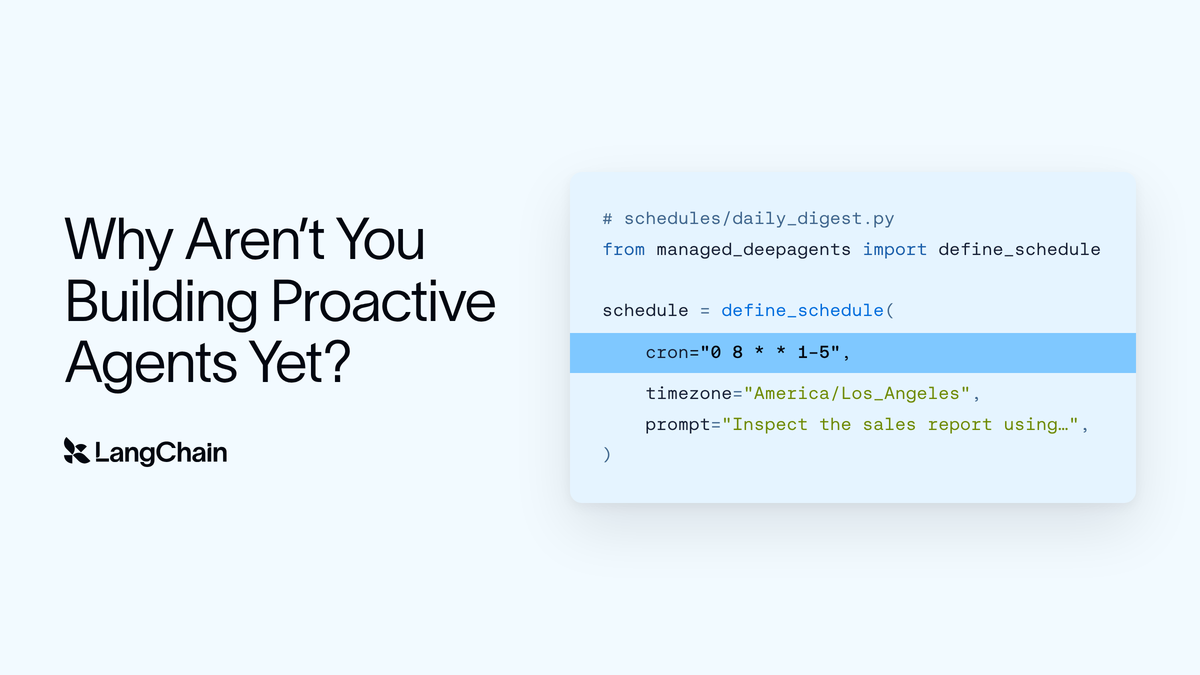
The title identifies both the tool and the environment: the Schedules SDK is the tool LangChain’s guide uses to explain how to add scheduled runs to Managed Deep Agents. That makes the scope more specific than a general discussion of cron. The guide is about applying scheduled execution in a named agent environment, with memory and triage providing the motivation for doing so. The available excerpt stops before the how-to portion. It does not show SDK calls, configuration, or an example of a scheduled run, so it cannot serve as a setup reference on its own. The full LangChain guide is the resource identified for those instructions. What the excerpt establishes is the relationship among the three pieces: Managed Deep Agents is the setting, the Schedules SDK is the tool, and a scheduled run is what the guide teaches readers to add.
Industry Impact
The broader significance for AI agent development is the separation of execution timing from task behavior. “Proactive” can sound like a claim about how an agent decides what to do. LangChain’s explanation focuses on a more concrete question: what causes the agent to run in the first place? In the approach described, the answer is a schedule. That gives readers a way to evaluate the claim without assuming that a scheduled agent independently chooses its goals or decides its own timing. The schedule can start a run; whether the run is useful for memory or triage depends on what the agent does once it starts.
The excerpt supports a design takeaway rather than a conclusion about industry adoption or measured results. It does not compare scheduled agents with other approaches, report the outcomes of a deployment, or establish that cron is the right trigger for every task. Its contribution is to frame scheduled execution as a practical starting point for building proactive agents in Managed Deep Agents. For readers assessing that approach, the examples point to the next question: once a run has been scheduled, what work should it perform? The guide names memory and smart triage as possible answers, while the excerpt leaves their design and implementation open.
Frequently Asked Questions
What makes a scheduled agent proactive in LangChain’s framing?
A schedule can start a run without a new request arriving at that moment. LangChain says most proactive agents use a simple cron schedule. The excerpt emphasizes when the agent runs, not whether it independently decides what work to do.
Does “always-on” mean the agent runs continuously?
The excerpt describes scheduled runs, not continuous execution. It does not specify how often runs occur, how long they last, or what happens between them. In the guide’s framing, “always-on” refers to the proactive behavior that scheduling is intended to support.
Does the excerpt show how to set up memory or smart triage?
No. It names memory and smart triage as uses for scheduled runs and points readers to the guide for adding scheduling through the Schedules SDK. It does not provide instructions for implementing either application.